
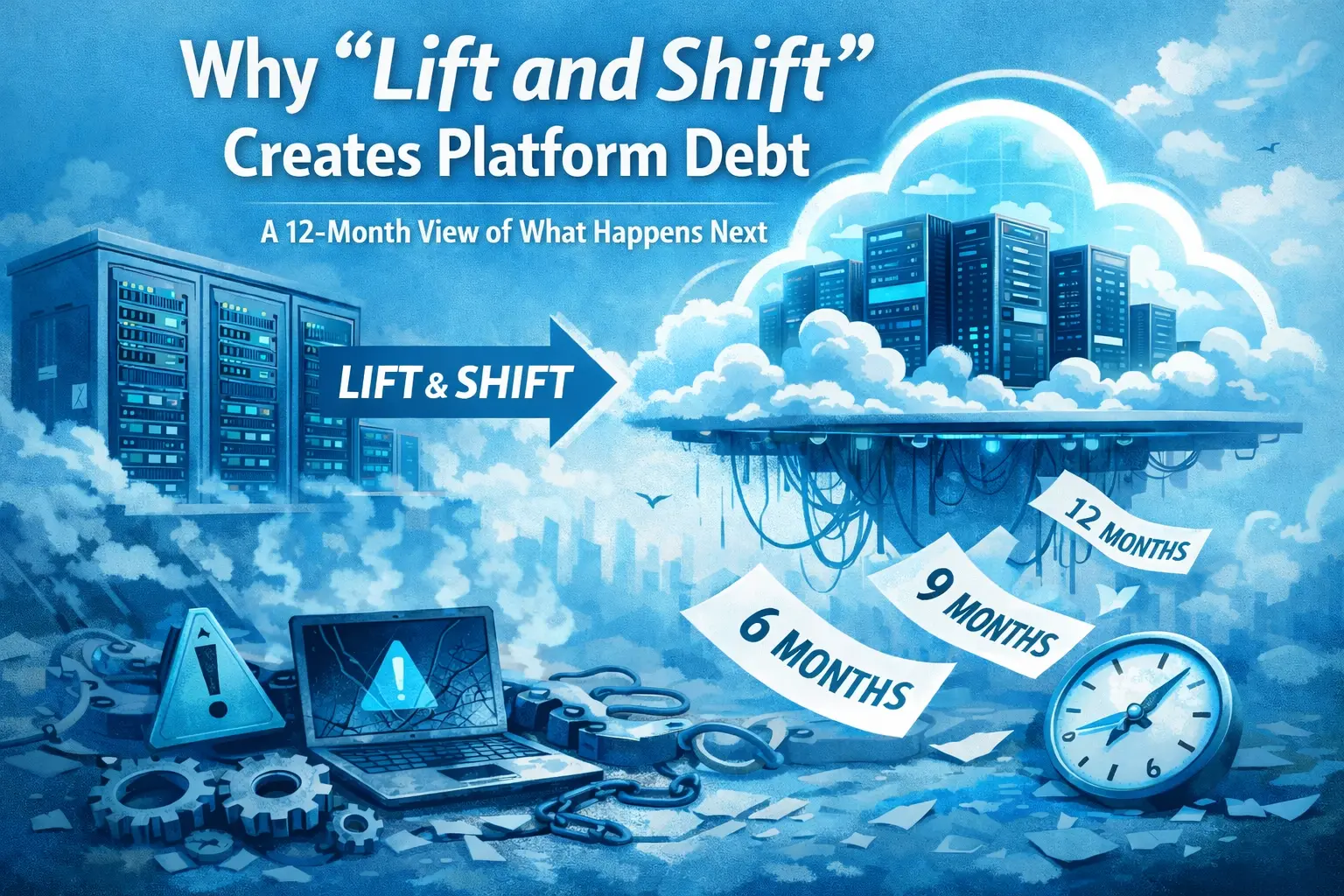
Why “Lift and Shift” Creates Platform Debt: A 12-Month View of What Happens Next
There's a moment in almost every cloud migration project where someone in the room says: "Let's just move it as-is and optimize later."
It sounds reasonable. It feels pragmatic. And in the short term, it often works — the servers move, the lights stay on, the migration gets marked as complete, and everyone goes home happy.
But "later" always arrives. And when it does, it brings a bill.
This is the story of what actually happens after a lift-and-shift migration — not in the sales deck, but in the 12 months that follow. It's a story about a concept called platform debt, why it compounds faster than most teams expect, and what you can do to stop it before it consumes the budget you thought you were saving.
First, Let's Get the Terms Straight
| Term | What It Means | Simple Analogy |
|---|---|---|
| Lift and Shift (aka Rehosting) | Moving existing workloads to the cloud without redesigning them. Same architecture, different location. | Moving into a new apartment but bringing all your old furniture — including the couch that doesn't fit through the door. |
| Platform Debt | Accumulating cost and complexity when your infrastructure isn't built for the environment it's running in. | Like technical debt, but at the infrastructure level. It compounds every month you don't address it. |
| Cloud-Native | Applications designed specifically to run in cloud environments — scalable, containerized, using managed services. | Furniture actually designed for the new apartment. It fits, works, and makes sense in context. |
The cruel irony: lift and shift is often chosen because it's cheaper and faster upfront. But it routinely creates a debt burden that costs 2–3x more to resolve than a proper migration would have.
Why Companies Choose It Anyway
Before we dig into the consequences, it's worth being fair about why lift and shift is so popular. It's not just laziness or bad planning.
| Reason | What's Really Going On | Risk Level |
|---|---|---|
| Tight deadlines | Data center contracts expire. Hardware hits end-of-life. Sometimes you have 90 days to move, not 18 months. | Medium |
| Low risk tolerance | Redesigning an app before moving it means more failure points. Teams with legacy systems can't afford to refactor and migrate at the same time. | Medium |
| Skills gap | Cloud-native development requires different skills than traditional infrastructure management. Most teams don't have them yet. | High |
| "Optimize later" mentality | The assumption that optimization is a future sprint item — which rarely gets scheduled once the migration is marked complete. | High |
| Pressure to show progress | Leadership wants to see cloud adoption numbers. Moving servers is visible. Refactoring architecture isn't. | High |
According to the 2023 Flexera State of the Cloud report, 47% of enterprises cited "moving workloads to cloud faster" as a top priority, often at the expense of optimization. And a McKinsey study found that while 90% of enterprises are on the cloud, only about 25% achieved the cost savings they originally projected.
That gap between expectation and reality? Platform debt is a major reason for it.
The 12-Month Timeline: What Actually Happens
Let's walk through a realistic timeline of what platform debt looks like after a lift-and-shift migration.
| Phase | What Looks Fine | What's Actually Happening | Debt Level |
|---|---|---|---|
| Months 1–2 Honeymoon |
Migration complete. Apps running. Team celebrating. | Instances are massively over-provisioned. Paying for 100% capacity while using ~15–18% average CPU. | Low (accumulating) |
| Months 3–4 First Bills |
Bill looks "manageable" at first glance. | Cloud costs 20–40% higher than projected. Teams buy Reserved Instances, locking in the oversized architecture for 1–3 years. | Medium |
| Months 5–6 Complexity |
Systems are stable and no major incidents. | Cloud management takes more work, not less. Licensing true-ups for Oracle/SQL Server start surfacing. | Medium–High |
| Months 7–8 Performance |
Apps are technically "working." | Users report things feeling slower. Latency from cross-AZ calls compounds. Apps behave strangely with cloud's transient failures. | High |
| Months 9–10 Security |
No breach yet. | Security audit finds misconfigured S3 buckets, overly permissive IAM roles, exposed databases. Perimeter-security model doesn't translate to cloud. | Critical |
| Months 11–12 Reckoning |
The migration is "done." | Team is now planning a second migration to modernize what was just moved. Total remediation costs 1.5–2x the original migration. | Maximum |
Phase-by-Phase: What's Actually Breaking
Months 1–2: The Honeymoon
Everything looks fine. The migration completed on schedule. Applications are running. The team celebrates.
What's actually happening underneath: you're running instances sized for on-premises workloads, which means they're almost certainly over-provisioned. On-premises, you size for peak load because you can't spin up capacity on demand. In the cloud, you don't need to do that — but nobody changed the sizing.
A typical on-premises server runs at around 15–18% average CPU utilization, per the Lawrence Berkeley National Laboratory's 2016 US data center energy report. You've just moved those same utilization patterns to cloud VMs where you're paying for 100% of that capacity around the clock.
Months 3–4: The First Real Bills Arrive
The cloud bill is higher than the on-premises cost was — often 20–40% more than projected. The natural assumption is that something went wrong in the migration. Nothing went wrong. This is the system working exactly as built.
Gartner has noted organizations waste an average of 30–35% of their cloud spend, much of it attributable to lift-and-shift patterns. Teams then respond by purchasing Reserved Instances — which locks in the oversized, unoptimized architecture for 1–3 more years. You've just made the debt harder to escape.
Months 5–6: Operational Complexity Surfaces
The team starts noticing that managing the cloud environment takes more work than the on-premises equivalent, not less. The cloud is supposed to simplify operations — and it does, but only when workloads are designed for it. When you lift and shift, you bring all your old operational complexity with you and layer cloud-specific complexity on top.
Here's a concrete example. Say your on-premises application used a Microsoft SQL Server instance running on a VM. You lift and shift it to AWS EC2. Now compare what you're responsible for:
| Task | Lift & Shift (EC2 + self-managed SQL) | Cloud-Native (RDS Managed Service) |
|---|---|---|
| OS patching | You do it | AWS does it |
| SQL Server licensing | You manage it (true-up risk) | Included or properly priced BYOL |
| Backups | You configure and manage | Automated, point-in-time recovery built-in |
| Failover | You build it | Multi-AZ failover built-in |
| Monitoring & alerts | You set it up | Built-in with CloudWatch integration |
| Net result | Cloud prices + on-prem management overhead | Cloud prices + cloud operational savings |
Months 7–8: The Performance Complaints Start
By month seven or eight, users and development teams start noticing that applications feel slower or less reliable than they did on-premises.
The problem is network architecture. On-premises, your app, database, and services might share a rack connected by a high-speed local network. In the cloud, those same services — lifted and shifted — might sit in different availability zones with networking that wasn't designed for their traffic patterns.
Latency compounds fast:
| Scenario | On-Premises Latency | Post Lift & Shift | User Impact |
|---|---|---|---|
| Single DB call | <0.5ms (same rack) | 2–5ms (cross-AZ) | Barely noticeable |
| Page with 50 DB calls | <25ms total | 100–250ms added | Noticeable to users |
| Complex transaction (200 calls) | <100ms total | 400ms–1s added | Significant degradation |
| Batch job (thousands of queries) | Minutes | Hours (worst case) | SLA breach risk |
A 2022 Uptime Institute study found 60% of outages were caused by people, process, and technology factors that migrated right along with the workload. They didn't get fixed. They got rehosted.
Months 9–10: Security and Compliance Gaps Emerge
On-premises security is built around perimeter defense — control the physical network, control access. Cloud operates on a completely different model: identity-based, zero-trust security, where every service and user needs to prove who they are to access anything.
When you lift and shift, you bring your perimeter-security assumptions with you. Here's where the gaps show up:
| Security Assumption | On-Premises Logic | Cloud Reality | Risk if Not Fixed |
|---|---|---|---|
| Perimeter firewall | "Inside the network = trusted" | Cloud has no physical perimeter | Critical |
| Service-to-service auth | Services talk freely on the LAN | Every service needs explicit IAM permissions | Critical |
| Storage access | File share only reachable on internal network | S3 bucket is internet-accessible if misconfigured | Critical |
| Logging & audit | Often manually configured or incomplete | CloudTrail, VPC Flow Logs need explicit enablement | High |
| Encryption in transit | Often skipped on internal traffic | Regulatory requirements usually mandate it in cloud | High |
IBM's Cost of a Data Breach Report 2023 found the average breach cost $4.45 million, with misconfiguration among the top three root causes. The Verizon DBIR consistently shows cloud misconfigurations as a leading cause of data exposures year over year.
Months 11–12: The Remediation Reckoning
By end of year one, most organizations are in one of two places. The first group is quietly absorbing overruns and preparing a business case for a second migration — this time to actually modernize. The second group has hit a crisis: a security incident, a compliance failure, or a cost spike that forces expensive emergency remediation.
In both cases, refactoring a lift-and-shifted application to be cloud-native typically takes 6–18 months and costs 1.5–2x the original lift-and-shift migration. You've paid for two migrations to get where one proper migration would have taken you.
A Forrester study found organizations that refactored before or during migration achieved 3.3x ROI over three years, compared to just 1.4x for rehosting-only approaches. The difference is the cost of platform debt.
What Platform Debt Looks Like on a Balance Sheet
Assume an organization migrates 50 servers via lift and shift, saving $200K in upfront project costs compared to a refactor-and-migrate approach. Here's what year one actually costs them:
| Cost Category | Description | Estimated Year-One Cost |
|---|---|---|
| Wasted cloud spend | Oversized instances, idle resources running 24/7 | $80,000–$120,000 |
| Excess licensing | Oracle, SQL Server true-ups not accounted for | $30,000–$60,000 |
| Operational overhead | 15–20% more engineering time managing self-hosted VMs | Significant salary cost |
| Security remediation | Fixing misconfigurations found in audit | $50,000–$100,000 |
| Performance optimization | Engineering time fixing latency and reliability issues | $40,000–$80,000 |
| Total Platform Debt — Year One | vs. $200K "saved" on the original migration | $200,000–$360,000 |
You spent $200K less to migrate. You spent $200K–$360K managing the consequences. The "savings" were borrowed, not earned.
This Doesn't Mean Lift and Shift Is Always Wrong
There are legitimate use cases for rehosting. The problem isn't the technique — it's using it as a default rather than a deliberate choice with eyes open to the trade-offs.
| Scenario | Lift & Shift Appropriate? | Why |
|---|---|---|
| Workload retiring in <18 months | Yes | Optimizing a dying system wastes effort. Buy time, then decommission. |
| Active M&A / data center consolidation | Yes | Speed matters more than efficiency when contracts are expiring. Modernize after the dust settles. |
| Workload already highly efficient on-premises | Maybe | If actual CPU utilization is high and sizing is already tight, the cloud penalty may be minimal. Validate with real data first. |
| Core business app with 5+ year roadmap | No | You'll be paying platform debt for years. Invest in proper migration now. |
| Legacy app with no modernization plan | No | Without a plan, "lift and shift" becomes "lift and stay." The debt never gets repaid. |
| Compliance-sensitive workload | No | Security architecture gaps from lift-and-shift are exactly the kind of thing auditors find. Don't migrate the perimeter security model. |
How to Avoid Accumulating the Debt
Right-size before you move, not after. Run your on-premises workloads through a resource utilization analysis. Tools like AWS Migration Evaluator, Azure Migrate, or even simple CloudWatch metrics can tell you what your workloads actually need. Even rough rightsizing before migration can cut waste by 20–30%.
Identify managed service candidates early. If you're running databases, message queues, caches, or job schedulers on self-managed VMs, map them to their managed equivalents before migration. Moving a MySQL VM to RDS isn't a major refactor — but it dramatically reduces operational overhead.
Build a cloud cost model before you commit. Don't wait for the first bill. Use your cloud provider's cost calculators with realistic workload data before committing to architecture decisions, especially Reserved Instance purchases.
Treat security architecture as part of the migration, not a post-migration task. Designing IAM policies, security groups, and network architecture alongside the migration is always cheaper than retrofitting after.
Accept that some workloads aren't cloud candidates yet. A legacy monolith on a 5-year replacement roadmap might be better staying on-premises until it's retired rather than paying cloud prices to run it inefficiently.
Define "done" correctly from the start. Migration ≠ moved. If your definition of project completion is "servers are in the cloud," you'll always underfund the work that follows. Build the optimization phase into the original project scope and budget.
The Bottom Line
Lift and shift earns its reputation as a fast, low-risk migration strategy — and in the short term, that reputation is deserved. But "fast and low-risk" isn't the same as "cheap," and it definitely isn't the same as "done."
Platform debt is the hidden cost of treating migration as a destination rather than a starting point. It accumulates quietly, compounds faster than most teams expect, and surfaces in the year after the migration closes — when the budget has been reallocated and the team has moved on to the next project.
The organizations that come out ahead aren't necessarily the ones that migrated most aggressively. They're the ones that were honest about what they were moving, what it would cost to keep running it that way, and what work remained after the boxes were checked.
The cloud doesn't make inefficiency cheaper. It just makes it more visible — one billing cycle at a time.


Ready to Get Started?
Let's take your observability strategy to the next level with Obsium.
Contact Us