

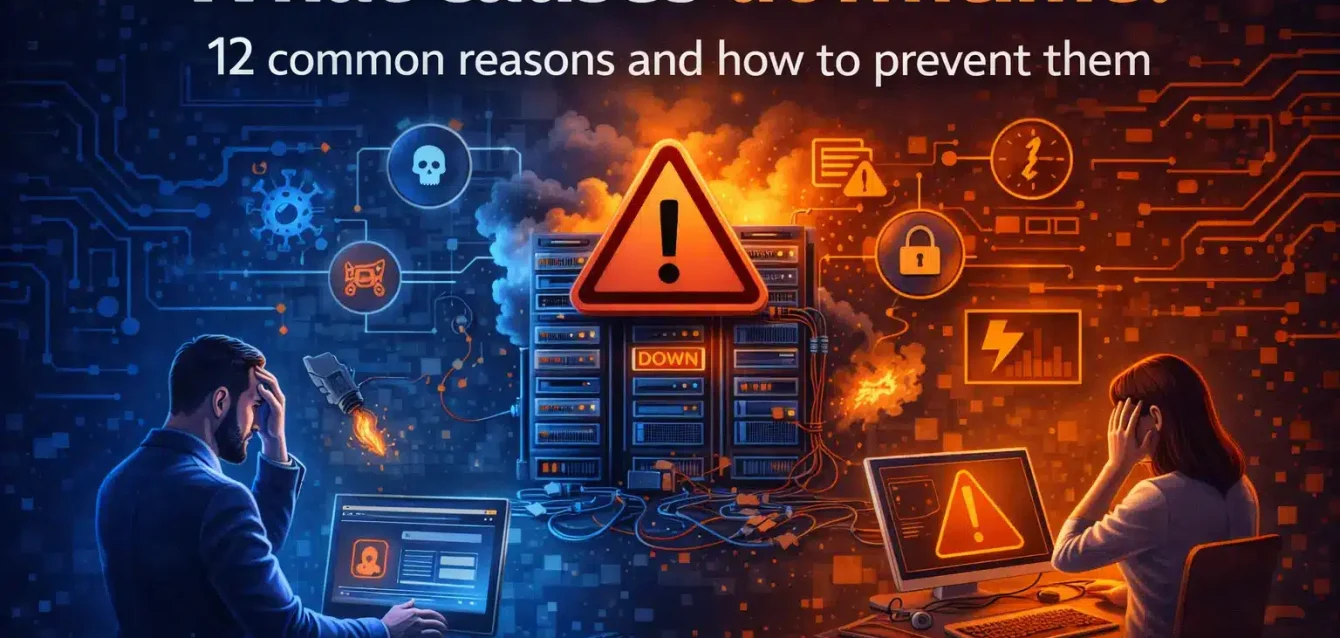
When your service goes dark, nobody cares about your architecture diagrams. They care that the thing is broken.
I’ve reviewed hundreds of post-incident reports over the years, and the patterns repeat themselves with depressing regularity. The same dozen failure modes keep showing up, whether you’re running Kubernetes clusters, a SaaS product, or on-prem legacy systems.
This guide breaks those patterns down with real numbers, actual prevention steps, and a framework to help you figure out where to start.
Why this matters more than you think
Downtime is expensive, and it’s getting worse.
According to ITIC’s 2024 Hourly Cost of Downtime Survey, over 90% of mid-size and large enterprises report that a single hour of downtime costs them more than $300,000. About 41% put that number between $1 million and $5 million per hour.
And those numbers don’t include lawsuits, regulatory fines, or the slow bleed of customer trust.
The July 2024 CrowdStrike incident made this painfully concrete. A single faulty software update crashed 8.5 million Windows systems and cost Fortune 500 companies roughly $5.4 billion in direct losses, according to Parametrix. Healthcare alone lost $1.94 billion. Delta Air Lines reported $500 million in damages and sued CrowdStrike.
That wasn’t a cyberattack. It was a bad deployment.
How I picked these 12
Not every cause of downtime is equally worth your attention. I filtered for five things:
- Frequency. Does it actually show up in incident reviews regularly?
- Impact. Can it cause a full outage, or just a minor blip?
- Detectability. Are there clear signals in logs, metrics, or traces?
- Preventability. Do proven engineering controls exist?
- Cross-domain applicability. Does it matter whether you’re running infra, apps, identity systems, or security tooling?
If a cause hit all five, it made the list.
1. Risky deployments and untested changes
Most outages start as a change.
A new release. A schema migration. An IAM policy edit. A load balancer rule. What makes it dangerous isn’t the change itself. It’s the absence of a safe rollout and a fast way to undo it.
The CrowdStrike incident is the extreme version of this. A content update was pushed globally without staged rollout, without a way for customers to delay it, and without the kind of validation that would have caught the bug before it hit millions of machines.
But you don’t need a global incident to feel this. Most teams I talk to trace at least half of their recent outages back to a deployment or config change that went sideways.
What actually helps:
- Use canary or blue/green deployments with automated health checks. Don’t rely on “deployment succeeded” as your signal. Gate on SLO burn-rate alerts instead.
- Keep rollback fast and rehearsed. If your rollback plan is “we’ll figure it out,” that’s not a plan.
- Track your change failure rate and tie it directly to release process improvements.
2. Misconfiguration (apps, infra, and security controls)
Misconfigurations produce the most confusing outages because nothing actually crashes. Everything looks healthy, but traffic isn’t flowing, or latency doubled, or authentication stopped working.
A platform team changes an NGINX Ingress annotation to increase request body size and accidentally disables HTTP/2. Latency goes up, retries explode, connection limits get hit. The service “works” but is functionally unusable.
According to Uptime Institute’s 2025 report, IT and networking issues accounted for 23% of impactful outages in 2024, and the institute specifically attributes this rise to misconfigurations caused by increasing system complexity.
How to fix it:
- Adopt policy-as-code tools like OPA Gatekeeper, Kyverno, or Terraform Sentinel for guardrails that catch bad configs before they land.
- Validate configs in CI. Schema checks, unit tests for Helm charts and Kustomize overlays. Catch it in the pipeline, not in production.
- Prefer immutable deployments over SSH hotfixes. Manual tweaks are how drift accumulates until something breaks.
3. Dependency failures (third-party services, DNS, PKI)
Your app can be perfectly healthy and still be down. Because something it depends on isn’t.
Payment gateways, identity providers, email/SMS services, upstream APIs, DNS resolvers, certificate authorities, internal shared services. Any of these can take you out.
This isn’t hypothetical. When AWS us-east-1 has a bad day, a chunk of the internet goes with it. When a certificate authority has issues, TLS handshakes fail across services that otherwise have nothing in common.
Prevention moves:
- Implement timeouts, retries with jitter, and circuit breakers. This should be baseline, and a surprising number of services still don’t do it properly.
- Design for graceful degradation. Can you serve stale data? Switch to read-only mode? Queue writes for later? These aren’t perfect, but they keep users functional.
- Instrument dependency health separately. Your app metrics might look fine while your payment provider is timing out on 30% of requests.
- Run game days where you actually simulate a dependency going down and watch what happens. You’ll almost certainly find surprises.
4. Capacity and scaling limits
Capacity problems rarely look like a clean “out of CPU” error. They show up as creeping latency, thread pool exhaustion, growing queues, autoscaler lag, and noisy neighbor effects.
If the first sign of a capacity problem is a user complaint, you’re already in an outage.
Where to focus:
- Load test to a specific target (e.g., 2x your observed peak) and record exactly where saturation shows up. Don’t guess.
- Set HPA/VPA thresholds carefully and actually validate scale-up speed. A horizontal autoscaler that takes 8 minutes to add pods is useless during a traffic spike.
- Protect critical request paths with bulkheads. Separate pools for your API tier and background workers so a batch job doesn’t starve your user-facing traffic.
- Watch p95 and p99 latency, not averages. Averages hide the pain.
5. Database and storage failures
Databases fail in predictable, well-documented ways. Slow queries. Lock contention. Exhausted connection pools. Full disks. Replication lag. Backup restores that don’t actually work.
Here’s one I see over and over: an index migration runs during business hours, spikes I/O, replication falls behind, read replicas start serving stale data. The app “works” but users see incorrect state, then errors cascade as queues back up.
The fixes:
- Use online schema change tools (like gh-ost or pt-online-schema-change for MySQL) and avoid long blocking migrations during business hours.
- Set connection pool limits and fail fast when pools saturate. A 30-second timeout on connection acquisition just makes everything worse.
- Test your backups by actually restoring them. Measure your real RTO and RPO. A backup you’ve never tested is a hope, not a plan.
- Alert on replication lag, disk fill rate, and query latency at the 95th percentile.
6. Network issues (routing, MTU, packet loss, load balancers)
Network problems cause the worst kind of downtime: intermittent.
Packet loss, asymmetric routing, or MTU mismatches can look like random timeouts, partial region failures, or “only some users are broken.” Debugging these is miserable because the symptoms shift depending on where you look.
Uptime Institute’s 2024 data found that network and power issues accounted for 23% of impactful outages, with network complexity being a major contributing factor.
A useful rule of thumb: if you’re seeing intermittent timeouts and the code hasn’t changed recently, check the network and DNS first. Not the code.
What actually helps:
- Track packet loss and TCP retransmits between tiers and regions. Make these dashboards first-class citizens.
- Use multi-AZ or multi-region load balancing with health-based routing so bad paths get taken out of rotation automatically.
- Validate MTU and fragmentation assumptions, especially if you’re running VPNs or overlay networks. This is a common source of hard-to-debug packet loss.
- Run synthetic probes from outside your VPC. If you only measure from the inside, you’re measuring your own blind spot.
7. DNS outages and record mistakes
DNS is a tiny component with an enormous blast radius.
A wrong CNAME, a missing record, a resolver outage. Any of these can take down “everything” while your compute, your databases, and your application code are all perfectly fine.
The prevention here isn’t technically complex. It’s a discipline problem.
What to do about it:
- Lower TTLs before planned cutovers. Raise them again after things stabilize. This gives you a fast rollback path if the new records are wrong.
- Use dual resolvers and monitor resolution time and SERVFAIL rates.
- Automate DNS changes with peer review and rollback capability. Infrastructure-as-code is ideal here.
- Stop treating DNS as “set and forget.” Review records quarterly, at minimum.
8. Certificate and identity failures
Expired TLS certificates and identity outages (broken SAML/OIDC flows, conditional access misconfigurations) are the classic “everything is down and nobody knows why” events.
They’re also uniquely painful because identity failures often block both the users experiencing the outage and the responders trying to fix it. If your SSO is down and your engineers can’t log into the admin console, your MTTR just got a lot longer.
How to protect yourself:
- Automate certificate issuance and renewal (ACME/Let’s Encrypt, cloud-managed certs). Manual cert management is how you get 3 AM pages about expired certs.
- Alert at 30, 14, and 7 days before expiration for every certificate in your fleet. Not just the ones you remember.
- Test SSO configuration changes in a sandbox tenant first. Use staged rollout groups, not a big-bang push to all users.
- Maintain break-glass access paths with tight auditing. When everything else is locked out, you need a way in.
9. Security incidents (DDoS, ransomware, credential compromise)
Security events cause downtime directly (a DDoS attack saturates your edge) and indirectly (containment steps that intentionally shut things down to stop the bleeding).
Compromised credentials can also trigger destructive changes that look like “an outage” until someone figures out it’s actually an attacker.
In 2024, cyber incidents at data centers doubled compared to the average of the previous four years, according to Uptime Institute’s Annual Outage Analysis 2025. Among eight major public cyber incidents analyzed, estimated total losses exceeded $8 billion.
Prevention in practice:
- Use WAF and DDoS protection at the edge. Rate-limit aggressively.
- Apply least-privilege everywhere and actively monitor for permission changes and unusual API call patterns. Credential compromise is often detectable before the damage starts.
- Back up critical systems and actually test restores. Segment your network so a compromise in one zone can’t easily spread.
- Run incident response drills. Containment under pressure is a skill, and untrained teams tend to make things worse.
10. Observability gaps (you can’t see the failure)
When telemetry is missing or incomplete, teams burn hours arguing about where the problem is. What should have been a 10-minute rollback turns into a 2-hour outage.
This is downtime by delay. The system failed at minute zero, but you didn’t confirm it until minute 45.
Uptime Institute found that 80% of data center operators believe better management and processes would have prevented their most recent downtime incident. A big chunk of that is observability. You can’t fix what you can’t see.
The fix is visibility:
- Standardize on the four golden signals: latency, traffic, errors, saturation. If you’re missing any of these for a service, you have a gap.
- Adopt distributed tracing for cross-service request paths. When a request touches six services, you need to know which one is slow.
- Set SLOs and alert on burn rate, not raw CPU thresholds. A CPU at 80% might be fine. An error budget burning 10x faster than expected is not.
- Capture deploy markers in your monitoring so you can instantly correlate releases with error spikes.
11. Automation and pipeline failures
CI/CD and infrastructure-as-code reduce toil, but they also create single points of failure. When the pipeline breaks during an active incident, you can’t ship the fix. When a bad Terraform plan runs unreviewed, it can take out shared infrastructure.
Here’s a real scenario: a shared GitHub Actions runner pool hits its quota. Deployments stall during an incident. User impact extends by 45 minutes while someone finds a manual deployment path.
How to de-risk this:
- Make pipelines highly available. Redundant runners, mirrored artifact repositories.
- Require plan review for all IaC changes. Use drift detection and state file safeguards (locking, versioning).
- Define an “emergency change path” that bypasses the normal pipeline with appropriate guardrails and audit logging. If your only way to deploy is the pipeline, and the pipeline is down, you’re stuck.
12. Human factors: unclear ownership, bad handoffs, and fatigue
Systems fail, but so do teams. If nobody owns a service, alerts bounce between groups. If the on-call engineer doesn’t have authority to make changes, they wait for approvals while the outage continues. If responders are exhausted from weeks of pager load, they make riskier decisions under pressure.
According to Uptime Institute’s 2025 analysis, nearly 40% of organizations suffered a major outage caused by human error over the past three years. Of those, 85% stemmed from staff failing to follow procedures or from flaws in the procedures themselves.
And the trend is worsening. The proportion of human error outages caused by failure to follow procedures rose by ten percentage points year-over-year.
What actually moves the needle:
- Define clear service ownership, on-call rotations, and escalation paths. If you can’t answer “who owns this?” in 30 seconds, that’s your problem.
- Keep runbooks current. Review them after every incident and major change, not once a year.
- Use incident roles (commander, scribe, operations lead) to reduce chaos during response.
- Track alert volume and after-hours pages. Burnout isn’t just a morale issue. It’s a reliability issue.
Quick comparison: what to watch and what to fix first
| Cause | Fastest signal to check | Highest-leverage prevention | Typical blast radius |
|---|---|---|---|
| Risky deployments | Error rate after deploy | Canary + automated rollback | One service to many |
| Misconfiguration | Config diff vs. last known good | Policy-as-code guardrails | One cluster or tenant |
| Dependency failure | Upstream latency and timeouts | Circuit breakers + graceful degradation | Many services |
| Capacity limits | p95 latency + resource saturation | Load tests + scaling validation | One region or AZ |
| DB/storage issues | Connection pool + slow queries | Migration discipline + restore tests | Core data plane |
| Network problems | Synthetic probes, TCP retransmits | Multi-path resiliency | Broad, cross-service |
| DNS issues | Resolution time, SERVFAIL rate | IaC-managed DNS + dual resolvers | Broad, cross-service |
| Cert/identity failures | Cert expiry checks, auth error rate | Automated renewal + break-glass | Broad, user-facing |
| Security incidents | Edge saturation, auth anomalies | Rate limits + IR playbooks | Broad, high severity |
| Observability gaps | Missing traces/logs/metrics | SLOs + standard instrumentation | Inflates MTTR |
| Pipeline failures | Build queue depth, deploy latency | Redundant runners + emergency path | Blocks incident response |
| Human factors | Escalation time, alert fatigue | Ownership clarity + runbook hygiene | Slows everything down |
How to pick what to fix first
You don’t need to fix all twelve at once. Match your recent pain to the right starting point.
If outages tend to follow releases: Start with canary deployments and automated rollback. Measure improvement by tracking change failure rate.
If you see random timeouts and partial failures: Focus on timeouts, retries, and circuit breakers for your dependencies. Watch for MTTR and timeout rate to drop.
If things slow down during peak business hours: That’s capacity or database. Load test and tune queries. Watch p95 latency for stabilization.
If incidents take hours to isolate: That’s an observability problem. Add tracing and SLO-based alerting. Your MTTR should drop noticeably.
If access failures block everyone: Automate certificate renewal and set up break-glass access. Fewer auth-related incidents is the metric.
If “who owns this?” comes up in every incident: Define service ownership, update runbooks, establish incident roles. Measure by handoff speed and pages-per-person.
Pick the top two that match your last three incidents. Implement controls within 30 days. Don’t try to fix everything at once.
If you want a prioritized plan that maps these 12 causes to your specific stack and current controls, talk to the Obsium team about an availability and operations assessment.
Frequently asked questions
Is downtime mostly caused by code bugs or infrastructure?
In practice, “code” and “infra” blend together. The dominant trigger across most organizations is change without safe rollout, testing, or clear rollback. It’s rarely a pure code bug in isolation.
What’s the fastest way to reduce downtime in 30 days?
Standardize release safety (canary or blue-green deployments), add automated rollbacks, and tighten alerting around SLO burn rates. This hits both incident count and MTTR.
How do I prevent third-party outages from taking down my app?
Design for dependency failure: timeouts, retries with jitter, circuit breakers, caching, and graceful degradation. Measure dependency health independently from your own app metrics.
What metrics should I report to leadership?
Four metrics that tie directly to reliability outcomes: availability percentage, mean time to recovery (MTTR), change failure rate, and incident count broken down by root cause category.
When should we invest in multi-region?
After you can reliably operate in one region. That means tested restores, safe deployment practices, and solid observability. Multi-region amplifies every operational weakness you already have.