

When AT&T took Broadcom to court, the number on the filing was a 1,050% price hike on its VMware renewal. European customers have been reporting jumps of 800% to 1,500% in 2026 (Network World). Tesco filed a case in late 2025 seeking at least £100 million in damages. UnitedHealthcare has an active lawsuit in federal court.
Fidelity filed in November 2025 and settled the week before its hearing in January 2026 (Rack2Cloud Broadcom VMware lawsuit tracker). The kind of stuff that normally stays quiet between a vendor and its customers. None of this is quiet.
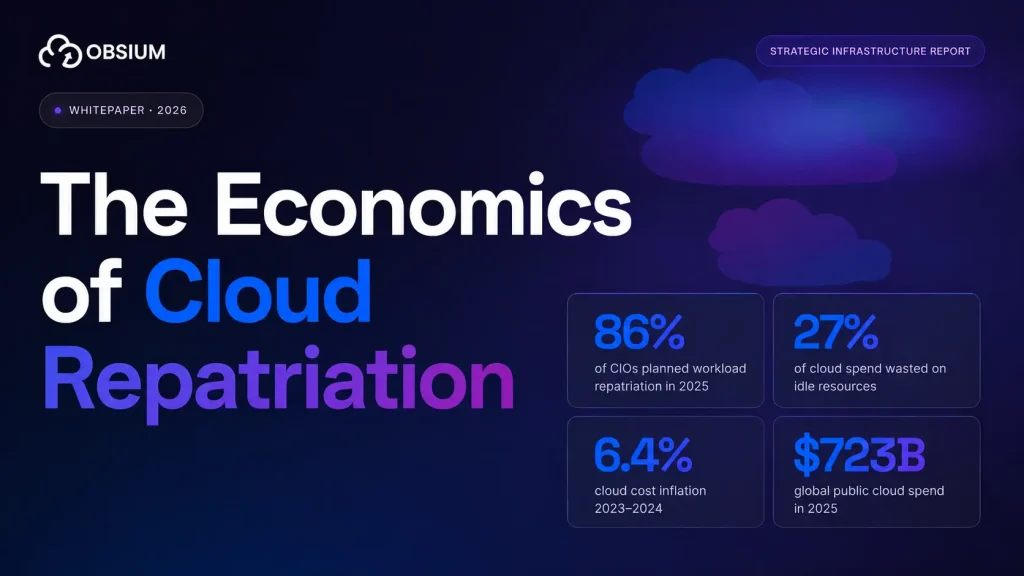
And those are just the companies with the budget to sue. The rest of the market is voting with its feet. A 2026 survey found 86% of organizations are actively reducing their VMware footprint, and 88% are worried about where the pricing goes from here. If you are having this conversation internally, you are not having it alone. Your peers are already halfway through it.
So you probably do not need to be convinced that leaving makes sense. What you actually want to know is “how do I do this without it becoming a disaster.” That is the part nobody talks about, because leaving VMware is not really a technology problem. It is a sequencing problem.
Move the wrong workloads first, skip the assessment phase, or underestimate the skills gap, and you will blow your timeline and your budget.
Here is the playbook we have seen work for mid-market teams making this transition.
Step 1: Inventory everything (yes, everything)
Before you touch a single workload, you need to know what you’re running. That sounds obvious. In practice, most companies skip it or half-do it.
Export your full VM inventory from vCenter. You need:
- CPU, memory, and storage allocation per VM
- Actual utilization (not allocated, actual — pull 90 days of metrics from vROps or Aria Operations)
- Network dependencies and firewall rules between VMs
- Storage IOPS and latency patterns
- Which VMs talk to which other VMs (this matters more than people think)
The goal here is not a spreadsheet for management. It’s a dependency map. You can’t sequence a migration without knowing which things depend on which other things.
Common mistake: Treating inventory as a one-week task. For a mid-market company running 200-500 VMs, expect 3-4 weeks to do this properly. The first pass always misses something.
Step 2: Classify workloads into four buckets
Not everything should become a container. That’s worth repeating. Not everything should become a container.
We use four categories:
Containerize. Stateless web applications, microservices, APIs, anything already running in Docker or that was built in the last 5 years with a 12-factor architecture. These are your easiest wins.
Lift-and-shift to KubeVirt. Stateful legacy applications that need a VM-like environment but can run inside Kubernetes via KubeVirt. The VM runs inside a pod, managed by the KubeVirt operator. Operating system, application configs, everything stays the same. You get Kubernetes orchestration without rewriting the app.
Replatform. Applications that need some modification but aren’t worth a full rewrite. Maybe swapping out local storage for a cloud-native alternative, or replacing a hardcoded config with environment variables.
Leave alone. Some things aren’t worth migrating. License-locked software tied to specific hardware. Ancient database servers running EOL operating systems where nobody has the source code. Mainframe connectors. If the risk of migration outweighs the VMware renewal cost, leave it.
Here’s a rough distribution we see in mid-market environments:
| Category | Typical % of workloads | Migration effort |
| Containerize | 25-35% | Low to medium |
| KubeVirt lift-and-shift | 30-40% | Low |
| Replatform | 15-20% | Medium to high |
| Leave alone | 10-20% | None |
That “leave alone” bucket is important. Trying to move 100% of workloads is how migrations stall at month 8 with nothing in production.
Step 3: Pick your Kubernetes target
Mid-market companies have three real options here.
Managed Kubernetes (EKS, GKE, AKS). 79% of Kubernetes users run managed services, according to the CNCF. This is the default recommendation for most mid-market companies. You offload cluster management, get automatic upgrades, and pay per-node pricing that’s usually cheaper than VMware licensing.
Quick comparison:
| EKS (AWS) | GKE (Google) | AKS (Azure) | |
| Control plane cost | $73/month | $73/month (Standard) | Free (Standard) |
| Best for | AWS-heavy shops | Multi-cloud, ML workloads | Microsoft shops |
| KubeVirt support | Yes | Yes | Yes |
Self-managed on bare metal. Makes sense if you own your data center hardware and want to avoid cloud costs entirely. More operational burden, but the savings can be significant. Michelin moved 450 applications off VMware Tanzu to their own open-source Kubernetes platform and cut platform costs by 44%.
“At the end of the day, we realized that everything that we needed to do was readily available, and possible with open source tools.” — Gabriel Quennesson, Container-as-a-Service tech lead, Michelin
Hybrid. Run a managed Kubernetes cluster in the cloud for stateless workloads and keep some VMs on-prem for legacy stuff. This is what most companies end up doing, even if they planned to go all-cloud.
Step 4: Build the team before you start migrating
The skills gap is the most underestimated risk in VMware-to-Kubernetes migrations. Your VMware admins are probably excellent. They’ve been running vSphere for years. Kubernetes is a different operational model.
In vSphere, one or two admins manage everything through vCenter. In Kubernetes, responsibilities split across a platform team (cluster operations, networking, security policies) and application teams (deployment configs, CI/CD pipelines, container images).
What a mid-market migration team looks like:
- 3-5 engineers with overlapping skills
- At least one person with real Kubernetes production experience (not just CKA certification, actual production incident experience)
- Your best VMware admin, because they know the existing environment better than anyone
- A networking person, because Kubernetes networking will confuse everyone at first
Real-world reference: Michelin runs 450 containerized applications across 42 locations with a team of 11 engineers. For a mid-market company with 200-500 VMs, a core team of 4-6 is realistic for the migration phase.
If you don’t have Kubernetes experience in-house, you have two choices: hire it (takes 3-6 months, assuming you can find someone) or bring in a consulting partner who’s done this before. Most mid-market companies do the latter to avoid losing a year to recruiting.
Step 5: Migrate in waves, not all at once
This is where companies either succeed or fail. Wave-based migration is not optional. It’s how you control risk.
Wave 0, weeks 1-4 is platform setup. Stand up your Kubernetes cluster. Configure networking (Calico or Cilium for CNI). Set up monitoring from day one, not after the migration. Install Prometheus, Grafana, and Loki so you can actually see what’s happening when workloads move over. If you wait until something breaks to add observability, you’ll spend three days guessing instead of three minutes reading a dashboard.
Wave 1, weeks 5-8 is your learning phase. Internal tools. Dev environments. Staging servers. Things where downtime doesn’t cost money. You’ll discover configuration issues, networking problems, and storage mismatches here. Better to find them with your internal wiki than with your payment processing system.
Wave 2, weeks 9-16 is production stateless apps. Web frontends, APIs, microservices. These should containerize relatively cleanly. Run them in parallel with VMware for 1-2 weeks before cutting over. Compare response times, error rates, and resource consumption between the old and new environments.
Wave 3, weeks 17-24 is stateful workloads and databases. This is the hard part. Databases, message queues, anything with persistent storage. Use KubeVirt for workloads that can’t be easily containerized. For databases, consider managed services (RDS, Cloud SQL) instead of running them in Kubernetes unless your team is comfortable with StatefulSets and persistent volume management.
Wave 4, weeks 25-30 is everything else. The weird stuff. The app that only one person understands. The system that was supposed to be decommissioned two years ago but is still running. Handle these case by case.
Total timeline for a mid-market company running 200-500 VMs: 6-9 months with dedicated resources. If your team is splitting time with other projects, add 50%.
The costs nobody warns you about
VMware licensing savings get all the attention. And they are real. Platform9 published an analysis showing 49% TCO reduction when moving from VMware to Kubernetes with KubeVirt. Michelin cut platform costs by 44%.
But there are costs on the other side that rarely make it into the pitch deck.
Training is the obvious one. Kubernetes has a steep learning curve, and you should budget $5,000-15,000 per engineer for training and certification. Tooling is less obvious. You’ll need new monitoring, logging, CI/CD pipelines, secrets management, and GitOps tooling. Open-source options (Prometheus, ArgoCD, Vault) keep licensing costs at zero, but someone has to set them up and maintain them, and that someone’s time is not free.
Then there’s the productivity dip. Your team will be slower for the first 2-3 months while they learn a new platform and keep the old one running at the same time. Plan for it instead of pretending it won’t happen.
And if you bring in outside help, expect $150-300/hour for Kubernetes migration specialists. A typical mid-market engagement runs 3-6 months.
For most companies, the migration still costs less than three years of Broadcom’s new pricing. But go in with realistic numbers, not vendor marketing.
What to monitor during and after migration
Set up observability before you start moving workloads, not after. You need:
- Resource utilization per pod and node (are you over-provisioning or under-provisioning?)
- Application latency and error rates before and after migration (your comparison baseline)
- Network traffic between services (did the migration break any dependencies?)
- Persistent volume performance (storage is where most migration issues show up)
- Cost tracking per namespace (so you can actually prove the savings to finance)
This is where an open-source observability stack (Prometheus for metrics, Loki for logs, Tempo for traces, Grafana for dashboards) actually matters. You’re leaving VMware partly because of vendor lock-in. Paying Datadog $23 per host per month to monitor your new Kubernetes cluster kind of defeats the purpose.
The “do nothing” option is also a choice
Some companies will read all of this and decide to stay on VMware. That’s a legitimate decision, especially if:
- Your VMware renewal, even at the higher price, is less than the migration cost
- You run fewer than 50 VMs and the operational disruption isn’t worth it
- Your applications are deeply tied to vSphere-specific features
- You’re planning to decommission the workloads within 2-3 years anyway
But if your VMware bill just tripled and you’re running 200+ VMs with a 5+ year horizon, waiting is the most expensive option. Broadcom isn’t reversing these pricing changes. Every quarter you delay is another quarter of inflated licensing costs.
Where Obsium fits
We do this migration for mid-market companies. The full thing: assessment, workload classification, Kubernetes cluster setup, wave-based migration, and the observability layer on top (Prometheus, Grafana, Loki, Tempo deployed inside your infrastructure, not ours).
We got into this work because we kept seeing companies escape VMware licensing only to land in a new vendor lock-in on the monitoring side. That felt like a problem worth solving.
If your VMware renewal is keeping you up at night, we should talk.