

Most teams have a DevOps monitoring setup that tracks one thing well: deployment frequency. The line goes up, leadership feels good, and nobody asks whether the software is actually getting more reliable.
That is the core problem with DevOps metrics in 2026. Teams measure speed but not health. They track how often they ship, but not what breaks after they ship, how long users wait for responses, how much compute sits idle, or how much engineering time goes to firefighting instead of building.
Now that AI writes 41% of code and deployment frequency is inflated by automation, the gap between “our DevOps metrics look good” and “our software is reliable” is wider than ever (DevOps.com: DORA 2025: Faster, But Are We Any Better?).
This post covers three layers of DevOps metrics that actually matter, the DevOps monitoring tools you need to collect them, and why DevOps observability is the piece most teams are missing.
Three layers of DevOps metrics
Most teams only measure one layer: delivery speed (how fast code gets to production). That is necessary but not sufficient. A complete DevOps monitoring setup covers three layers:
| Layer | What it answers | Example metrics |
|---|---|---|
| Delivery performance | How fast and safely are we shipping? | Deployment frequency, lead time, change failure rate, recovery time, rework rate |
| Operational health | Is the system working for users right now? | Error rate by service, P99 latency, error budget burn rate, cost per request |
| Developer experience | Is the team productive and sustainable? | Cycle time breakdown, deploy confidence, toil ratio |
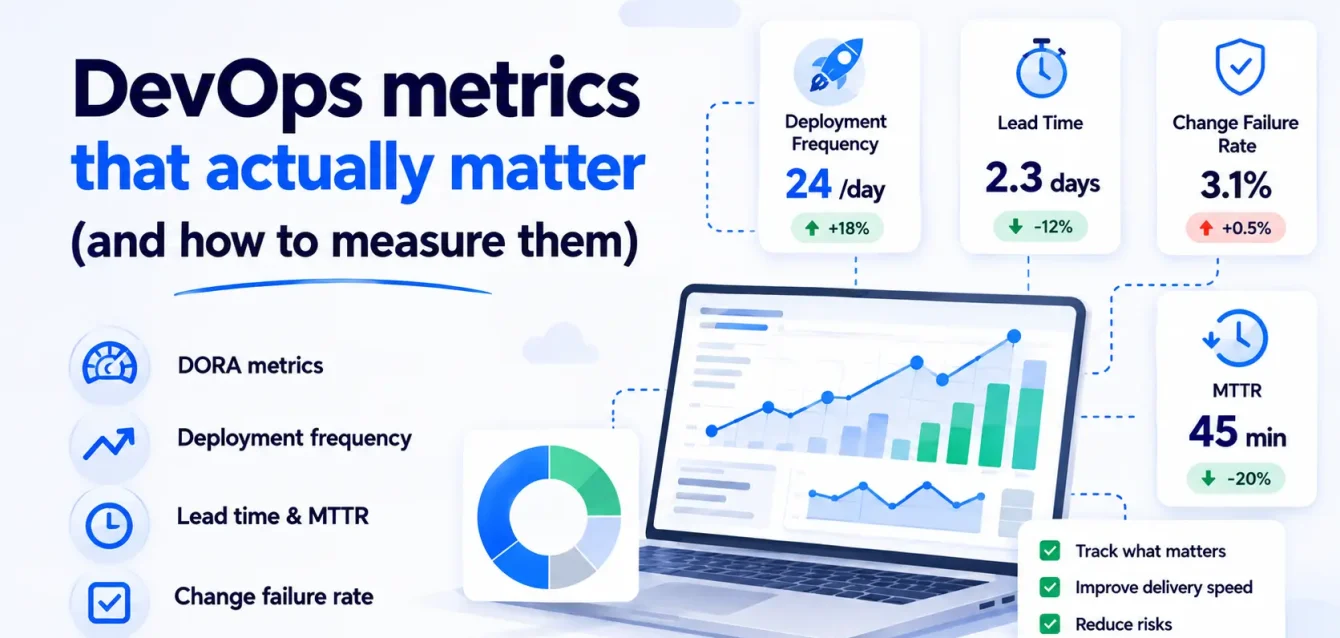
Delivery performance is where DORA lives. DORA (DevOps Research and Assessment) is Google’s research program that tracks five metrics: deployment frequency, lead time for changes, change failure rate, failed deployment recovery time, and rework rate (added in 2025) (CD Foundation: The DORA 4 Key Metrics Become 5).
These are a reasonable starting point, but they only cover the first layer. Teams with elite DORA scores still have production incidents, high toil, and no visibility into cost or latency. The metrics say “elite.” The engineers say “I am drowning.”
The other two layers are where DevOps monitoring and DevOps observability fill the gap.
DevOps monitoring: operational health metrics
These come from your DevOps observability stack. If you are running Prometheus, you already have most of this data.
Error rate by service. Not just “did the deploy fail” but “is the service returning errors right now, and at what rate.” This is the DevOps monitoring metric that catches slow degradation between deploys.
sum(rate(http_requests_total{status=~"5.."}[5m])) by (service)
/
sum(rate(http_requests_total[5m])) by (service)
P99 latency by service. Average latency hides problems. If your average response time is 200ms but your 99th percentile is 4 seconds, 1% of your users are having a terrible experience. At 10 million requests per day, that is 100,000 slow requests.
histogram_quantile(0.99, sum(rate(http_request_duration_seconds_bucket[5m])) by (le, service))
Error budget burn rate. This is the SLO-based metric from the Kubernetes alerting post. If your SLO is 99.9% availability, your error budget is 43 minutes per month. How fast are you burning through it?
- Burning 5% of your monthly budget in an hour = page someone
- Burning 1% over 6 hours = create a ticket
- Burning 0.1% over a day = normal, no action
This single metric replaces dozens of threshold-based alerts with one number that maps directly to user impact.
Infrastructure cost per request. Most teams know their total cloud bill. Almost nobody knows the cost per API request or per transaction. This is the metric that connects infrastructure spend to business output.
sum(node_instance_cost_per_hour) / sum(rate(http_requests_total[1h]))
You need a cost exporter like OpenCost to make node_instance_cost_per_hour available. Once you have it, you can track whether your cost efficiency is improving or degrading as traffic scales.
DevOps metrics for developer experience
These are harder to collect automatically but just as important.
Cycle time breakdown. Lead time for changes is the total time from commit to production. But that single number does not tell you where the time is being spent. Break it into stages:
- Coding time (commit to PR open)
- Review wait time (PR open to first review)
- Review time (first review to approval)
- Merge to deploy time (approval to running in production)
Most teams assume coding is the bottleneck. In practice, review wait time is where most of the lead time hides. Here is what a 2-day lead time often looks like when you break it down:
| Stage | Time |
|---|---|
| Coding (commit to PR open) | 4 hours |
| Review wait (PR open to first review) | 30 hours |
| Review (first review to approval) | 1 hour |
| Merge to deploy | 30 minutes |
| Total lead time | ~36 hours |
A single lead time number shows “1.5 days.” The breakdown shows the real problem: nobody is reviewing PRs.
Deploy confidence score. Ask your team once a month: “On a scale of 1-5, how confident are you that a deploy on Friday afternoon will not cause an incident?” Track the trend. If your delivery metrics say “elite” but deploy confidence is 2 out of 5, something is wrong that the numbers are not capturing.
Toil ratio. What percentage of engineering time goes to unplanned work (incidents, manual operations, firefighting) versus planned work (features, improvements, tech debt)?
The 2026 State of SRE report found toil increased 30% in 2025, the first rise in five years. If your toil ratio is above 30%, your team is spending more time keeping the lights on than building anything new.
DevOps monitoring tools: how to measure all of this
The good news: you do not need a paid platform to collect these DevOps metrics. The open-source stack handles most of it.
The DevOps monitoring tools you need
| Layer | Tool | What it gives you |
|---|---|---|
| Metric collection | Prometheus | Time-series data: CPU, memory, request rates, latencies, error rates |
| Kubernetes metadata | kube-state-metrics | Pod status, deployment counts, resource requests vs. usage |
| Delivery metrics | dora-exporter or Four Keys | Deployment frequency, lead time, change failure rate, recovery time |
| Cost data | OpenCost | Per-namespace, per-workload cloud cost attribution |
| Visualization | Grafana | Dashboards, alerts, SLO tracking |
| Logs | Loki | Deploy logs, error context, audit trails |
| Traces | Tempo | Request-level latency breakdowns across services |
DevOps monitoring dashboards worth building
| Dashboard | What it shows | Who uses it |
|---|---|---|
| Service health overview | Error rate, P99 latency, request volume, error budget remaining per service | On-call engineers (first thing they check during incidents) |
| Delivery performance | Deployment frequency, lead time, change failure rate, recovery time (weekly, trended monthly) | Engineering leadership (quarterly reviews) |
| Cost efficiency tracker | Total cluster cost, cost per namespace, cost per request, resource utilization | Platform team, FinOps (the dashboard that pays for itself) |
| Deploy timeline | Grafana annotation overlay: every deploy alongside error rate and latency | Anyone debugging “did this start after a deploy?” |
What to alert on
Not all DevOps metrics deserve an alert. Here is what actually warrants a notification:
- Error budget burning faster than 14x normal rate (page)
- Error budget burning faster than 3x normal rate for 6+ hours (ticket)
- P99 latency above SLO threshold for 10+ minutes (page)
- Cost per request is increasing more than 50% week over week (weekly digest)
- Resource utilization below 15% for a namespace for 7+ days (weekly digest)
Everything else goes to a dashboard, not a pager.
The DevOps metrics that are noise
Some things that teams measure but probably should not:
- Lines of code. Measures nothing useful. A 10-line fix that prevents a production outage is worth more than a 5,000-line feature.
- Number of commits. Encourages small, meaningless commits to inflate the number.
- Uptime percentage without context. 99.9% uptime is meaningless if you do not know the error budget, the blast radius, or how you measured it.
- Velocity (story points). Every team that tracks velocity eventually inflates their point estimates. The metric becomes self-referential and stops meaning anything.
- Number of incidents. Fewer incidents can mean better reliability or worse detection. Without context, this metric tells you nothing.
The DevOps observability gap most teams have
The pattern we see is this: teams have some DevOps monitoring in place, usually deployment frequency and maybe error rates. But they cannot answer basic questions like:
- What is our cost per API request?
- Which service has the worst change failure rate?
- How much time do we spend waiting for reviews versus writing code?
- Is our reliability getting better or worse month over month?
The gap is not awareness. Most engineering leaders know they should measure these things. The gap is DevOps observability infrastructure.
Without Prometheus scraping your services, Loki collecting your deploy logs, Tempo tracing your requests, and Grafana pulling it all together, you cannot build the dashboards described in this post.
And building and maintaining that stack of DevOps monitoring tools is 10-20 hours a month of work that most teams do not have bandwidth for.
That is the difference between having DevOps metrics and having a measurement system. One is a number someone checks occasionally. The other is the foundation for every engineering decision.
Where Obsium fits
If your team is measuring deploys but not the things that actually matter, book a free 30-minute observability consultation. No sales deck, just an engineer-to-engineer chat about your stack.