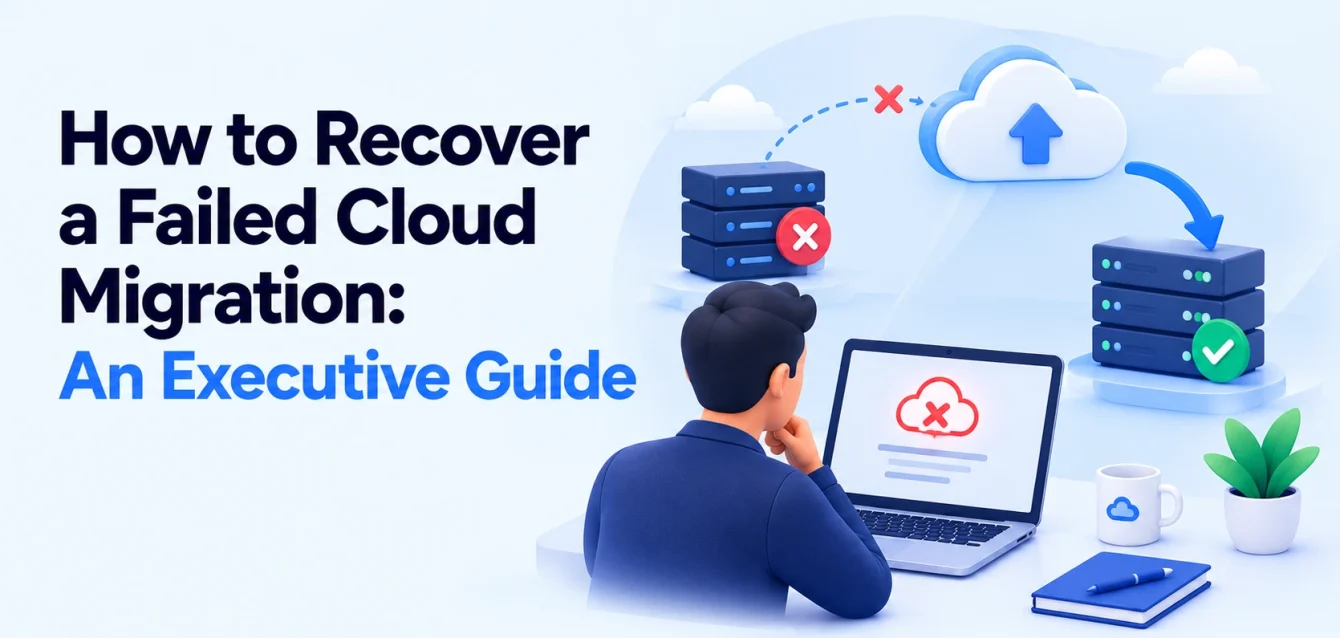
Eight months ago, a cloud migration plan went to the board with a date and a budget attached.
The deadline has passed. The budget has been exceeded. Some workloads are in the cloud, others remain in the old environment, and the business is paying for both without achieving the expected benefits.
The cloud migration has failed to deliver its agreed outcome. Now the decision is whether to recover it, change the approach, or stop.
Recovering a failed cloud migration starts with identifying why it failed, reassessing the remaining business case, and rebuilding delivery around smaller migration waves with clear ownership and measurable exit criteria.
This guide explains what executive sponsors should investigate in the first two weeks, how to control further spending, and how to present a credible recovery plan to the board.
Why cloud migrations Fails
Before approving more time or budget, identify what is preventing workloads from reaching completion.
| Cause | What it looks like | What to investigate |
|---|---|---|
| Unmapped dependencies | An application moves, but still relies on systems left behind | Databases, identity services, integrations, batch jobs, and network connections |
| Extended double running | Cloud spending rises while legacy costs remain | What prevents each old resource or contract from being retired |
| Unplanned modernization | A migration becomes an open-ended refactoring project | Which changes are essential for cutover and which can wait |
| Skills or capacity gaps | A few specialists become bottlenecks | The expertise and available time needed for the next wave |
| Fragmented ownership | Teams complete their tasks, but nobody owns the outcome | Decision rights across applications, infrastructure, security, and finance |
| Cutover uncertainty | Workloads are technically ready but never switch over | Acceptance tests, data reconciliation, rollback, and business approval |
Rehosting can also expose a weak cost assumption. Moving an application largely unchanged does not automatically make it economical to run in the cloud. Our guide to why lift-and-shift creates platform debt explores that trade-off.
A delayed project needs a diagnosis before it needs a larger team.
Step 1: Establish the facts in the first two weeks
Treat the first two weeks as a focused assessment window. Access problems, a large application portfolio, or missing records may require longer.
The output should be a defensible recovery plan with explicit gaps and assumptions.
Rebuild the workload inventory
Create one inventory that reflects the environment as it exists today.
For each workload, record:
- Business and technical owners.
- Business criticality and acceptable downtime.
- Current and target environments.
- Status: not started, in progress, cut over, or decommissioned.
- Dependencies and unresolved blockers.
- Remaining work and acceptance criteria.
- Legacy retirement requirements.
Separate “running in the cloud” from “migration complete.” A workload may serve production traffic while still depending on an old database, license, backup service, or network connection.
Validate the inventory with application owners and operational evidence. Architecture diagrams alone may miss connections that still matter.
Reconcile actual spending
Bring together cloud bills, legacy hosting costs, migration project spending, and contractual commitments.
Include data transfer, licenses, contractors, specialist tooling, and internal effort. Separate one-off migration costs from recurring operating costs.
For a fuller breakdown, use our guide to cloud migration costs.
Find the critical path
Identify the dependencies that determine when the remaining work can finish.
A shared identity service, database, network connection, or vendor approval may block several workloads. Adding engineers elsewhere will not necessarily shorten that path.
Ask the delivery team which cutovers worry them most. Turn those answers into specific risks with owners and actions.
Produce a short recovery assessment
| Assessment period | Focus | Required output |
|---|---|---|
| Days 1–3 | Inventory and ownership | Workload list with named owners and evidence gaps |
| Days 4–6 | Costs and dependencies | Reconciled run-rate and dependency map |
| Days 7–8 | Scope decisions | Proposed migration, retirement, retention, and deferral decisions |
| Days 9–10 | Delivery reset | First-wave plan, forecast ranges, risks, and decisions required |
This is a suggested sequence. Adjust it to the size and condition of the migration.
Step 2: Reduce the scope before resetting the schedule
The original workload list is a set of decisions to revisit.
For each remaining workload, ask whether moving it still supports the business case. AWS’s migration framework includes seven strategies: rehost, replatform, refactor, repurchase, relocate, retire, and retain. Dependencies and technical complexity help determine the wave plan. AWS portfolio discovery guidance
During recovery, three decisions deserve particular attention.
Retire systems that no longer provide value
Before retiring a system, confirm ownership, usage, downstream dependencies, data retention needs, and contractual obligations.
Check a representative business cycle. A quarterly reporting job can look unused during a quiet month.
Use a controlled shutdown with monitoring, approval, and a recovery procedure. Retirement requires validation; it should not depend on waiting for someone to complain.
Retain workloads that do not justify migration
A system approaching replacement, tied to specialist hardware, or constrained by a vendor may be better left in place.
Retaining it still has costs. Record support, security, connectivity, and eventual exit responsibilities so it does not disappear from planning.
Defer work with a real external blocker
If a contract, vendor release, or business event prevents migration, give the workload a review date and an owner.
Keep it out of the active delivery commitment until its prerequisites can be met.
The revised scope should make each decision explainable. Your on-premise to cloud migration strategy should distinguish what moves now, what stays, and what happens later.
Step 3: Measure the cost of migration delays
“Behind schedule” becomes more useful when you can explain what another month will cost.
Track double-running costs separately: the cost of maintaining overlapping source and target environments during migration.
For each workload or shared platform, record its overlap start date, expected retirement date, current cost, and the action required to remove that cost.
Distinguish three things:
- Allocated cost: the share of an existing environment attributed to the workload.
- Avoidable cost: spending that can stop after retirement.
- Committed cost: spending that continues until a contract or billing commitment ends.
Switching off a virtual machine may release capacity without reducing a fixed data center bill immediately.
Example: the cost of another month of overlap
Assume a delayed wave requires:
| Additional cost | Monthly amount |
|---|---|
| Legacy hosting that could otherwise be cancelled | $8,000 |
| Temporary cloud resources used only during migration | $3,000 |
| Extended specialist contractor support | $4,000 |
| Total avoidable monthly delay cost | $15,000 |
These figures are illustrative, not a benchmark.
Do not count the permanent production cloud bill as a delay cost if you would incur it after a successful migration anyway.
Allocate cloud spending by workload, environment, and wave where practical. Apply early FinOps cost-management practices so temporary resources and oversized configurations receive regular review.
Step 4: Rebuild delivery around dependency-based migration waves
Replace a distant completion date with smaller commitments that the team can validate.
Group workloads around dependencies, operational risk, and business constraints. A simple application is not a useful early candidate if it requires a database that cannot move yet.
An illustrative sequence looks like this:
| Stage | Focus | Exit criteria |
|---|---|---|
| Foundations | Identity, networking, access, logging, and recovery capabilities | Required controls and connectivity validated |
| Pilot wave | A low-risk application and its dependencies | Production acceptance completed and lessons incorporated |
| Application waves | Related services that can move together | Integrations, performance, monitoring, and ownership accepted |
| Complex waves | Stateful or business-critical systems | Data reconciliation and recovery requirements satisfied |
| Closure | Remaining legacy resources and commitments | Resources retired, exceptions owned, and savings reconciled |
The actual order depends on your dependency map. Databases and batch jobs may need to move alongside applications.
Define both cutover and closure
A useful plan distinguishes:
Cutover complete: the workload runs in the target environment and meets agreed acceptance criteria.
Migration closed: the rollback retention period has ended, unnecessary source resources are retired, and remaining commitments or exceptions have named owners.
That allows a deliberate stabilization period without letting double running continue indefinitely.
Use the cloud migration checklist to build the detailed tasks inside each wave.
Step 5: Make cutover readiness explicit
Cutover uncertainty should become a set of testable conditions.
Before approving a production move, confirm:
- The sequence, task owners, and decision-maker.
- Business downtime and recovery requirements.
- Dependency, integration, and performance tests.
- Data synchronization and reconciliation procedures.
- Monitoring and support coverage.
- Rollback triggers and the time available to act.
- A representative rehearsal.
- The source environment’s retention and retirement conditions.
AWS’s pre-cutover guidance recommends a documented plan, testing, assigned responsibilities, and rehearsals.
Plan rollback around changed data
Redirecting traffic to the old environment may be straightforward before new transactions occur. Once the cloud database accepts writes, the source can become stale.
The recovery plan must explain how those transactions will be preserved or reconciled, and when fixing forward is preferable. Keeping the old database read-only does not, by itself, make rollback safe. AWS cutover and rollback guidance
Where DNS changes are involved, plan TTL adjustments and allow existing cached records to expire. Faster DNS updates support traffic switching; they do not solve data consistency.
Step 6: Reset ownership and board expectations
Name one person accountable for the migration outcome, with authority to resolve decisions across teams.
Specialists should still own security, applications, infrastructure, and financial controls. The accountable owner ensures that those decisions support an executable plan.
Take a one-page reset to the board or steering committee covering:
- What is complete: workloads accepted, legacy resources retired, and verified benefits.
- What remains: active scope, blockers, and critical dependencies.
- What changed: retired, retained, or deferred workloads and the reasons.
- What it will take: remaining cost and timeline ranges, with assumptions.
- What decisions are needed: scope approval, resources, risk acceptance, or outside support.
Separate money already spent from the cost of the options ahead. Sunk spending should not justify continuing an uneconomic path.
Use the first recovery wave to test the new assumptions before presenting later dates with greater confidence.
How to tell whether the recovery plan is working
Review progress weekly using outcomes that expose unfinished work.
| Metric | What it reveals |
|---|---|
| Workloads accepted against plan | Whether delivery commitments are credible |
| Workloads awaiting legacy retirement | Whether closure is becoming a bottleneck |
| Avoidable double-running cost | Whether overlap is shrinking |
| Forecast versus actual spending | Whether financial assumptions are improving |
| Critical blockers and their age | Whether decisions are being resolved |
| Cutover failures and recovery actions | Whether readiness checks are effective |
Workload counts need context. Completing ten small services does not offset a critical database dependency that remains blocked.
If waves keep slipping, revisit the assumptions about scope, skills, dependencies, and decision-making before issuing another date.
When to bring in cloud migration recovery support
Outside help is useful when you need independent diagnosis, a missing specialist skill, or additional cutover capacity.
Ask for an assessment before approving a larger delivery engagement.
A useful assessment should produce:
- A validated inventory with evidence gaps.
- Current spending and avoidable delay costs.
- Scope recommendations with reasons.
- A dependency-based wave plan.
- Named risks, owners, and decisions.
- Clear assumptions behind the remaining estimate.
An early recommendation to add engineers may be right. It should follow an understanding of the bottleneck.
Our cloud consulting services provide a starting point for discussing the assessment and support your migration needs.
Frequently asked questions
Can a stalled cloud migration be recovered?
Yes, if the remaining work has a viable business case and the blockers can be resolved. Recovery starts with validating scope, costs, dependencies, and ownership before committing to another schedule.
Should we stop the migration instead?
Compare the future cost and risk of finishing, pausing, retaining selected workloads, or changing approach. Include contractual commitments and security obligations. Different workloads may justify different decisions.
Should we rehost or refactor during recovery?
Rehost where speed matters and the resulting operating model is acceptable. Refactor where a specific technical or economic problem justifies it. Keep optional modernization out of the critical path.
How long does a migration recovery assessment take?
Two weeks can be a useful target for an initial assessment with accessible records and available stakeholders. Larger or poorly documented environments may require longer. Assessment duration is separate from the time needed to complete the migration.
When can we switch off the old environment?
After acceptance criteria are met, the agreed recovery period has ended, dependencies are removed, and data and retention obligations are satisfied. Assign retirement dates and owners rather than leaving the decision open-ended.
Start with a migration rescue assessment
A credible recovery plan connects each remaining workload to an owner, a dependency map, a cost, and a clear definition of completion.
Our migration rescue audit starts with a short call, followed by a review of your inventory, spending, and delivery plan. You receive a revised scope and a wave plan to take to your steering committee, whether or not you continue working with us.
Discuss your stalled cloud migration with Obsium and bring the information you have—even if the inventory is still a half-finished spreadsheet.