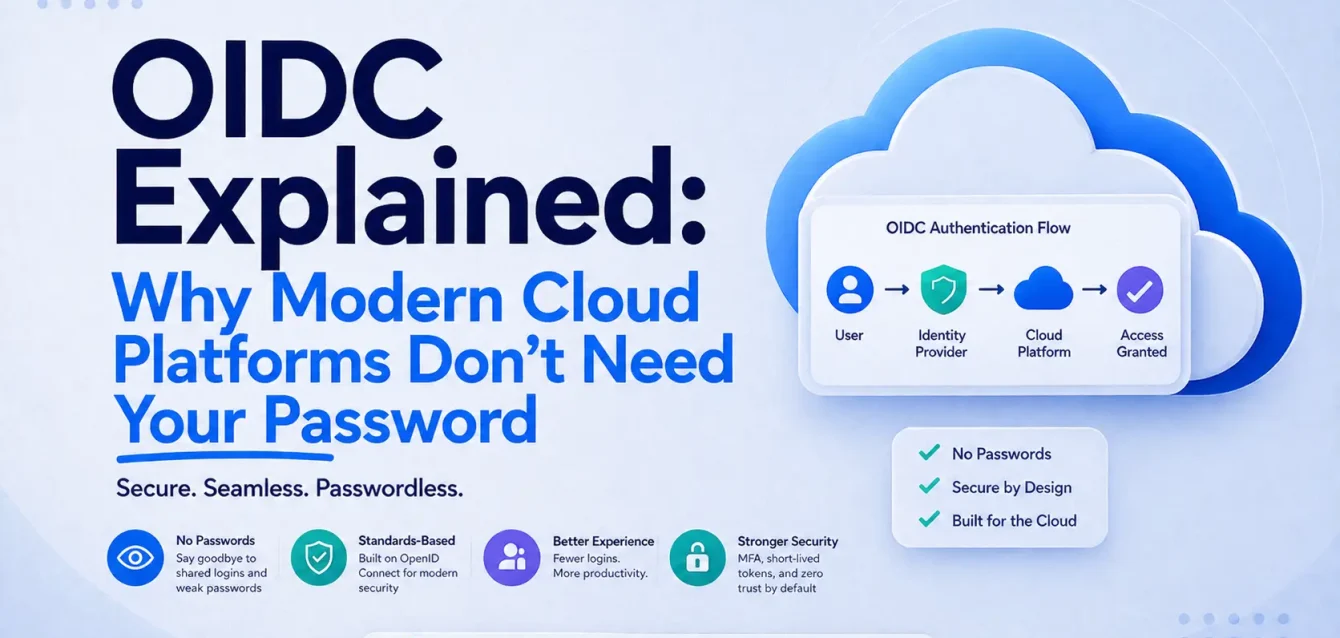
Who this is for: engineers who have already pasted OIDC config into a pipeline and want to know what they actually turned on. Some familiarity with CI/CD and cloud IAM is assumed. No prior knowledge of OAuth or JWT internals is.
How this was put together: the explanation comes from configuring and auditing these integrations on client platforms at Obsium. The numbers and incident details come from published research by Datadog Security Labs, Tinder Security Labs, Wiz, GitGuardian, and Verizon, each linked at the point it’s used and listed again at the bottom. Vendor behaviour was checked against current AWS and GitHub documentation on the review date above. Where something changed recently, the date of the change is in the text.
Table of Contents
What is OIDC?
If you’ve worked with cloud platforms, CI/CD pipelines, Kubernetes, or enterprise identity systems, you’ve almost certainly run into OIDC (OpenID Connect). Maybe you configured an OIDC provider in AWS. Maybe you enabled Workload Identity in Kubernetes. Maybe you just followed a tutorial that told you to paste in a few lines of config and move on.
It worked. That’s the part that bothers me.
Because if someone stopped you in a review and asked why AWS suddenly trusts GitHub when there are no AWS access keys anywhere in the repo, could you answer? A lot of engineers can configure OIDC. Far fewer can explain what’s happening between the moment a workflow starts and the moment it holds valid cloud credentials. And the gap between those two groups is where the misconfigurations live, which we’ll get to later with real examples of roles that were assumable by anyone on the internet.
Let’s fix that.
The problem OIDC solves
For years, applications authenticated using long-lived credentials.
These included:
- Usernames and passwords
- API keys
- AWS access keys
- Database passwords
- Service account secrets
The approach worked. It also created a pile of problems that got worse every year:
- Every application needs somewhere to store the secret securely
- Someone has to own rotation, remember rotation, and fix what rotation breaks at 2am
- A leaked secret stays valid for months or years, because nothing about a static key expires on its own
- Every new service-to-service connection adds another one of these
That last point isn’t theoretical. Here’s what the numbers look like:
- 28.65 million new hardcoded secrets hit public GitHub commits in 2025, up 34% year over year and the largest single-year jump on record (GitGuardian, State of Secrets Sprawl 2026)
- 64% of the valid secrets leaked in 2022 are still valid today. Four years later, nobody revoked them (same report)
- Internal repos are roughly 6x more likely to contain a hardcoded secret than public ones. Private is not the same as safe (same report)
- 22% of breaches start with credential abuse, the single most common initial access vector (Verizon DBIR 2025)
- 88% of basic web application attacks involved stolen credentials (same report)
Credentials aren’t one attack vector among many. They’re the front door.
So the industry asked a different question. Instead of making systems share permanent secrets, what if a system could prove who it is and receive temporary access in return?
That’s exactly what OIDC enables.
Think about an airport
Imagine you’re flying internationally.
When you arrive at the airport, the airline doesn’t ask:
“What’s your email password?”
It doesn’t ask:
“Can you hand over your house keys?”
Those secrets have nothing to do with your journey. Handing them over would give the airline permanent access to things it has no business touching, forever, long after you’ve landed.
Instead, you’re asked for your passport.
Airport security verifies a few things:
- Was it issued by a trusted government?
- Is it genuine?
- Has it expired?
- Does the photo match the traveller?
Once those checks pass, the airline doesn’t hand you unrestricted access to every aircraft on the tarmac. It issues something temporary.
A boarding pass.
That boarding pass is valid only for your journey. It grants only the permissions you need, on one flight, in one seat, on one date. Once your trip is over, it becomes a piece of paper.
You proved your identity, and the airline issued temporary access. That single idea is the whole foundation of OIDC. Everything else is implementation detail.
Mapping the analogy
| Airport | OIDC |
|---|---|
| Passport | Identity token |
| Government issuing the passport | Identity provider |
| Airline | AWS, Azure, Google Cloud, Vault, or another service |
| Boarding pass | Temporary credentials |
| Airport security | Authorization policies (IAM, RBAC, and so on) |
One thing worth pulling out of that table: the passport and the boarding pass are different objects with different jobs. The identity token says who you are. The temporary credentials say what you may do. People collapse these two into “the OIDC token” in conversation all the time, and that’s usually where the confusion starts.
The building blocks of OIDC
Identity provider (IdP). Verifies identity and issues signed tokens. Examples: GitHub, Google, Microsoft Entra ID, Okta, Auth0, Keycloak. In a CI context, GitHub Actions is the government issuing your passport. It knows which repo is running, on which branch, triggered by what.
Identity token. A signed JWT containing claims about who’s asking for access:
{
  "iss": "https://token.actions.githubusercontent.com",
  "sub": "repo:obsium/platform:ref:refs/heads/main",
  "aud": "sts.amazonaws.com",
  "exp": 1750000000
}
Reading those four claims:
| Claim | What it means | Why it matters |
|---|---|---|
iss | Who issued this token | The government that stamped the passport |
sub | Who’s requesting access | Encodes org, repo, ref type, ref value. Does most of the security work later |
aud | Who the token is meant for | Stops the token being replayed against a different service |
exp | When it expires | Unlike a password, this token is meant to die fast |
On that last one: GitHub’s OIDC tokens are short-lived enough that Datadog’s researchers had to keep refreshing theirs mid-scan. The lifetime they observed was under five minutes.
There are more claims than these four in a real GitHub token. repository, repository_owner, workflow, environment, job_workflow_ref, and ref all show up, and they’re useful, because you can write policy conditions against any of them. Most people never look.
The relying service (AWS, Azure, GCP, Vault). Decides whether it trusts the issuer, then applies its own authorization rules before granting anything. This is two separate decisions, and conflating them causes the most common OIDC mistake in the wild.
Trust doesn’t mean permission
Registering GitHub as an OIDC provider in AWS just means “I trust tokens genuinely issued by GitHub.” It does not mean every GitHub repo can do anything. GitHub has hundreds of millions of repos, and you’ve just told AWS you believe tokens from all of them.
That’s what the IAM trust policy is for:
{
  "Effect": "Allow",
  "Principal": {
    "Federated": "arn:aws:iam::<ACCOUNT-ID>:oidc-provider/token.actions.githubusercontent.com"
  },
  "Action": "sts:AssumeRoleWithWebIdentity",
  "Condition": {
    "StringEquals": {
      "token.actions.githubusercontent.com:aud": "sts.amazonaws.com"
    },
    "StringLike": {
      "token.actions.githubusercontent.com:sub": "repo:obsium/platform:ref:refs/heads/main"
    }
  }
}
Even though AWS trusts GitHub as an issuer, this policy narrows things down: only this repo, on this branch, requesting this audience, can assume the role. That sub condition is the actual lock. Get it wrong, with too broad a wildcard or no branch pin, and you’ve built a hole instead.
Careful: the sub format changed this month
If you’re reading this in late 2026 or later, the policy above may not match your tokens.
GitHub started issuing an immutable subject format on 15 July 2026. The old format used names only, which meant a recycled org or repo name could produce the same sub value under a new owner. The new format embeds numeric owner and repo IDs:
Old:  repo:octo-org/octo-repo:ref:refs/heads/main
New:  repo:octo-org@123456/octo-repo@456789:ref:refs/heads/main
What this means in practice:
- Repos created after 15 July 2026 get the new format automatically, as do renames and transfers after that date
- Repos created before then keep the old format unless you opt in at the org or repo level
- GitHub Enterprise Server is not part of this rollout
- A trust policy matching
repo:my-org/*will silently stop matching tokens from brand new repos, andconfigure-aws-credentialsfails with a “not authorized to perform sts:AssumeRoleWithWebIdentity” error that tells you nothing about why
If you support both, make the condition a list covering both shapes rather than loosening the wildcard. GitHub’s OIDC reference has the current syntax and the changelog entry has the rollout dates. Note that the delimiter was documented as a hyphen before June 2026 and is now @, so older blog posts about this are already wrong.
How wrong does this go in practice
Wrong enough that multiple security teams have gone looking and come back with results.
In 2023, Datadog Security Labs collected over 500 unique IAM role ARNs across more than 275 AWS accounts and tested which ones could be assumed from an unrelated GitHub Action. Several could. Christophe Tafani-Dereeper, who wrote up the research, attributed the pattern partly to “the presence of several unofficial guides showcasing insecure examples.” Copy-paste security, in other words. Tutorials like the one you followed.
One of the roles they could assume belonged to a UK government department. The role had codecommit:GitPull and codecommit:GitPush on every repository in the account, so the researchers were able to read private source code that had been mirrored there. The root cause is the part I find genuinely instructive: the Terraform had two StringEquals blocks in the same condition map, and HCL silently keeps the last one. The sub check was overwritten by the aud check. The policy looked correct in review. It was not correct at runtime. It was fixed in under 26 hours after disclosure.
Tinder’s security team ran a similar exercise around the same time and wrote it up with a line I think about often: “We hypothesized that the number of vulnerable roles would be one or two.” It was not one or two.
Three things worth knowing on top of that:
- AWS closed the front door in June 2025. New GitHub Actions trust policies without a
subcondition are blocked outright. Real fix, but forward-looking only. Roles created before that change are still sitting in accounts nobody has audited. - The required condition isn’t always
sub. Scott Piper at Wiz reviewed more than twenty vendor OIDC integrations with AWS and found the critical claim varies. Microsoft Defender’s hinges onsts:RoleSessionName. DoiT uses a request tag. Missing conditions, he notes, “may allow undesired actors to access the AWS account.” Assume they all work the same way and you’ll eventually secure one of them wrong. - GitHub Enterprise gets a backstop. You can set a custom issuer URL scoped to your enterprise, which makes the
issclaim itself unique to your org. Aidan Steele explains the mechanics in this post. Even a sloppy trust policy can then only be exploited from inside your own walls.
Can someone fake the issuer?
This is the question that comes up every single time I explain OIDC to a team, usually about ninety seconds in:
“What’s stopping someone from creating a token with
iss: https://token.actions.githubusercontent.comand tricking AWS?”
The answer is simple. AWS doesn’t trust the URL. It trusts the digital signature.
Think back to the passport. Anyone can print something that says “passport” on the cover. Immigration checks the security features to confirm a government actually issued it.
OIDC works the same way. When GitHub issues a JWT, it signs it with a private key only GitHub controls. AWS fetches GitHub’s public keys from a published JWKS endpoint, discovered through the provider’s /.well-known/openid-configuration document, and verifies the signature before it trusts a single claim inside the token.
So even if an attacker crafts a token that looks like this:
{
  "iss": "https://token.actions.githubusercontent.com",
  "sub": "repo:evil/repository",
  "aud": "sts.amazonaws.com"
}
AWS rejects it, because the attacker cannot produce GitHub’s valid signature.
The URL says who claims to have issued the token. The signature proves who actually did.
Worth noting the flip side, since it explains why registering a provider is a privileged action: if an attacker can convince your account to trust an issuer they control, they can then mint tokens with whatever claims they like and satisfy your conditions perfectly. Researchers have demonstrated this as a persistence technique in AWS. Treat “add an OIDC provider” with the same suspicion you’d treat “add an IAM user with admin.”
What OIDC does not fix
I’d rather say this plainly than let the post read like a sales pitch.
- It doesn’t fix your permissions. OIDC removes the stored secret, not what the secret unlocks. A pipeline role with
AdministratorAccessand a perfectsubcondition is still a pipeline role withAdministratorAccess. Least privilege is a separate job and nobody else is doing it for you. - It doesn’t cover the other secrets. Third-party API keys, database passwords, webhook signing secrets. GitGuardian found around 28% of the secrets incidents they saw in 2025 came from outside source code entirely, in tools like Slack, Jira, and Confluence. Keyless CI is one lane of a wider road.
- Short-lived isn’t harmless. A fifteen-minute token is fifteen minutes of access if it’s stolen mid-run. Pinned action versions and scoped workflow permissions still matter after the access keys are gone.
Check your own account before you close this tab
Reading about other people’s misconfigured roles is less useful than finding out whether you have one. This takes about five minutes.
1. List every role that trusts an OIDC provider.
aws iam list-roles --output json | jq -r '
  .Roles[]
  | select(.AssumeRolePolicyDocument.Statement[]?.Principal.Federated? != null)
  | .RoleName + "  " + (.AssumeRolePolicyDocument | tostring)'
Read the output and ask one question per role: is there a condition pinning the identity, and is it narrower than the whole org?
2. Find roles being assumed by workflows that aren’t yours. In CloudTrail Lake:
SELECT eventTime, userIdentity.username, requestParameters.roleArn
FROM <your-event-data-store-id>
WHERE eventSource = 'sts.amazonaws.com'
  AND eventName = 'AssumeRoleWithWebIdentity'
  AND userIdentity.identityprovider LIKE '%:oidc-provider/token.actions.githubusercontent.com'
  AND userIdentity.username NOT LIKE 'repo:YOUR-GITHUB-ORG/%'
ORDER BY eventTime DESC
Any row here means a GitHub Actions workflow outside your org successfully assumed one of your roles. That is not a warning sign. That is the thing itself.
3. Check what the role can actually do. A correctly scoped trust policy on a role with AdministratorAccess is a good lock on a door that opens into the whole building.
4. Pin the right claim for the vendor. It isn’t always sub. A sample of what the Wiz review found across AWS OIDC integrations:
| Integration | Claim that carries the security |
|---|---|
| GitHub Actions | token.actions.githubusercontent.com:sub |
| Microsoft Defender for Cloud | sts:RoleSessionName |
| DoiT | aws:RequestTag/DoitEnvironment |
| Everything else | Check that vendor’s own docs, individually |
The lesson isn’t the specific values. It’s that “I added a sub condition” is not a general answer, and there were more than twenty of these integrations when Wiz counted.
A short checklist before you ship
- Pin the
subclaim to a specific repo and ref, notrepo:org/* - Confirm which
subformat your repos are on, since the immutable ID format landed on 15 July 2026 and breaks name-based patterns - Pin
audas well, so tokens can’t be replayed at another relying party - Use GitHub environments for production deploys and condition on the environment claim, since environments carry approval rules that branch filters don’t
- Audit existing roles, especially ones created before June 2025, using something like IAM Access Analyzer or Rezonate’s github-oidc-checker
- Watch
AssumeRoleWithWebIdentityevents in CloudTrail and alert on anyuserIdentity.userNamethat isn’t your org - Check the required condition for each vendor separately, because it isn’t always
sub - On GitHub Enterprise, set a custom issuer URL as a backstop
Final thoughts
Strip away the config files, and the acronyms, and the idea is small enough to fit in a sentence. A trusted issuer confirms identity, the relying service verifies that claim and checks its own authorization rules, and if everything matches, it grants temporary access instead of asking for a permanent secret.
GitHub’s own docs summarise the payoff as “no cloud secrets,” and the token you get back is scoped to a single job before it expires.
Prove identity. Verify trust. Issue temporary access. Whether it’s GitHub Actions, Kubernetes workloads, or Azure and Google’s equivalents, that’s the pattern every time. The hard part was never the pattern. It’s the trust policy nobody reread after the pipeline went green.
If you’d rather have someone else run that audit across every account, that’s a thing we do. Obsium is a cloud and DevOps consultancy working with US teams on Kubernetes, platform engineering, and cloud cost and security. Tell us what your setup looks like, and we’ll tell you if it’s worth a conversation.