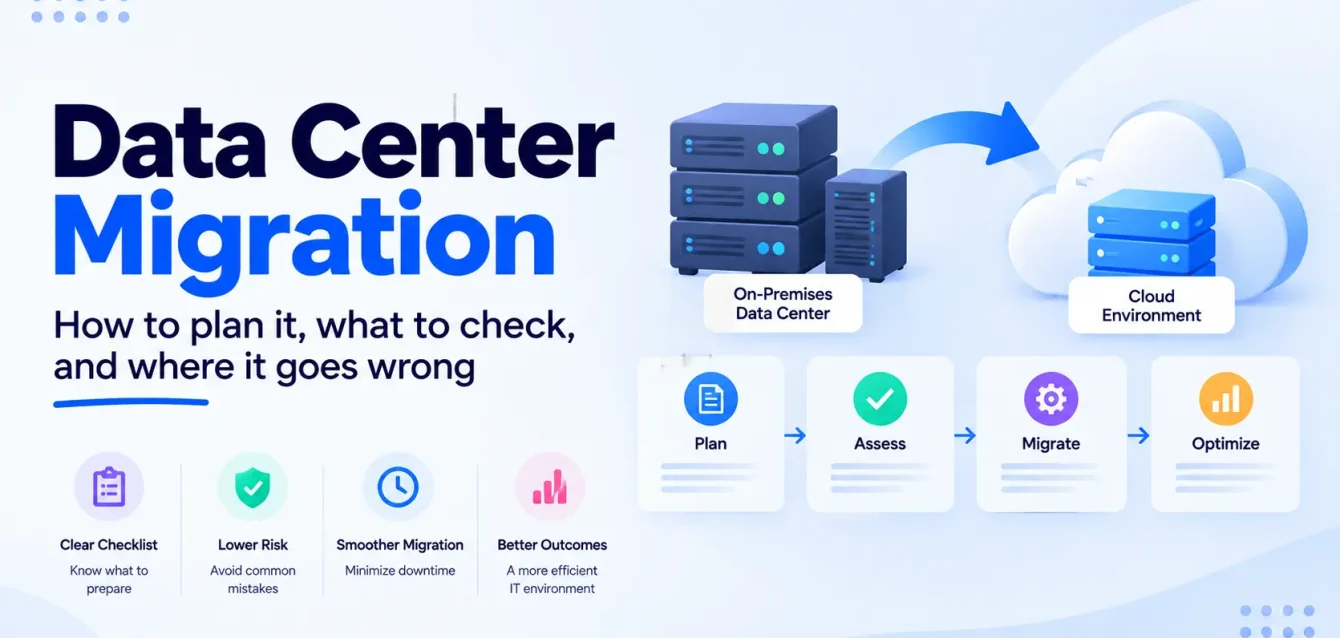
Data center migration is the process of moving servers, storage, applications, and data out of one data center and into another environment, usually a public cloud, a colocation facility, or a smaller consolidated site. It covers everything from finding out what you actually run, to moving it in planned waves, to wiping and handing back the old hardware.
What makes it different from a normal cloud project is the deadline. A cloud migration can take as long as it takes. A data center migration usually has a date attached to it that somebody else set: a colocation lease that ends, a hardware support contract that expires, a VMware renewal quote that finance refuses to sign.
That date shapes every decision that follows, and it is the reason so many of these projects end up as rushed lift-and-shift moves that cost more in the cloud than they did on the floor.
This guide is written for the people who have to deliver one: IT leads, infrastructure managers, and CTOs at companies with anywhere from a few racks to a few hundred. It covers the plan, a checklist you can work from, how long the data transfer really takes, what drives the cost, and where these projects tend to go wrong.
Key takeaways
- Start from the exit date and work backwards. Lease notice periods, support contracts and licence renewals decide your real timeline, not the migration tool.
- Dependency mapping is the job. Most failed cutovers trace back to something nobody knew was connected: a hardcoded IP, a nightly batch job, a licence server in a closet.
- Do the bandwidth maths early. 100 TB over a 1 Gbps link takes roughly 12 days of perfect, uninterrupted transfer. Plan for longer.
- AWS Snowball Edge is no longer an option for new customers. Since November 7, 2025 it is available only to existing customers, so offline transfer plans written before then may need redoing.
- Not everything should go to the cloud. About 45% of IT workloads still run in on-premises data centers, according to Uptime Institute’s 2025 survey. Some of yours may belong in colocation instead.
- The project isn’t finished until the old site is empty. Running both sites longer than planned is the most common way a migration budget quietly doubles.
The four kinds of data center migration
“Data center migration” gets used for four different projects. They share a lot of the planning work, but the risks and costs are different enough that it helps to name which one you are doing.
| Type | What moves | Typical trigger | Main risk |
| Data center to cloud | Workloads move to AWS, Azure or Google Cloud | Lease end, hardware refresh, cost pressure | Lifting and shifting everything and paying cloud prices for on-prem habits |
| Data center to colocation | Hardware or new hardware moves to a third-party facility | Owned building sold or closed, power limits | Physical move risk, transit damage, longer outages |
| Data center consolidation | Several sites merge into fewer | Acquisitions, cost reduction | Conflicting standards, duplicate systems, overlapping IP ranges |
| Hybrid | Some workloads go to the cloud, the rest to colocation or a smaller site | Mixed workload profile, regulation, data gravity | Two migrations at once, with two sets of tooling |
Most companies we talk to end up in the hybrid row even if they started out planning a full cloud exit. That is usually the right result. A handful of workloads, like large steady-state databases, licence-bound software or anything with strict data residency rules, often make more sense in colocation than in a hyperscaler.
Why so many teams are doing this now
In 2019 a Gartner analyst predicted that by 2025, 80% of enterprises would have shut down their traditional data centers. It didn’t happen. Uptime Institute’s 2025 Global Data Center Survey found that on-premises data centers still host about 45% of IT workloads.
So the enterprise data center isn’t dead. But a lot of individual data centers are reaching the end of their useful life at the same moment, for reasons that have little to do with cloud strategy:
- Hardware refresh cycles. Servers bought in the last refresh wave are coming off support, and replacing them means a five-year commitment to the same building.
- VMware licensing. Since Broadcom’s acquisition, many teams have faced renewal quotes several times higher than before. If you’re in that position, our breakdown of what it costs to leave VMware is worth reading before you sign anything.
- Staffing. Nearly two-thirds of operators in the same Uptime survey reported difficulty recruiting or keeping data center staff. A site that depends on two people who know where everything is plugged in is a risk in its own right.
- Power. Uptime also reports growing concern about forecasting future capacity. Older rooms often can’t support the power density newer hardware needs.
None of these on their own tells you where your workloads should go. They tell you that the current site has a shelf life, and that the planning should start well before the date arrives.
Data center migration plan: the phases
However big the estate, a data center migration runs through the same phases. The size changes how long each one takes, not the order.
1. Set the exit date and the constraints
Before any technical work, write down the dates that are not negotiable: lease end and notice period, hardware and software support end dates, licence renewals, and any business freeze periods (quarter-end, peak retail season, audit windows).
Then write down the constraints: data that must stay in a particular country, systems that can’t go down during business hours, and the budget ceiling.
This takes a week and it changes everything downstream. A team with 14 months is choosing between rebuilding and moving. A team with 14 weeks is mostly moving.
2. Discover what you actually run
Build a full inventory: every physical server, VM, storage array, network device, appliance and application, with owners, operating systems, versions and utilisation. Automated discovery tools (Azure Migrate, AWS Transform MGN’s discovery features, or third-party tools) will find most of it. They will not find the things that live in people’s heads.
Talk to the application owners. Ask what breaks when a server goes down, and what runs at 2am on the last day of the month. Every experienced migration engineer has a story about the undocumented box under a desk that turned out to run payroll.
3. Map the dependencies
This is the phase that decides whether cutover weekend goes well. For each application, record what it talks to: databases, file shares, authentication, licence servers, external APIs, batch jobs, and anything with a hardcoded IP address or hostname.
Network flow data collected over at least a full business cycle (including a month-end) is far more reliable than architecture diagrams, which are usually out of date. Group tightly coupled systems together. They will have to move in the same wave.
4. Decide what happens to each workload
Every workload gets one of AWS’s 7 Rs:
| Strategy | What it means | When it fits a data center exit |
| Retire | Switch it off | Duplicates, unused systems, apps nobody owns. Usually more of these than expected |
| Retain | Leave it where it is, for now | Systems with no good target yet, or near end of life anyway |
| Rehost | Move as-is to cloud VMs | Deadline-driven moves, apps you can’t change |
| Relocate | Move a VMware estate as-is to a cloud VMware service | Large VMware estates on a short timeline |
| Replatform | Small changes, like moving a database to a managed service | Where a modest change pays for itself quickly |
| Repurchase | Replace with SaaS | Email, CRM, HR systems, ticketing |
| Refactor | Re-architect for cloud-native services | High-value apps with a long future. Rarely done during the move itself |
Obsium’s own cloud migration service page puts typical refactor rates at 5 to 10 percent of workloads. That matches what we see: the deadline pushes most workloads toward rehost or replatform, and the refactoring happens after the old site is closed.
If a large share of your estate ends up tagged “rehost,” read why lift-and-shift creates platform debt before you commit. Rehosting is often the right call under a deadline. It just needs a plan for month seven.
5. Plan the waves
Group workloads into waves of related systems, and put something low-risk first. The first wave is where you find out your runbook is missing steps, so it should be a system whose users will forgive you. Save the core ERP and the customer-facing database for later waves, when the team has a few cutovers behind it.
Each wave needs a cutover window, a named owner, a test plan signed off by the application owner, and a rollback plan with a clear decision point: if X isn’t working by time Y, we roll back.
6. Move the data
For most estates this is the longest-running single task, and it’s covered in its own section below.
7. Cut over, then run hypercare
Cutover is usually a controlled outage: stop writes, do a final sync, switch DNS or load balancers, test, and open to users. Hypercare is the one to four weeks after, when the migration team stays close to catch performance issues, missed dependencies and the job that only runs quarterly.
8. Decommission the old site
This is the phase that gets skipped, and it is where the money leaks. Decommissioning means confirming nothing is still sending traffic to the old environment, wiping storage to a recognised standard, returning or disposing of hardware, cancelling circuits and support contracts, and handing the space back.
For media sanitisation, NIST published SP 800-88 Revision 2 in September 2025, the first update since 2014. It is the reference most auditors will ask about, and it is worth checking that whoever handles your hardware disposal is working to it.
How long moving the data really takes
Teams consistently underestimate this. The table below shows transfer time at a sustained 80% of link capacity, which is optimistic for a line that is also carrying production traffic.
| Data volume | 1 Gbps link | 10 Gbps link |
| 10 TB | ~1.2 days | ~3 hours |
| 50 TB | ~6 days | ~14 hours |
| 100 TB | ~12 days | ~1.2 days |
| 500 TB | ~58 days | ~6 days |
| 1 PB | ~116 days | ~12 days |
Real transfers are slower. Small files, encryption overhead, retries and the need to throttle during business hours all eat into throughput. And the numbers above are for a single full copy. Databases and file shares that keep changing need ongoing replication until cutover, then a final sync.
Your transfer options:
- Online replication. Block-level replication tools (AWS Transform MGN, Azure Migrate, Google’s Migrate to Virtual Machines) copy servers continuously and keep them in sync until cutover. For file and object data, AWS recommends DataSync for most migrations.
- Offline transfer. For very large volumes on thin links, you ship the data physically. Note the change on the AWS side: Snowball Edge became available only to existing customers from November 7, 2025, and AWS now points new customers to Data Transfer Terminals and partner devices. Azure Data Box and Google’s Transfer Appliance are the equivalents on the other clouds. Check current availability for your region before you build a plan around any of them.
- A temporary circuit upgrade. Often overlooked. Renting a faster connection, or a direct connection like AWS Direct Connect or Azure ExpressRoute, for the migration period can be cheaper and simpler than shipping devices.
Watch the tooling clocks. Migration replication tools are free for a limited window, and the window starts earlier than most people expect. AWS Transform MGN gives each source server 2,160 free hours (90 days of continuous use), starting when you install the replication agent, not when you cut over. Azure Migrate server migration is free for the first 180 days per machine, then $25 per month per instance. Install agents wave by wave, not all at once on day one.
Data center migration checklist
Use this as a working list. Not every line applies to every project, but every line has sunk at least one migration we know of.
Before you commit
- Lease end date, notice period and any early-exit or holdover penalties confirmed in writing
- Hardware and software support end dates listed for every major system
- Licence terms checked for cloud portability (Microsoft, Oracle and some ISV licences have specific rules for moving to cloud or to shared hardware)
- Budget covers a period of running both sites at once
- Business freeze dates and peak periods mapped onto the calendar
- An executive sponsor who can make go/no-go calls on cutover weekends
Discovery and dependencies
- Full inventory of servers, VMs, storage, network and security appliances
- Every application has a named business owner and a technical owner
- Network flow data captured across a full business cycle, including month-end
- Hardcoded IPs, hostnames and certificates found and listed
- Scheduled jobs, batch processes and scripts documented (cron, Task Scheduler, mainframe schedulers)
- Licence servers, dongles and hardware-bound software identified
- Shared services identified: DNS, Active Directory, NTP, SMTP relays, file shares
Target design
- Landing zone or target site built and tested before the first wave: accounts or subscriptions, networking, identity, logging, backup
- IP addressing plan that avoids overlaps with the old site during the transition
- Connectivity between old and new sites sized for replication traffic
- Security controls and compliance requirements mapped to the new environment
- Monitoring in place in the target environment before anything moves into it
Data
- Total data volume measured, with daily change rate for each system
- Transfer method chosen per system, with timing worked out from real bandwidth
- Database migration approach decided (native replication, backup and restore, or managed migration service)
- Data validation method agreed: row counts, checksums, application-level checks
- Backups verified restorable in the new environment, not just taken
Cutover
- Runbook per wave, with named people and timings for every step
- Rollback plan with a clear time-based decision point
- DNS TTLs lowered well ahead of cutover
- Test scripts signed off by application owners
- Communication plan for users, customers and support teams
- Hypercare rota for the weeks after each wave
Decommission
- Traffic to old systems confirmed at zero for an agreed period before shutdown
- Final backups archived where retention rules require it
- Storage sanitised to NIST SP 800-88r2 or your required standard, with certificates of sanitisation kept
- Hardware returned, resold or recycled through a certified provider
- Circuits, support contracts, software licences and colocation contracts cancelled
- CMDB, documentation and DR plans updated to the new reality
What a data center migration costs
We won’t quote a generic number, because the range is too wide to mean anything. A 40-server move with a flexible deadline and a 2,000-server exit with a hard lease date are different projects. What we can do is list the cost lines that decide where you land.
| Cost line | What drives it | Often missed? |
| Discovery and planning | Estate size, quality of existing documentation | No |
| Migration labour | Number of workloads, share that needs replatforming, your team’s availability | No |
| Dual running | How long both environments run at once | Yes. This is the big one |
| Tooling after free periods | Agents installed too early, waves that slip | Yes |
| Network and transfer | Circuit upgrades, direct connections, device shipping | Sometimes |
| Licensing | Licences that don’t transfer, new cloud licence models | Yes |
| Contract exits | Lease holdover, early termination of support or circuits | Yes |
| Downtime | Revenue and productivity lost during cutovers | Rarely costed at all |
That last line deserves a number. ITIC’s 2024 Hourly Cost of Downtime survey found that for over 90% of mid-size and large enterprises, an hour of downtime costs more than $300,000. For 41%, it’s $1 million or more. That is why rollback plans and rehearsed runbooks are worth the time they take.
For a deeper look at the numbers once workloads are in the cloud, see cloud migration costs explained.
Where data center migrations go wrong
The deadline makes the architecture decisions. When the lease date is close, every workload gets rehosted because there is no time to think. The result is a cloud bill built on on-prem sizing, and a “we’ll optimise later” list that never gets done. Starting planning 12 to 18 months before the exit date is the only reliable fix.
The dependency you didn’t know about. An application moves, cutover looks clean, and on Monday morning a report fails because it was reading from a file share still sitting in the old building. Flow data over a full business cycle catches most of these. Talking to the people who run month-end catches the rest.
The data takes longer than the plan said. The transfer estimate assumed a full 1 Gbps. The link was actually shared with production, so it ran at a third of that during the day. Test real throughput early.
No rollback point. The team pushes on past the point where it should have rolled back, because rolling back feels like failure. Decide the cut-off time before cutover starts and stick to it.
Decommissioning slips. The last three servers can’t move until a vendor updates something, so the old site stays open another six months, with full power, cooling, circuit and lease costs for a handful of machines. Put decommissioning milestones in the plan with the same weight as migration milestones.
Nobody is watching the new environment. Workloads move into the cloud without monitoring, alerting or cost controls in place, and the first sign of trouble is a user complaint or a surprising invoice. Monitoring should be live in the target before the first wave arrives.
Data center migration vs cloud migration
The two overlap, and a data center to cloud move is both. The difference is scope and trigger.
| Data center migration | Cloud migration | |
| Starting point | A physical site you need to leave or consolidate | Any environment, including another cloud |
| Trigger | Lease, hardware, facility or cost event with a date | Usually a strategic or modernisation decision |
| Destination | Cloud, colocation, another site, or a mix | A cloud provider |
| Includes | Physical decommissioning, hardware disposal, contract exits | Workload and data moves, modernisation |
| Main risk | The deadline | Scope creep and cost overruns after the move |
If you’re earlier in the process and still working out whether the cloud is the right destination, our guide to on-premise to cloud migration strategy covers that decision. The general cloud migration checklist is useful alongside this one.
What to take away
- Work backwards from the dates you don’t control. Lease, support and licence dates set the real plan.
- Spend the time on dependencies. It is the cheapest insurance you can buy.
- Test your real bandwidth before trusting a transfer estimate.
- Recheck your offline transfer options. The AWS Snowball Edge change catches out plans written before late 2025.
- Give decommissioning the same weight as migration. Two sites running is where the budget goes.
- Have monitoring live in the target before anything lands there.
FAQs
What is data center migration?
Data center migration is the process of moving IT infrastructure, applications and data from one data center to another environment, such as a public cloud, a colocation facility or a consolidated site. It includes discovery, dependency mapping, planning, the move itself, and decommissioning the old site.
How long does a data center migration take?
It depends on the size of the estate and the deadline. Small environments of a few dozen servers can move in a few months. Large estates with hundreds or thousands of servers usually take 12 to 24 months end to end, including planning and decommissioning. Starting 12 to 18 months before a lease or support end date gives you room to make proper decisions.
What are the main steps in a data center migration plan?
Set the exit date and constraints, discover what you run, map dependencies, decide a strategy for each workload, plan migration waves, move the data, cut over with a rollback plan, run hypercare, and decommission the old site.
What should a data center migration checklist include?
Contract and licence checks, a full inventory, dependency mapping, target environment readiness, data transfer planning, cutover runbooks with rollback plans, and decommissioning steps including certified data sanitisation. The checklist above covers each area in detail.
What is the biggest risk in a data center migration?
Undocumented dependencies. Most failed cutovers happen because a system relied on something nobody knew about, like a hardcoded IP, a scheduled job, or a licence server that stayed behind in the old site.
How do you move large amounts of data during a data center migration?
Either over the network, using replication tools that keep data in sync until cutover, or offline, by shipping data on physical devices. Work out transfer time from your real available bandwidth first. Above a few hundred terabytes on a 1 Gbps link, offline transfer or a temporary faster circuit is usually worth pricing.
Should everything move to the cloud?
Not always. Large steady-state workloads, licence-bound software and systems with strict data residency needs sometimes fit better in colocation. Many data center exits end up hybrid, with most workloads in the cloud and a smaller footprint elsewhere.
What is data center consolidation?
Data center consolidation means reducing the number of sites you operate, often after an acquisition or to cut costs, by merging workloads from several data centers into fewer. It uses the same planning steps as a migration, with extra work to resolve duplicate systems and overlapping network ranges.