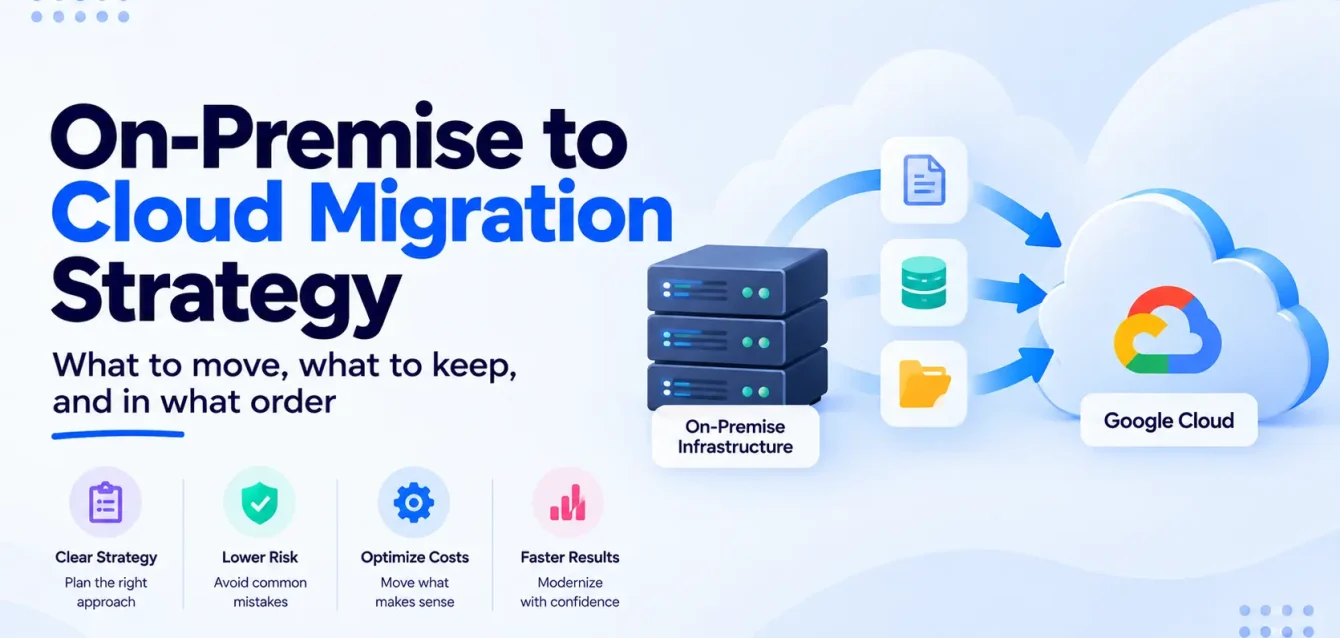
On-premise to cloud migration is the process of moving applications, data, and infrastructure from systems you operate yourself into a public cloud such as AWS, Azure, or Google Cloud.
The migration strategy should be decided before any server moves: what should move, what should stay, what should be replaced with SaaS, and which workloads should be retired.
The difficult part is usually not replication or final switch-over tooling. It is deciding which workloads belong in the cloud, building a realistic business case, sequencing dependencies, and designing the operating model that comes after migration. Moving the wrong workloads efficiently is still an expensive outcome.
If the project is being driven by a fixed facility, lease, or hardware deadline, use this strategy together with a detailed data center migration plan. This guide focuses on the decisions that determine whether the move improves cost, resilience, and delivery speed after final switch-over.
Key takeaways
- Write down why you’re moving before you decide what to move. “Cut costs,” “scale faster” and “get out of the building” lead to different migration plans.
- Not every workload belongs in the cloud. Steady, predictable, data-heavy systems can be cheaper where they are. That’s a sorting decision, not a failure.
- Cloud doesn’t cut costs by itself. Flexera’s 2026 State of the Cloud survey still has managing cloud spend as the top challenge, cited by 85% of respondents.
- The business case has hidden lines on both sides. On-prem hides staff time and refresh costs. Cloud hides egress, support plans and idle capacity.
- Move easy, low-risk workloads first. The first wave exists to find the gaps in your process, not to prove the business case.
- Plan the operating model, not just the move. Identity, cost control and monitoring work differently in the cloud, and most post-migration pain comes from running cloud systems with on-prem habits.
Step 1: Be clear about why you’re moving
It sounds obvious, but many on-premise to cloud migrations start with a vague goal like “modernise” or “move to the cloud,” and then nobody can tell whether the project worked. The reason you’re moving should decide what you move first and how you measure success.
| If the main driver is… | Then success looks like… | And the strategy leans toward… |
| Hardware or lease end date | Out of the building on time, nothing broken | Rehost most workloads now, optimise later |
| Cost reduction | Lower total cost of running the estate over three to five years | Rightsizing, retiring, SaaS replacements, some workloads staying put |
| Speed of delivery | Teams ship faster, environments on demand | Replatforming, containers, managed services, CI/CD |
| Scaling for unpredictable demand | Capacity follows demand without overbuying | Autoscaling, managed databases, refactoring the busiest services |
| Resilience and disaster recovery | Tested recovery across regions | Multi-region design, backup and DR as a first-wave priority |
| Getting out of VMware licensing | Off the renewal before it lands | Relocate or rehost VMware estates, then modernise. See VMware migration cost |
Most companies have two or three of these at once. Rank them. When they conflict, and they will, the top one wins.
Step 2: Sort workloads into move, stay, replace or retire
Every workload in the inventory gets sorted before anyone discusses tools. These questions do most of the sorting:
| Question | Points toward the cloud | Points toward staying on-prem or colocation |
| How much does demand vary? | Spiky, seasonal, or growing fast | Flat and predictable, 24/7 |
| How much data does it hold and move? | Moderate, mostly stays inside the app | Very large, constantly read by other on-prem systems |
| How sensitive is it to latency? | Users and dependencies are spread out | Tightly coupled to factory equipment, trading systems, local devices |
| What does the licence allow? | Cloud-portable or already subscription | Tied to physical cores or specific hardware |
| Where must the data live? | No residency rules, or the cloud region fits | Rules the provider’s regions can’t meet |
| How much life does it have left? | Years of development ahead | Being replaced within 12 to 18 months |
| Is there a SaaS product that does the job? | Replace it (email, CRM, HR, ticketing) | Heavily customised, no real SaaS equivalent |
This produces four groups:
- Move. The bulk of the estate, usually.
- Replace with SaaS. Commodity systems that don’t need to be yours.
- Retire. Anything nobody can find an owner for. There is almost always more of this than people expect, and every retired server is one you don’t pay to migrate.
- Stay, for now or for good. Workloads that are cheaper, faster or legally simpler where they are.
The “stay” pile makes some people uncomfortable, as if it means the migration is incomplete. It doesn’t. Most mature estates end up hybrid, and hybrid cloud management is a normal operating state, not a halfway house.
Step 3: Build a realistic cloud migration business case
The business case is where on-premise to cloud migrations go wrong most often, usually because one side of the comparison is missing costs.
Costs on-prem budgets tend to leave out:
- Staff time spent on hardware, patching, firmware, backups and capacity planning
- The next hardware refresh, which is coming whether or not it’s in this year’s budget
- Power, cooling, floor space and physical security, often hidden in a facilities budget
- Software support contracts and virtualisation licences
- The cost of the DR site, or the risk of not having one
Costs cloud estimates tend to leave out:
- Data egress, especially for systems that stay on-prem but talk to ones that moved
- Support plans, which are priced as a share of spend
- Managed service premiums (a managed database costs more per hour than a VM, and saves staff time in return)
- Monitoring, logging and security tooling
- Idle capacity: dev and test environments running 24/7, oversized instances copied from on-prem specs
- A period of paying for both environments during the migration
All three major providers have free tools that estimate cloud costs from your actual usage data: AWS Migration Evaluator, the business case feature in Azure Migrate, and Google Cloud’s Migration Center. They are useful starting points. Keep in mind that each is built by a company that wants you to move, and each models its own cloud.
The most common business case error we see: sizing cloud instances from on-prem server specs instead of actual utilisation. A server with 32 cores that runs at 8% CPU should not become a 32-core cloud instance. Size from measured usage over at least a month, including peaks.
Step 4: Choose a migration approach for each workload
Each workload in the “move” group gets a migration strategy. AWS’s 7 Rs are the standard vocabulary: retire, retain, rehost, relocate, replatform, repurchase and refactor. Our data center migration guide has the full table.
The short version for an on-premise to cloud migration:
- Rehost (lift and shift) is fastest and changes the least. It’s the right call under a deadline and for systems you can’t change. It rarely saves money on its own.
- Replatform makes small, high-value changes on the way: moving a self-managed database to a managed service, or packaging an app in containers. This is where much of the operational saving comes from.
- Refactor means rebuilding for cloud-native services. It is expensive and slow, and worth it only for systems with a long future and a real scaling or delivery problem.
A useful rule: move first, then modernise, unless the modernisation is small enough to do in the same step. Trying to refactor everything during the move is how 12-month programmes become three-year ones. But have a written plan for what happens after the move, or lift-and-shift turns into platform debt.
Step 5: Build migration waves in the right order
The order matters as much as the strategy. A good sequence:
- Build the cloud foundation first. Accounts or subscriptions, networking, identity, logging, security guardrails and cost tagging. Everything that moves later lands on this, and fixing it after 200 workloads have arrived is painful.
- Move a low-risk pilot. An internal tool, a reporting system, a dev environment. The goal is to test your process, tooling and runbook, and to find out what you forgot.
- Move groups of connected systems together. Applications that talk to each other constantly should move in the same wave, or the traffic between them crosses the link between your site and the cloud, adding latency and egress charges.
- Leave the most critical and most coupled systems for later waves, when the team has done several final switch-overs and the process is proven.
- Retire and shut down and retire as you go. Switch off on-prem systems as soon as their replacement is stable, or you pay for both indefinitely.
Step 6: Design the post-migration operating model
This is the part of an on-premise to cloud migration that gets the least planning and causes the most pain afterwards. Running systems in the cloud is different work.
Security shifts to identity. On-prem security leans on the network perimeter. In the cloud, identity and access policy are the perimeter. Google’s H1 2026 Cloud Threat Horizons Report put identity compromise behind 83% of the cloud intrusions it saw in the second half of 2025. Our cloud security assessment post covers what to check.
Cost becomes an operational metric. On-prem, the money was spent when the hardware was bought. In the cloud, every engineer’s decision shows up on next month’s bill. Someone needs to own that. See FinOps best practices for how teams handle it.
Monitoring has to be rebuilt. On-prem monitoring tools often don’t see cloud-managed services, autoscaling groups or containers. Put monitoring and visibility in place in the target environment before workloads arrive, not after the first incident.
Skills change. Your team knows your current hardware and hypervisor deeply. That knowledge matters less; cloud networking, IAM, infrastructure as code and cost management matter more. Budget for training, or for outside help during the transition.
Decide who runs it. Some teams run cloud infrastructure themselves, some hand it to a managed provider, many do a mix. Our comparison of self-service vs managed cloud walks through the trade-off.
When workloads should stay on-premises
Cloud is the right home for most workloads, but not all of them, and it’s worth being honest about that before you commit.
A Barclays CIO survey reported in 2024 found that 83% of enterprise CIOs planned to move at least some workloads back from public cloud, up from 43% in late 2020. That figure counts companies, not workloads.
A company moving one system back counts the same as one moving everything, and hyperscaler revenue keeps growing each quarter. What it does show is that a lot of organisations moved some workloads that didn’t suit the cloud.
The best-known example is 37signals, the company behind Basecamp. It was spending about $3.2 million a year on cloud infrastructure, moved its compute back to its own hardware, and reported saving about $2 million a year, before moving its storage off S3 as well. Its workloads are large, steady and predictable, and it has a team that can run hardware well. That combination is less common than the headlines suggest.
Workloads that often stay on-prem or move to colocation:
- Large, steady-state compute that runs flat out around the clock
- Very large datasets that are read constantly by systems that aren’t moving
- Latency-sensitive systems tied to local equipment
- Software with licences that punish cloud or shared hardware
- Hardware bought recently, with years of useful life left
We wrote about this in more depth in our report on the economics of cloud repatriation.
On-premise vs cloud: how the trade-offs compare
| On-premise | Public cloud | |
| Spending model | Capital spend up front, then depreciation | Operating spend, billed monthly by usage |
| Scaling | Buy capacity ahead of demand | Add and remove capacity in minutes |
| Cost at steady, high utilisation | Often lower | Often higher unless committed-use discounts are used |
| Cost for variable demand | Pay for peak all the time | Pay for what you use |
| Control | Full control of hardware and location | Shared responsibility with the provider |
| Staff effort | Hardware, facilities, patching, capacity planning | Architecture, identity, cost management, automation |
| Disaster recovery | Needs a second site | Built from regions and zones, still needs design and testing |
| Speed of new environments | Days to weeks | Minutes, with infrastructure as code |
Common mistakes in on-premise to cloud migrations
Moving everything because the plan says “cloud.” Some workloads cost more in the cloud and gain nothing. Sort before you move.
Copying on-prem sizing. Oversized instances and always-on dev environments are the most common source of cloud waste after a migration.
Moving half of a tightly connected system. The part in the cloud and the part on-prem chatter across the link, performance drops, and egress charges appear.
Skipping the cloud foundation. Accounts and networks built in a hurry for the first workload become the permanent foundation for all the rest.
Treating migration day as the finish line. The savings and speed gains come from what you do in the months after the move: adjusting resources to actual usage, modernising and switching off what’s left behind.
FAQs
What is on-premise to cloud migration?
It’s the process of moving applications, data and infrastructure from servers your organisation owns and runs into a public cloud platform such as AWS, Azure or Google Cloud.
What are the steps in an on-premise to cloud migration?
Define why you’re moving, sort workloads into move, replace, retire or stay, build a business case, choose a migration approach for each workload, build a cloud foundation, migrate in waves starting with low-risk systems, and adjust your operating model for security, cost and monitoring in the cloud.
What is the best strategy for on-premise to cloud migration?
There isn’t one strategy for the whole estate. Most migrations use a mix: rehost for systems that need to move quickly, replatform where small changes give quick savings, SaaS replacement for commodity systems, and refactoring only for high-value applications. Some workloads should stay on-prem.
How long does an on-premise to cloud migration take?
A small environment can move in a few months. A mid-size estate usually takes six to 18 months including planning. Large enterprises often run multi-year programmes in waves.
Is cloud cheaper than on-premise?
It depends on the workload. Variable or growing workloads are usually cheaper in the cloud. Steady, heavily used workloads can be cheaper on-prem or in colocation, especially if the hardware is already paid for. Build the comparison from your actual usage, including the costs each side tends to leave out.
What should not be moved to the cloud?
Workloads with flat, round-the-clock demand at high utilisation, very large datasets tied to on-prem systems, latency-critical systems connected to local equipment, software with restrictive licensing, and systems due to be retired soon.
What is the difference between on-premise to cloud migration and data center migration?
Data center migration is about leaving or consolidating a physical site, usually by a fixed date, and includes shutting down the old environment hardware. On-premise to cloud migration is about moving workloads into the cloud. A data center exit to the cloud is both.
Where Obsium fits
We help teams work out what should move, plan the order, and then carry out the migration to AWS, Azure or Google Cloud, including the parts that don’t belong in the cloud at all. We’ll tell you when a workload is cheaper where it is.
If you’re weighing an on-premise to cloud migration, book a migration assessment. An engineer will go through your estate, your goals and your dates, and give you a straight view of what’s worth moving first.
Related reading: Data center migration · Cloud migration checklist · Cloud migration costs explained · Hybrid cloud management · Self-service vs managed cloud
What to take away
- Start with the reason. It decides the order and the definition of success.
- Sort before you move. Retire, replace and keep what doesn’t belong in the cloud.
- Put every hidden cost in the business case, on both sides.
- Size from real usage, not server specs.
- Build the cloud foundation first, then move a pilot.
- Plan how you’ll run things afterwards. Identity, cost and monitoring decide whether the migration pays off.