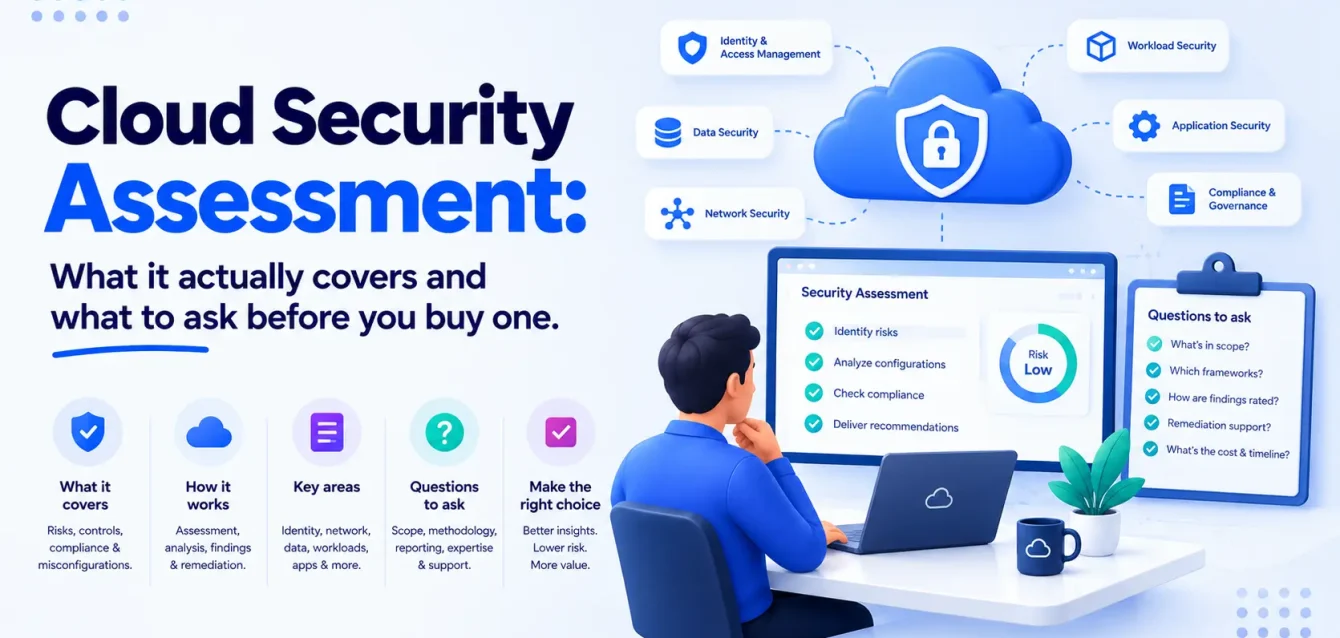
A cloud security assessment is a structured review of your cloud environment’s configuration, access controls, and exposure, checked against a defined framework, that identifies specifically where an attacker could get in and what they would be able to reach. In practice, that means reviewing identity and access, public exposure, data handling, secrets management, and, where relevant, the Kubernetes and container layer most generic assessments skip.
It’s different from a vulnerability scan, which is a patch-management exercise, and different from a SOC 2 audit, which produces evidence for a third party rather than a fix-it list for your own team. A cloud security assessment answers a narrower, more practical question: in your own environment, which of the last year’s breach headlines could plausibly have been yours.
Most cloud environments accumulate risk gradually rather than all at once. A Kubernetes cluster running production traffic, a storage bucket a contractor configured months ago and nobody has revisited since, a CI/CD pipeline with a service account token that has been valid since the project started: none of it looks alarming in isolation, and an assessment exists to turn “probably fine” into an actual answer.
Teams typically commission one for a specific reason rather than on a recurring schedule. A new customer’s security questionnaire needs answering, a board asks whether a competitor’s breach could happen here, or a new security leader wants a baseline before writing a roadmap. Far fewer ask for one proactively, which is itself worth noticing.
Cloud security assessment, defined
Strip away the sales copy and a cloud security assessment reviews three things: what’s configured, who can reach it, and what’s exposed to the outside world. Findings get checked against a named framework, not a vendor’s private scoring system, so the report is something an auditor, a board, or a customer’s security team can actually verify rather than take on faith.
That’s the plain version. The next few sections cover how that review actually gets done, and why it’s turned from an annual checkbox into something worth doing on purpose.
Key takeaways
- It’s a configuration and access review, not a patch list. If the deliverable is a CVE spreadsheet, you got vulnerability management, not an assessment.
- Identity is now the primary way in. Google’s threat intelligence puts identity compromise behind 83% of cloud intrusions in H2 2025, not misconfigured firewalls.
- Ask whether the assessor sells a product. A “free assessment” from a CSPM vendor is a sales funnel with a findings report attached, and the findings tend to be shaped like the platform they’re selling.
- Kubernetes is usually out of scope by default. Most generic cloud assessments stop at the cloud provider’s console and never touch RBAC, admission controllers, or pod security inside the cluster.
- A framework beats a proprietary score. Ask what the findings map to (CIS Benchmarks, NIST CSF, CSA CCM) rather than accepting a vendor’s own “security score” with no external reference point.
- The report is the start, not the deliverable. An assessment that ends at a PDF with no remediation support just relocates the problem to your backlog.
Why this is a live problem right now
Cloud security assessments used to be a compliance checkbox, completed once a year because an auditor required one. Three shifts changed that.
Identity, not the network perimeter, is now where breaches start. Google’s H1 2026 Cloud Threat Horizons Report found identity compromise behind 83% of all cloud intrusions observed in H2 2025.
The report describes a representative case: a stolen GitHub personal access token, obtained through phishing or a leaked CI log, carried more access than intended because it was tied to an OIDC trust relationship nobody had reviewed since it was configured. Within 72 hours, that token was used to escalate to full AWS administrator access, without a firewall being breached or a CVE being exploited.
This pattern isn’t isolated. Across Google’s dataset, non-human identities, service accounts, CI/CD tokens, and now AI agents accounted for most of the lateral movement that followed an initial breach. The credential that gets phished is usually less consequential than what it was permitted to reach afterward.
Exposure is common, not the exception. Wiz’s Cloud Data Security Snapshot 2025 found that 72% of cloud environments have publicly exposed PaaS databases lacking access controls, typically a managed Postgres or MySQL instance given a public endpoint to unblock a deployment and never revisited.
The same report found that 54% of environments have exposed VMs or serverless instances containing sensitive data such as PII or payment information, 35% combine exposed sensitive data with a high or critical severity vulnerability on the same asset, and 12% have publicly exposed containers that are also exploitable through a known vulnerability.
The cost of finding out later keeps climbing, and unevenly. IBM’s Cost of a Data Breach Report 2025 and its X-Force Threat Intelligence Index put numbers on that unevenness. The average breach cost for US organizations reached $10.22 million, a 9% increase and an all-time high, while the global average fell to $4.44 million, down 9% over the same period, a gap that says something about where the pressure is concentrated. Detection and escalation alone cost $1.47 million on average, the single largest cost driver for the fourth year running, and it still takes 241 days on average to identify and contain a breach, roughly eight months between a misconfiguration existing and someone noticing it. A quarter of cloud security incidents, 25%, trace back to a misconfigured cloud service, exactly the category an assessment exists to catch before an attacker does.
At the same time, the window for exploitation is shrinking. Google’s report found threat actors deploying cryptocurrency miners within 48 hours of a CVE’s disclosure, and software-based initial access (exploiting a public-facing application or a known vulnerability, rather than phishing or stolen credentials) jumping from 2.9% to 44.5% of incidents in a single half-year. Set those two trends side by side: a misconfiguration that sat unnoticed for a year used to be a slow-burning risk. It is now closer to a countdown.
How a cloud security assessment works
However it’s sold, a real assessment runs through the same four stages. Knowing them makes it easier to tell a thorough engagement from a scan with a report bolted on.
Scoping. You and the assessor agree on what’s in bounds: which cloud accounts, whether Kubernetes and containers are included, which compliance framework the findings need to map to. This single conversation decides the price and the depth more than anything else on this list, which is why a provider who skips it and jumps straight to a number hasn’t actually priced your environment.
Access. The assessor gets read-only access to the accounts in scope. Never write access, and never production credentials. If a vendor asks for anything more than read access to run an assessment, that’s worth questioning on its own before the engagement even starts.
Review. Automated tooling scans for the obvious misconfigurations quickly. A manual review then validates which of those findings are actually reachable and dangerous, versus which are noise a scanner flagged out of caution. This stage is what separates a real assessment from a tool report with a consultant’s name attached to it.
Reporting. Findings get prioritized by real risk, not a flat severity label, and mapped to whatever framework you agreed on during scoping. A useful report tells you what to fix first and why. A findings dump tells you what a scanner noticed.
| Stage | Who does what | Typical share of the timeline |
|---|---|---|
| Scoping | You define accounts, frameworks, and what’s in bounds | A few days upfront |
| Access | Assessor gets read-only access, never write | Same day |
| Review | Automated scan, then manual validation | Most of the engagement |
| Reporting | Findings prioritized and mapped to your framework | Final few days |
What a real assessment actually covers
“Cloud security assessment” gets used loosely enough that it’s worth pinning down the scope before you buy one. A narrow scan of one account is not the same purchase as a full review across identity, data, and workloads.
| Area | What’s reviewed | Why it matters now |
|---|---|---|
| Identity & access | IAM roles, permission scope, MFA coverage, non-human identities, service account tokens, CI/CD credentials | Behind 83% of cloud intrusions (Google, H1 2026) |
| Public exposure | Storage buckets, databases, VMs, serverless functions, load balancers with public endpoints | 72% of environments have an exposed database with weak access controls (Wiz, 2025) |
| Data exposure | Where sensitive data (PII, payment data, secrets) sits relative to exposure and vulnerability | 35% of environments combine sensitive data exposure with a critical vulnerability on the same asset (Wiz, 2025) |
| Secrets & credentials | Hardcoded keys, long-lived tokens, secrets in source control or CI/CD logs, rotation policy | Leaked cloud secrets can go unresolved for long stretches once they’re out (Verizon DBIR) |
| Container & Kubernetes | RBAC, pod security standards, admission controllers, network policies, image provenance | Usually excluded from generic cloud assessments entirely |
| Logging & detection | What’s logged, where, for how long, and whether anyone would notice an anomaly | Average time to identify a breach: 241 days (IBM, 2025) |
| Compliance mapping | Findings mapped to CIS Benchmarks, NIST CSF, CSA CCM, or a specific framework you need | Turns a findings list into something an auditor or board can read |
The Kubernetes row is worth pausing on, since it’s the one most providers skip by default and the one Obsium’s clients ask about most. A generic cloud assessment checks the provider’s console: IAM, storage, networking, security groups. It usually doesn’t go inside the cluster at all, which means it won’t say whether a pod is running as root because a Helm chart’s default values were never overridden, whether RBAC actually enforces least privilege or just looks like it does on paper (a ClusterRoleBinding granting cluster-admin to a service account created for a one-time migration and never removed is a common example), or whether an admission controller would catch a container trying to mount the host filesystem.
If most of your production workload runs on Kubernetes, an assessment that stops at the provider console is checking the front door and skipping the building.
The four ways this gets sold
The word “assessment” covers four genuinely different purchases, and confusing them is the most common way to end up with the wrong deliverable.
1. Automated scan (tool-only)
A CSPM platform runs its ruleset against your environment and generates a findings dashboard, sometimes with an analyst call bundled in as a sales step. The output is typically a long list, say 340 findings, sorted by a severity label, with a “critical” badge on a dozen items that turn out to be unreachable from the internet and a genuinely dangerous one buried further down labeled “medium.”
- What you get: breadth, fast, cheap or free as a trial.
- What you don’t: manual validation, so expect a high false-positive rate and findings with no business context.
- Watch for: this being pitched as a free assessment when it’s a lead-generation funnel for the platform underneath it.
2. Point-in-time manual assessment
A consultant or firm reviews your environment against a defined scope and framework and delivers a report: findings, severity, and recommendations.
- What you get: validated findings, prioritized by actual risk rather than a generic CVSS score, and a framework-mapped report you can hand to a customer or auditor.
- What you don’t: implementation. The fixes land in your backlog exactly like a tool-only scan’s do.
- Watch for: how the report prioritizes. A list of 200 findings sorted by severity label is not the same as ten findings sorted by what’s actually reachable from the internet.
3. Assessment plus remediation support
Same manual review, but the provider also fixes some portion of what they find, under a change process you’ve agreed to beforehand.
- What you get: findings that actually close, not just get logged.
- What you don’t: architectural fixes, usually. Remediation support tends to cover configuration changes, not redesigning your identity model.
- Watch for: exactly which findings are in scope for remediation and which are handed back to you as recommendations.
4. Continuous / managed posture management
The provider monitors continuously rather than running a point-in-time review, alerting on new exposure and drift as your environment changes.
- What you get: an assessment isn’t a photograph of a moment that’s already out of date by the time you read the PDF.
- What you don’t: the depth of a manual review in every pass. Continuous tools are strong on breadth and speed, weaker on business context.
- Watch for: whether this replaces a periodic manual assessment or is meant to sit alongside one. Most mature programs run both.
| Model | Manual validation? | Covers Kubernetes by default? | Remediation included? | Point-in-time or continuous? |
|---|---|---|---|---|
| Automated scan | No | Rarely | No | Point-in-time (or continuous trial) |
| Manual assessment | Yes | Ask explicitly | No | Point-in-time |
| Assessment + remediation | Yes | Ask explicitly | Partial, scoped | Point-in-time |
| Managed posture management | Varies by provider | Ask explicitly | Sometimes | Continuous |
Key insight: the most useful question on a first call isn’t “what do you check” — every provider has a similar list. It’s “how many of your last ten findings for a client like us were false positives, and how do you know.” A provider that’s actually validated findings manually will have an answer. One running an automated scan with an analyst’s name attached to it usually won’t.
What it costs, and why nobody publishes a real number
Most cloud security assessment pages online quote a price range, and few of them mean much. Two companies can both ask for “a cloud security assessment” and pay wildly different amounts, because scope variables move the price by multiples: the number of cloud accounts and providers involved, whether Kubernetes and container workloads are in scope, whether the review includes manual validation or only an automated scan, whether remediation is included, and whether a specific compliance framework needs to be mapped.
Rather than anchoring on a generic figure, it’s worth asking for a scoped quote against your actual environment: how many accounts, how many clusters, which frameworks matter to you, and whether findings will be validated by a person or only generated by a tool. A provider who can quote a number without asking those questions first hasn’t actually looked at what they would be assessing.
The vendor-neutral question
It’s worth asking this on the first call, and getting the answer in writing: does the assessment lead into a specific product you sell, and are the findings shaped to justify that purchase? This is the security-world version of the reseller question we tell people to ask cloud cost optimization providers, since a number of “free cloud security assessments” exist specifically to generate a findings report that ends with a pitch for the platform that fixes it.
The reason is straightforward. If an assessor sells a CSPM platform, their scanning tool checks for exactly the things that platform catches well and says little about what it doesn’t. The findings themselves usually aren’t fabricated.
They’re filtered through what the assessor has to sell, which isn’t automatically dishonest (sometimes the platform genuinely is the right fix) but does give an assessor with a product to sell a structural incentive to find what that product solves and undersell what it doesn’t. It’s worth knowing which kind of conversation you’re in before reading the findings, not after signing a follow-on contract.
The same applies to compliance-framework selection: a provider who only knows one framework will map your findings to that framework whether or not it’s the one your customers or regulators actually care about.
Checks before you hire someone
1. Can they test Kubernetes specifically, not just the console around it? Ask what they check inside the cluster: RBAC bindings, pod security standards, admission controller policy, network policy, image provenance against the CIS Kubernetes Benchmark. If the answer only covers the cloud provider’s IAM and networking, the assessment stops at the cluster boundary and misses the workload layer entirely.
2. Do they check non-human identities, not just user accounts? Service accounts, CI/CD tokens, and API keys did most of the lateral movement in Google’s 2026 threat data. An assessment that only reviews human user permissions is checking the smaller half of the identity surface.
3. Is anything manually validated, or is it all tool output? Automated scans are fast and produce volume. A provider who can describe how they validate and prioritize, rather than forwarding a tool’s raw findings list, is doing the part that’s actually hard to automate.
4. What framework do the findings map to? CIS Benchmarks, NIST CSF, and CSA CCM are external reference points an auditor or customer will recognize. A proprietary “security score” with no external mapping is a marketing number.
5. Do they specifically check for exposed secrets and long-lived credentials? Hardcoded keys and stale tokens are a distinct, common finding, not a subset of “IAM review.” A classic example: an AWS access key hardcoded in a config file two years ago, committed to a repo that later went public, still active because nobody rotates keys until something forces the question. Ask how they search for this, and whether that search includes source control and CI/CD logs, not just the cloud console.
6. What’s the deliverable, concretely? A findings list is not the same as a prioritized remediation plan. Ask to see a sample report (redacted) before you commit.
7. Is remediation support included, partial, or entirely your problem? Get this explicit before you sign, not after you read the findings and realize the fix list is 40 items long.
8. How do they handle the assessment on your own AWS, Azure, or GCP account specifically? Azure cloud security assessments, AWS reviews, and GCP reviews check different native controls. A provider fluent in one and generic about the others will find less in whichever platform they know less well.
Warning: a finding count is not a quality metric. “We found 340 issues” measures how sensitive the scanner’s default ruleset is, not how exposed you actually are. Ask how many findings were validated as real and reachable, and how many were noise from the raw scan.
What good looks like at delivery, 30 days, and a quarter
At delivery:
- Findings prioritized by what’s actually reachable and exploitable, not a flat severity label
- A framework mapping (CIS, NIST CSF, CSA CCM, or the one you asked for)
- Kubernetes and container findings included, if that’s part of your estate, not silently excluded
- Non-human identities and service account permissions reviewed, not just human users
- A remediation plan with owners and rough effort, not just a list
By 30 days:
- The highest-severity, easiest-to-fix findings closed (exposed storage, unused admin roles, missing MFA)
- A tracked list of what’s left, with owners
- Long-lived credentials and stale secrets rotated or removed
By a quarter:
- Re-scan or re-assessment confirming closed findings stayed closed
- Non-human identity governance in place, not just a one-time cleanup
- A cadence decided for the next review, because an assessment is a snapshot and your environment won’t stay still
That last point is the one people skip. An assessment answers “where are we exposed today.” It doesn’t answer “will we still be fine in six months,” which is a different question with a different answer for every team.
Cloud security assessment vs the things it gets confused with
| Cloud security assessment | Vulnerability management | SOC 2 audit | Penetration test | |
|---|---|---|---|---|
| What it checks | Configuration, access, exposure | Known CVEs in your stack | Whether controls exist and operate as documented | Whether a tester can actually break in |
| Who it’s for | Your own security posture | Your patch and detection cycle | A customer or regulator | Proving exploitability, often for a customer requirement |
| Cadence | Point-in-time or continuous | Continuous, ongoing | Annual, with a type II covering a window | Point-in-time, often annual |
| Typical output | Prioritized findings + remediation plan | Patch backlog, exploit-risk prioritization | An auditor’s report | An exploit narrative + findings |
| Read more | This post | Cloud vulnerability management | Out of Obsium’s scope — see a compliance auditor | Usually a separate, specialized engagement |
FAQs
What is a cloud security assessment?
A structured review of your cloud environment’s configuration, identity and access controls, and exposure, checked against a defined framework, that identifies specifically where an attacker could get in and what they’d be able to reach.
What’s the difference between a cloud security assessment and a cloud security audit?
In practice the terms overlap and are often used interchangeably. Where people do distinguish them, “audit” tends to imply checking against a specific standard for compliance purposes, while “assessment” is broader and includes a risk-based review that isn’t tied to a single framework.
How long does a cloud security assessment take?
It scales with scope. A single-account, cloud-provider-only review can run one to two weeks. Multi-cloud environments with Kubernetes and container workloads in scope, or a full compliance-framework mapping, typically take longer, because manual validation doesn’t scale the way an automated scan does.
How much does a cloud security assessment cost?
It depends on the number of accounts and cloud providers, whether Kubernetes is in scope, whether findings are manually validated, and whether remediation is included. Ask for a scoped quote against your actual environment rather than trusting a generic published range.
Do we need one if we already run a CSPM tool?
A CSPM tool gives you continuous automated scanning, which is valuable and different from a manual assessment. The gap is usually validation and prioritization: a tool can generate hundreds of findings with no sense of which ten actually matter. Many teams run both, a tool for continuous coverage and a periodic manual assessment for depth.
Can a cloud security assessment cover Kubernetes specifically?
Some can, most don’t by default. Ask explicitly whether RBAC, pod security standards, admission controllers, and network policy are in scope, and whether findings are checked against the CIS Kubernetes Benchmark. If workloads run in containers, this shouldn’t be an afterthought.
How often should we run one?
Annually at minimum, and after any major architecture change, cloud migration, or new compliance requirement. Continuous posture management tools fill the gap between point-in-time assessments, but they don’t replace the manual review entirely.
Is a cloud security assessment the same as a penetration test?
No. A penetration test tries to actually exploit weaknesses to prove real-world impact, usually scoped narrowly. An assessment reviews configuration and access broadly, whether or not anyone tries to break in. Some engagements combine both, but they’re different purchases with different deliverables.