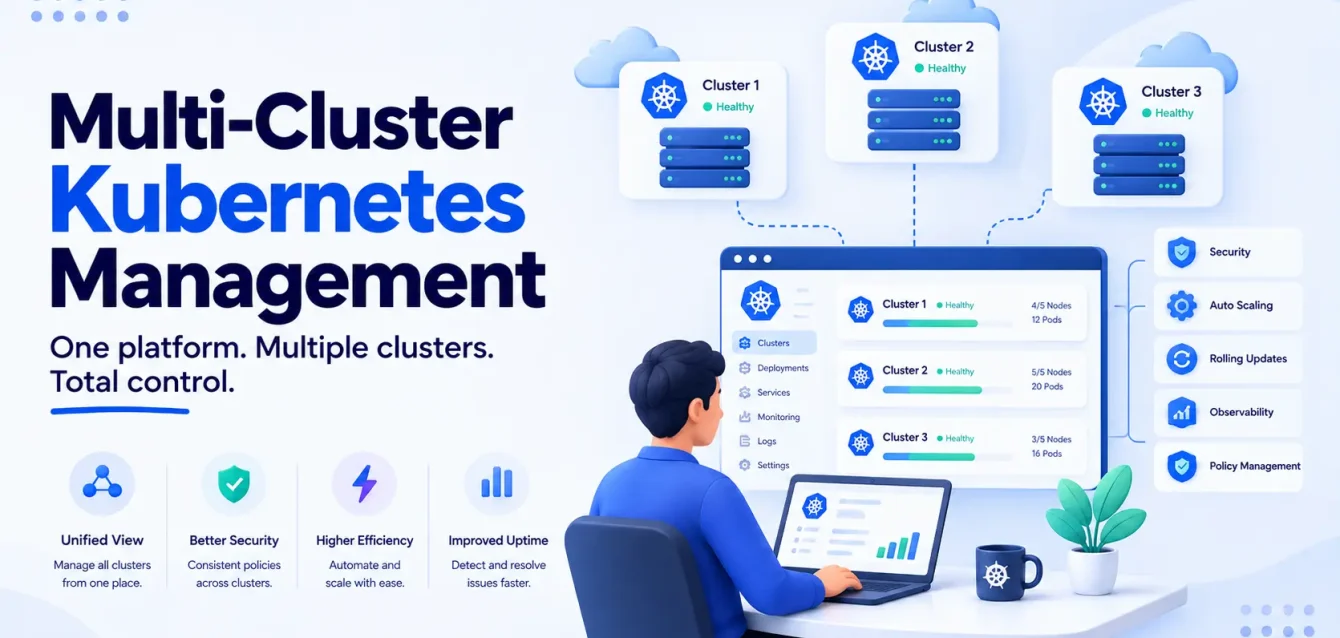
Multi-cluster Kubernetes management is the set of practices and tools for running applications across more than one cluster as a single operational unit, rather than as several disconnected clusters someone happens to also be responsible for.
The distinction matters because most organizations end up with multiple clusters long before they decide to manage them as a fleet. Here’s the pattern, and you’ve probably lived a version of it:
- A team spins up a cluster for a new region because the EU launch needed one.
- Six months later, a second team adds another for compliance reasons, because legal flagged that customer data couldn’t sit where the first cluster lived.
- A third shows up because the original cluster’s control plane got too crowded and someone needed room to breathe.
Nobody sat down and chose multi-cluster. It accumulated, one reasonable decision at a time, until one day there are five clusters and no one document explaining why each one exists.
This post is about the point where that accumulation needs to become a deliberate architecture, and what that architecture actually requires.
Key takeaways
- Most multi-cluster setups aren’t a decision. They’re a byproduct. Deciding to manage them as a fleet, rather than as N separate clusters, is the actual architectural choice.
- The average Kubernetes adopter already runs clusters across five or more environments — hyperscalers, on-prem, edge, and GPU or sovereign clouds combined, per Spectro Cloud’s 2025 survey.
- Over half of organizations describe their clusters as “snowflakes” with highly manual, inconsistent operations. That’s the problem fleet management solves, more than any single feature.
- There’s no single “multi-cluster tool.” The category splits into cluster lifecycle (Cluster API), workload scheduling (Karmada), and GitOps delivery (Rancher Fleet, Argo CD ApplicationSets) — most fleets need pieces of more than one.
- Duplication is the real cost, not licensing. Every additional cluster duplicates a control plane, a monitoring stack, and an on-call surface, whether or not it’s running a single workload.
- Argo CD ApplicationSets is the right starting point for most teams under roughly twenty clusters. Karmada and Fleet earn their added complexity at a different scale, not a smaller one.
Why this is a live question now
Kubernetes adoption stopped being the debate. CNCF’s 2025 Annual Survey found 82% of container users now run Kubernetes in production, up from 66% in 2023.
The question that replaced it is how many clusters that production footprint actually involves, and whether anyone’s managing them as a system.
Spectro Cloud’s 2025 State of Production Kubernetes report, surveying 455 platform engineers and architects at organizations with 250+ employees, found the average adopter now runs clusters across more than five environments: all three hyperscalers plus on-prem and GPU or sovereign clouds.
Half of respondents run production Kubernetes at the edge, which by definition means many small clusters rather than one large one.
And here’s the line that matters most for this post: over half said their clusters are still “snowflakes,” with highly manual operations.
That’s the actual problem. Not “we have multiple clusters.” Multiple clusters, each hand-tuned, each drifting slightly from the others, each requiring someone to remember its specific quirks when something breaks at 2 am.
The engineer who set up cluster three left the company last year, and the runbook for it lives in their head, which is to say it doesn’t exist anymore.
Cost pressure is compounding it. 88% reported year-on-year increases in Kubernetes total cost of ownership, and every additional unmanaged cluster is another line item nobody’s optimizing because nobody owns it as a system.
The upside case is real too, when it’s done deliberately rather than by accident. One documented case: Alan’s move to centrally managed multi-cluster Kubernetes cut deployment times by 85% while scaling to more than 100 services.
Same underlying idea, opposite outcome. The difference was treating the fleet as one system from the start rather than retrofitting order onto years of accumulated clusters.
When you actually need more than one cluster
Multiple clusters solve specific problems. It’s worth being honest about which ones apply before adding the operational overhead.
- Blast radius containment. A namespace isolates workloads logically, but they still share a control plane, the same underlying nodes, and the same failure domain. A bad CRD installed by one team can degrade the API server for every other team on that cluster, even ones with no idea the CRD exists. If a control plane issue, a bad CRD, or a noisy-neighbor workload should never be able to take down everything, that’s a cluster boundary, not a namespace boundary.
- Compliance and data residency. GDPR and similar regimes require data to stay in specific geographic or regulatory boundaries. A dedicated cluster per region or jurisdiction is usually simpler to defend in an audit than a single cluster with complex data-locality rules layered on top, where you’re explaining to an auditor why they should trust a label instead of a boundary.
- Latency and availability across regions. Serving users from the nearest region, and surviving a full regional outage, needs clusters that exist in more than one place. This is the most defensible “obviously yes” reason on this list.
- Team or tenant isolation with real teeth. Namespace-based multi-tenancy works until one tenant’s workload genuinely needs to not be able to affect another’s, whether for security, for blast radius, or for a customer contract that requires it. A managed-services provider running multiple clients’ workloads on shared infrastructure runs into this fast: “trust us, it’s just a namespace boundary” is a hard sell to a client’s security team.
- Upgrade risk management. Rolling a Kubernetes version upgrade through a canary cluster before touching production is a legitimate reason to run more than one, at least temporarily.
What’s usually not a good reason: a cluster per team simply because coordinating shared infrastructure between teams is organizationally annoying. That’s a platform engineering and RBAC problem, and multi-cluster tends to hide it rather than fix it, at meaningfully higher cost.
The tool landscape: three different jobs, not one
The phrase “multi-cluster management” gets used for three genuinely different problems, and most real fleets need at least two of them.
Cluster API handles lifecycle: provisioning, scaling, and upgrading the clusters themselves, declaratively, the same way Terraform manages infrastructure. It doesn’t decide what runs where.
Obsium’s Terraform vs Kubernetes post covers the adjacent question of where infrastructure-as-code ends and Kubernetes-native tooling begins; Cluster API sits on the Kubernetes-native side of that line for the clusters themselves.
Karmada handles workload scheduling and distribution across clusters that already exist. It runs its own control plane and API server, and uses propagation policies to decide which workloads run where, with automatic rebalancing if a cluster degrades.
Say one of your three regional clusters starts throwing errors: Karmada can shift its replicas to the healthy two without a human paging in at 3am to do it manually.
That’s real capability, and it’s also another stateful system with its own etcd to operate, which is worth remembering the next time someone suggests adding it “just in case.”
Rancher Fleet and Argo CD ApplicationSets both handle GitOps delivery: getting the right manifests applied to the right clusters, reconciled continuously from git. They’re built for different scales.
Fleet is built for scale, comfortably managing thousands of clusters. Picture a retail chain running a small edge cluster in every store: Fleet is the tool that gets the same point-of-sale manifest rolled out to eight hundred nearly-identical clusters without anyone touching each one by hand.
What it doesn’t do is intelligent scheduling. It’s a deployment mechanism, not a scheduler.
ApplicationSets does the same core job without introducing a new control plane at all, generating cluster-specific Argo Applications from templates. It’s a better fit for a smaller, less uniform fleet, say a team running twelve clusters across three clouds that just needs each one to get the right manifests.
It’s purely declarative too, with no weighted rebalancing, and it’s the better starting point below roughly twenty clusters if you’re already running Argo CD, which CNCF’s own 2025 survey found is now the majority-adopted GitOps tool for Kubernetes.
The managed cloud options (GKE Fleet, EKS with multi-cluster tooling, Azure Arc) bundle a version of this into the hyperscaler console. They’re a reasonable default if you’re single-cloud and want less to operate yourself, and a poor fit the moment your five-plus-environment reality includes more than one provider.
| Tool | Solves | Runs its own control plane? | Best fit |
|---|---|---|---|
| Cluster API | Cluster lifecycle (provision, scale, upgrade) | No — extends the Kubernetes API | Any fleet size, as the provisioning layer |
| Karmada | Workload scheduling and rebalancing | Yes | Fleets needing automatic failover or weighted distribution |
| Rancher Fleet | GitOps delivery at scale | No | Hundreds to thousands of clusters, edge-heavy |
| Argo CD ApplicationSets | GitOps delivery, simpler | No | Under ~20 clusters, already on Argo CD |
| GKE Fleet / EKS / Azure Arc | Managed, vendor-native fleet view | Vendor-managed | Single-cloud environments wanting less to operate |
The cost nobody prices in upfront
Every additional cluster duplicates a control plane, a monitoring and logging stack, an ingress layer, and an on-call rotation’s worth of unfamiliarity, whether it’s running one workload or fifty.
Five clusters means five Prometheus stacks and five ingress controllers, even if all five combined are handling less traffic than one busy cluster would on its own.
That cost shows up gradually, in the Kubernetes line item everyone already reports is growing (88% year-on-year, per Spectro Cloud). It’s a large part of why Kubernetes cost optimization keeps surfacing as a separate, urgent problem rather than something teams solved once and moved past.
The fix isn’t fewer clusters for its own sake. It’s making sure every cluster you add is a deliberate answer to one of the reasons above, not a byproduct of not having a fleet strategy yet.
Checks before you commit to a multi-cluster architecture
1. Which specific problem is each additional cluster solving? Blast radius, compliance, latency, isolation, or upgrade risk. If the honest answer is “organizational convenience,” that’s a platform engineering fix, not a cluster boundary.
2. Who owns the fleet as a system, not just each cluster individually? “Snowflake” clusters happen when ownership stops at the cluster boundary. Someone needs to own consistency across all of them.
3. Is scheduling actually needed, or just deployment? Karmada’s rebalancing is powerful and adds real operational weight. Most teams need workloads deployed consistently to the right clusters, not automatically rebalanced between them. Don’t buy the more complex tool by default.
4. What’s the plan for config drift? GitOps tooling (Fleet, ApplicationSets) exists specifically to stop clusters from silently diverging. If you’re managing clusters by hand today, that’s the first gap to close before adding more of them.
5. Does observability span the fleet, or does someone have to check each cluster separately? A fleet with per-cluster dashboards and no aggregate view reproduces the snowflake problem one layer up.
6. What breaks if the fleet-management tool itself goes down? Karmada and Fleet both run components that become a new dependency. Know the blast radius of the tool managing your blast-radius strategy.
Where Obsium fits
Most of the multi-cluster environments we get brought into weren’t designed. They grew, one region or one compliance requirement at a time, and by the time someone asks for help, nobody can say with confidence what’s running where or why a given cluster exists.
We start by mapping the fleet against the actual reasons above, keep the clusters that are solving a real problem, and put GitOps and observability in place so the rest stop drifting.
Book a free 30-minute consultation. An engineer will look at your current cluster footprint and tell you honestly which parts are solving a real problem and which parts are sprawl.
Related reading: Kubernetes management · Terraform vs Kubernetes · GitOps vs DevOps · Kubernetes cost optimization · Platform engineering explained
FAQs
What is multi-cluster Kubernetes management?
The practice of operating multiple Kubernetes clusters as a coordinated fleet, using tools for lifecycle management, workload scheduling, and GitOps delivery, rather than managing each cluster independently.
How many clusters justify a fleet-management tool?
There’s no fixed number, but the tooling choice changes with scale. Argo CD ApplicationSets works well up to roughly twenty clusters, especially if you’re already using Argo CD. Beyond that, or in edge deployments with hundreds of small clusters, Rancher Fleet is built for that scale specifically.
Do I need Karmada if I already use Argo CD?
Only if you need automatic workload rebalancing across clusters, such as shifting replicas away from a degraded cluster. If you need workloads reliably deployed to the right clusters and nothing more, ApplicationSets does that without adding another control plane.
Is multi-cluster more expensive than one large cluster?
Generally yes, because every cluster duplicates control-plane and operational overhead. It’s justified when it’s solving blast radius, compliance, latency, or isolation. It’s a cost with no offsetting benefit when it exists for organizational convenience alone.
What’s the difference between Cluster API and Karmada?
Cluster API manages the clusters themselves: creating, scaling, and upgrading them declaratively. Karmada manages workloads across clusters that already exist: deciding what runs where and rebalancing if needed. They solve adjacent, not overlapping, problems.
Can managed cloud tools like GKE Fleet or Azure Arc replace this entirely?
If your environment is genuinely single-cloud, they’re a reasonable default with less to operate yourself. Most organizations report running across five or more environments now, which is exactly the scenario a single vendor’s fleet tooling doesn’t cover.