DevOps is about helping teams build, release, and operate software more efficiently. Kubernetes helps make that possible, but the two aren’t the same thing.
DevOps brings together people, processes, and automation. Kubernetes provides a platform for running and managing applications once they’re ready to deploy.
It’s a combination many engineering teams now rely on. According to the CNCF’s 2025 Annual Cloud Native Survey, 82% of container users run Kubernetes in production, up from 66% in 2023.
So, where does Kubernetes fit into DevOps? Let’s look at how teams use it, which tools matter, and when it’s worth the complexity.
What Is Kubernetes?
Kubernetes, often called K8s, is an open-source platform that automates the deployment, scaling, and management of containerized applications.
Containers package applications with the dependencies they need to run consistently across environments. Kubernetes coordinates those containers, helping teams manage them across multiple servers.
For example, an e-commerce company running several application services can use Kubernetes to add capacity during a sale, replace failed containers, and introduce software updates gradually.
Docker and Kubernetes serve different purposes. Docker provides container technology, while Kubernetes manages containerized workloads.
Our Kubernetes vs. Docker guide explains the distinction.
Is Kubernetes DevOps?
No. Kubernetes is a technology, while DevOps is an approach to software delivery and operations.
DevOps encourages collaboration, automation, continuous improvement, and shared responsibility between development and operations teams.
Kubernetes supports these practices by providing a consistent environment for running applications.
| DevOps | Kubernetes |
|---|---|
| A culture and set of practices | A container orchestration platform |
| Focuses on software delivery and operations | Focuses on running containerized workloads |
| Uses automation and collaboration | Automates deployment and infrastructure tasks |
| Can exist without Kubernetes | Can operate outside a mature DevOps culture |
A team can adopt Kubernetes and still struggle with slow releases or poor communication.
The CNCF’s 2025 survey reinforces this point: 47% of respondents cited cultural changes within development teams as a cloud-native adoption challenge.
As Jonathan Bryce, CNCF’s Executive Director, observed:
“Over the past decade, Kubernetes has become the foundation of modern infrastructure.”
Source: CNCF Annual Cloud Native Survey, 2025.
Kubernetes can strengthen DevOps, but it cannot replace good engineering practices.
Why DevOps Teams Use Kubernetes
Kubernetes addresses several challenges that arise as applications and engineering teams grow.
| DevOps goal | How Kubernetes helps |
|---|---|
| Release faster | Supports automated rollouts and rollbacks |
| Improve reliability | Replaces failed Pods and maintains desired replicas |
| Handle traffic growth | Scales application workloads |
| Simplify networking | Provides service discovery and load balancing |
| Standardize environments | Supports consistent deployment across compatible infrastructure |
Consider a streaming application expecting a major increase in viewers during a live event.
Kubernetes can help distribute application workloads, scale replicas, and recover from certain infrastructure failures.
However, it doesn’t automatically guarantee uninterrupted service. Applications still need adequate capacity, monitoring, and appropriate configuration.
Core Kubernetes Concepts DevOps Engineers Should Know
You don’t need to understand every Kubernetes component to get started. Five concepts provide the foundation.
- Pods: The units in which application containers run.
- Deployments: Manage application replicas and software updates.
- ReplicaSets: Maintain the desired number of Pods.
- Services: Provide stable access to applications as Pods change.
- Clusters: Groups of worker nodes coordinated by a control plane.
The control plane manages the cluster’s desired state, while worker nodes provide the computing resources.
For a practical explanation, see our Kubernetes Deployment guide.
How Kubernetes Fits Into the DevOps Lifecycle
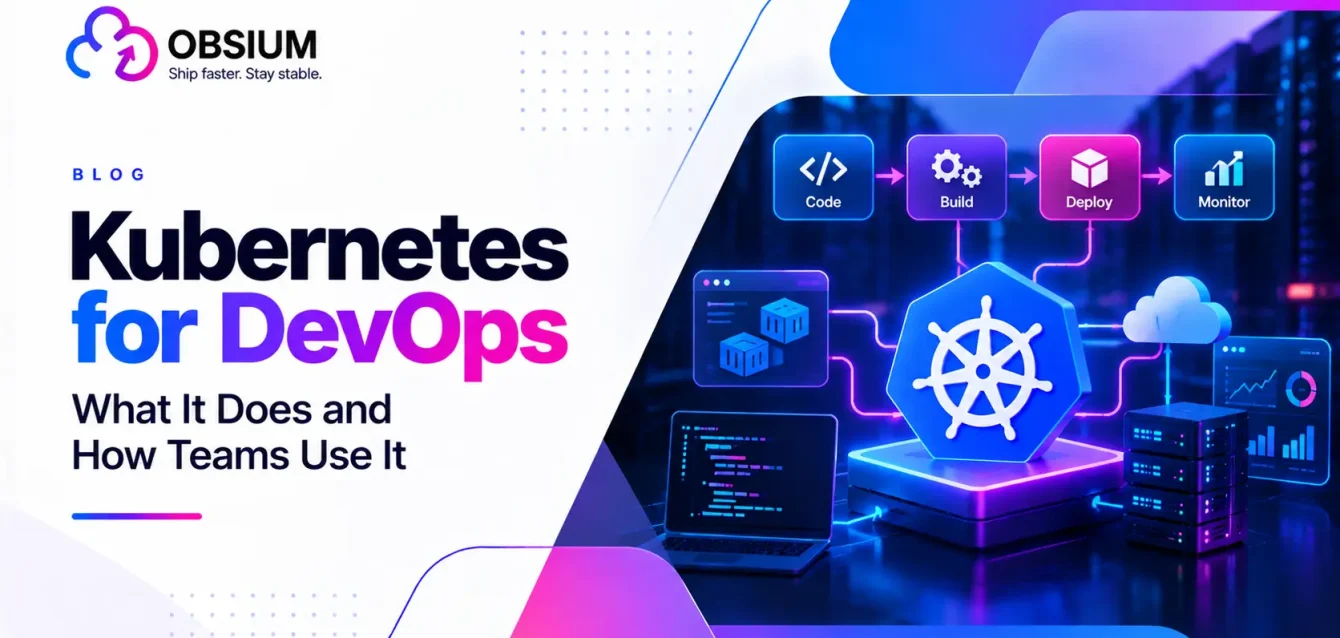
A typical DevOps workflow includes planning, coding, building, testing, releasing, deploying, operating, and monitoring software.
Kubernetes becomes particularly useful during deployment and ongoing operations.
Plan → Code → Build → Test
                      |
                    Release
                      |
               Kubernetes
                      |
              Deploy → Operate
                      |
                   Monitor
                      |
                  Feedback
For example, a developer pushes an application update to Git. Automated tests verify the code, a container image is built, and the deployment system releases it to Kubernetes.
Kubernetes then works to maintain the configured application state.
Monitoring provides feedback on whether the release is performing as expected.
Read our DevOps lifecycle guide for the complete process.
Kubernetes CI/CD: How Automated Deployments Work
Continuous integration and continuous delivery (CI/CD) help teams test and release software consistently.
A typical Kubernetes CI/CD pipeline follows five steps:
- A developer commits code to a Git repository.
- A CI tool runs automated tests and builds a container image.
- The image is published to a container registry.
- A deployment tool updates the application in Kubernetes.
- Monitoring checks application health and release performance.
Tools such as GitHub Actions, GitLab CI, and Jenkins can automate parts of this workflow.
The benefit is consistency. Teams can release changes through repeatable processes instead of relying on manual deployment steps.
GitOps with Kubernetes
Kubernetes GitOps takes deployment automation further by keeping the desired application configuration in Git.
Tools such as Argo CD and Flux compare that configuration with what’s running in Kubernetes and reconcile differences.
This makes deployment changes easier to review, track, and recover.
The CNCF’s 2025 survey found that 58% of organizations classified as cloud-native innovators extensively use GitOps principles, compared with 23% of adopters.
Learn more in our GitOps vs. DevOps comparison.
Packaging with Helm and Kustomize
Helm simplifies Kubernetes application packaging by grouping related configuration into reusable charts.
Kustomize helps teams customize Kubernetes configurations across environments without unnecessarily duplicating files.
For example, a company might deploy the same application to testing and production while maintaining different replica counts.
Kubernetes Infrastructure as Code
Infrastructure as code (IaC) tools such as Terraform help teams provision cloud infrastructure consistently.
Terraform can create the cloud resources needed for a Kubernetes cluster, while Kubernetes manages the applications running inside it.
Our Terraform vs. Kubernetes article explains how they complement each other.
Kubernetes Automation: Beyond Application Deployment
Kubernetes automation isn’t limited to releasing software.
It also supports:
- Autoscaling: Adjusting application replicas based on demand.
- Self-healing: Restarting failed containers or replacing failed Pods.
- Scheduled jobs: Running recurring tasks such as data processing.
- Policy enforcement: Applying rules to workloads and configurations.
For example, a payment-processing service could scale during peak shopping hours and reduce unnecessary capacity afterward.
These capabilities reduce manual work, although teams still need to configure them correctly.
Kubernetes Monitoring and Observability
A deployment completing successfully doesn’t necessarily mean customers are having a good experience.
Applications may still respond slowly, consume excessive resources, or produce errors.
That’s why DevOps teams monitor three important types of information:
- Metrics: CPU usage, memory, request rates, and error rates.
- Logs: Records of application and system events.
- Traces: Information showing how requests move between services.
Common Kubernetes monitoring tools include Prometheus, Grafana, OpenTelemetry, and Loki.
For example, monitoring might reveal that an application becomes slow whenever traffic increases, even though all its Pods appear healthy.
Explore our Kubernetes observability guide and observability solutions for more detail.
Security in a Kubernetes DevOps Workflow
Security should be built into the deployment process rather than added after applications reach production.
Important practices include scanning container images, restricting permissions through role-based access control (RBAC), managing secrets securely, and controlling communication with network policies.
For example, an application that only needs access to one database shouldn’t have unrestricted access to the entire cluster.
Automated security checks can catch some issues before deployment.
Read our Kubernetes security best practices for practical recommendations.
Kubernetes Tools Every DevOps Team Should Know
The Kubernetes ecosystem includes hundreds of tools, but most teams only need a focused selection.
| Category | Popular tools | Purpose |
|---|---|---|
| Cluster management | EKS, AKS, GKE | Managed Kubernetes platforms |
| Command line | kubectl | Manage cluster resources |
| CI/CD | GitHub Actions, Jenkins | Automate builds and releases |
| GitOps | Argo CD, Flux | Reconcile deployments from Git |
| Packaging | Helm, Kustomize | Manage application configurations |
| Monitoring | Prometheus, Grafana | Track health and performance |
| Logging | Loki | Centralize application logs |
| Security | Trivy | Scan for vulnerabilities |
| Networking | Istio | Manage service-to-service traffic |
Not every team needs all these tools. Start with the problems you’re trying to solve rather than the size of the available ecosystem.
Common Kubernetes Challenges
Kubernetes provides flexibility, but that flexibility introduces complexity.
Teams frequently face challenges involving cluster configuration, troubleshooting, security, and cloud infrastructure costs.
Managing multiple clusters adds further work around access, configuration consistency, and monitoring.
Without careful planning, organizations may spend more time maintaining Kubernetes than improving their applications.
Our guides on Kubernetes cost optimization and multi-cluster management explore these issues.
When You May Not Need Kubernetes
Kubernetes isn’t a requirement for successful DevOps.
A small team maintaining a simple application may find that Kubernetes introduces more operational work than value.
Managed container services, serverless platforms, or simpler deployment tools may be sufficient.
Consider Kubernetes when you need to coordinate multiple services, manage complex workloads, or standardize deployments across environments.
Otherwise, compare Kubernetes alternatives before committing to the platform.
Skills for a Kubernetes DevOps Engineer
A Kubernetes DevOps engineer typically needs experience with Linux, containers, networking, CI/CD, cloud infrastructure, monitoring, and automation.
A practical learning path is to understand containers first, learn basic Kubernetes resources, build a simple deployment pipeline, and then explore troubleshooting and security.
Certifications such as Certified Kubernetes Administrator (CKA), Certified Kubernetes Application Developer (CKAD), and Certified Kubernetes Security Specialist (CKS) can help validate relevant skills.
For hiring considerations, see our guide on how to hire a DevOps engineer.
When to Bring in Kubernetes and DevOps Help
Kubernetes becomes harder to manage as applications, clusters, and operational requirements grow.
Obsium helps organizations improve deployment automation, infrastructure reliability, and application operations through Kubernetes Consulting and DevOps Solutions.
Teams needing ongoing support can also explore Managed DevOps Services, Site Reliability Engineering, and Platform Engineering.
Explore Obsium’s Kubernetes Consulting Services to build a more reliable and manageable environment.
Frequently Asked Questions
Is Kubernetes necessary for DevOps?
No. DevOps practices work without Kubernetes. The platform becomes useful when teams need to coordinate containerized applications across more complex environments.
What is the role of Kubernetes in DevOps?
Kubernetes automates application deployment, scaling, recovery, and parts of infrastructure operations. It supports consistent releases and reduces repetitive management tasks.
Kubernetes vs. Docker: Which do DevOps teams need?
Docker provides container technology, while Kubernetes orchestrates containerized applications. Teams may use Docker without Kubernetes, depending on their deployment requirements.
What is the difference between DevOps and Kubernetes?
DevOps is an approach to software delivery and collaboration. Kubernetes is a technical platform that can support DevOps automation and operations.
Which CI/CD tools work with Kubernetes?
GitHub Actions, GitLab CI, Jenkins, and other CI/CD platforms can build applications and trigger Kubernetes deployments. GitOps tools such as Argo CD and Flux offer another approach to managing releases.
What does a Kubernetes DevOps engineer do?
They help automate application delivery, manage Kubernetes environments, improve deployment reliability, troubleshoot workloads, and maintain monitoring and security practices.