


The question “Kubernetes vs Docker” is a bit like asking “car vs highway”; they operate at different levels of the same system. Docker packages applications into containers. Kubernetes orchestrates those containers across clusters of machines at scale.
This confusion persists because both tools show up in the same conversations about modern infrastructure. This guide breaks down what each technology actually does, how they work together, and which to choose based on your team’s specific requirements.
What is Docker
Docker is a container platform that packages applications with their dependencies into portable, isolated units called containers. Kubernetes, by contrast, is a container orchestration platform that manages and scales containers across clusters of machines. The two serve complementary roles—Docker creates containers, while Kubernetes orchestrates them at scale.
The core problem Docker solves is the classic “works on my machine” issue. By bundling an application with its runtime, libraries, and configuration into a single container image, Docker ensures consistent behavior whether you’re running on a laptop, a staging server, or production infrastructure.
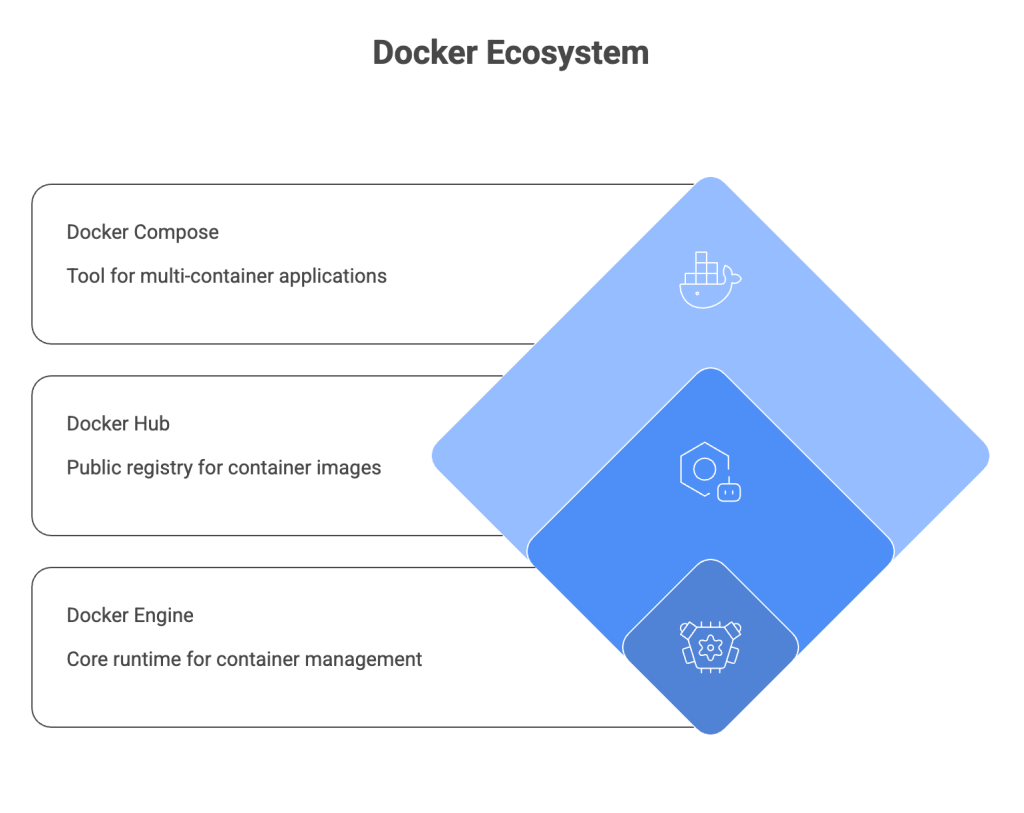
1. Docker Engine
Docker Engine is the core runtime that builds and runs containers on a single host. It handles image management, container lifecycle, and basic networking between containers on the same machine. Think of it as the foundation that makes everything else in the Docker ecosystem possible.
2. Docker Hub
Docker Hub is the public registry where teams share container images. Developers pull base images like nginx or python from Docker Hub and push their own custom images for deployment. Private registries like Amazon ECR or Google Container Registry serve the same purpose for organizations that want more control.
3. Docker Compose
Docker Compose is a tool for running multi-container applications locally using a YAML file. It’s particularly useful for development environments where you might run a web server, database, and cache together on your laptop with a single docker-compose up command.
Key benefits of Docker containers
- Portability: Containers run consistently across any environment with Docker installed
- Isolation: Each container has its own dependencies without conflicts
- Speed: Containers start in seconds compared to minutes for virtual machines
- Efficiency: Containers share the host OS kernel, using fewer resources than VMs
What is Kubernetes
Kubernetes (often abbreviated K8s) is a container orchestration platform that automates deployment, scaling, and management of containerized applications across clusters of machines. It doesn’t create containers—it manages them.
While Docker handles individual containers on a single host, Kubernetes coordinates hundreds or thousands of containers across many servers. This distinction becomes critical as applications grow beyond what a single machine can handle.
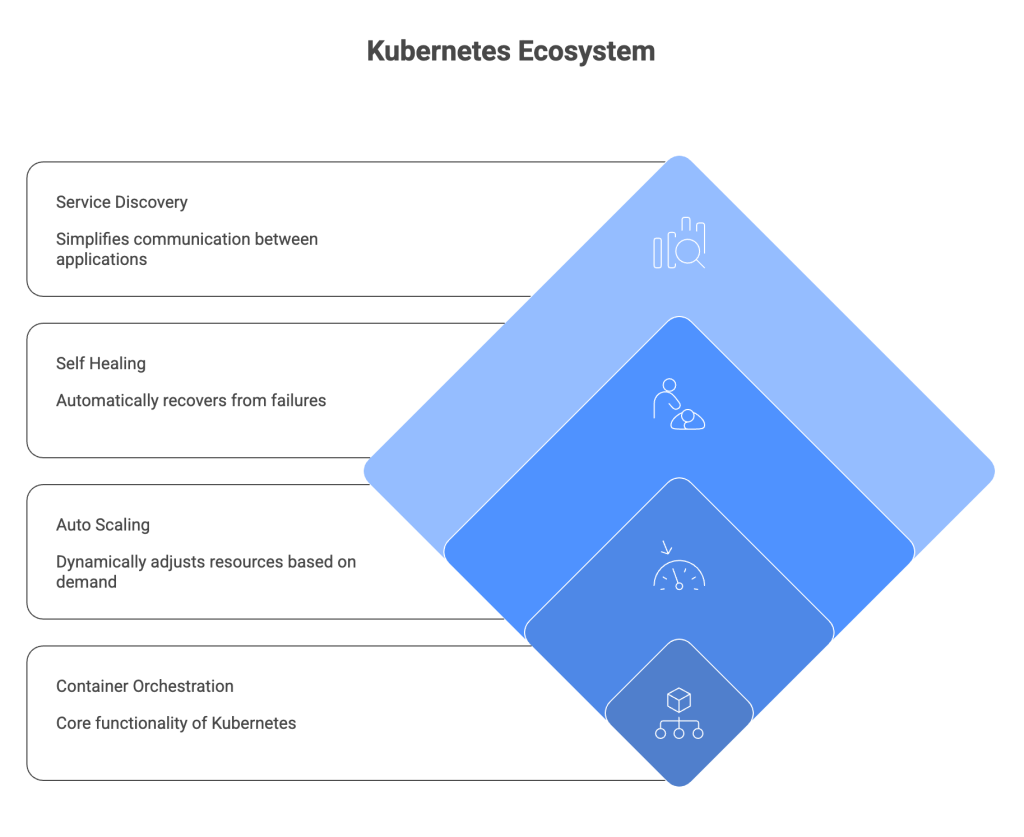
1. Container orchestration
Orchestration means scheduling containers across nodes, managing replicas, and handling networking between pods. A pod is Kubernetes’ smallest deployable unit and can contain one or more containers that share storage and network resources.
Kubernetes decides which server runs each container, restarts failed containers, and routes traffic to healthy instances. All of this happens automatically based on the desired state you define in configuration files.
2. Auto scaling
Kubernetes can automatically scale workloads based on CPU, memory, or custom metrics. The Horizontal Pod Autoscaler watches resource utilization and adds or removes container replicas to match demand—no manual intervention required.
3. Self healing
When containers fail, Kubernetes automatically restarts them. If a node dies, Kubernetes reschedules containers onto healthy nodes. Containers that don’t respond to health checks get killed and replaced. This self-healing behavior is one of the primary reasons teams adopt Kubernetes for production workloads.
4. Service discovery
Kubernetes assigns DNS names to services and load balances traffic automatically. Applications can find each other by name rather than hardcoded IP addresses, which simplifies networking in dynamic environments where containers come and go frequently.
Key benefits of Kubernetes
- Scalability: Automatically scales workloads based on demand
- High availability: Distributes workloads across nodes to prevent downtime
- Declarative configuration: Define desired state and Kubernetes maintains it
- Multi-cloud flexibility: Run workloads consistently across cloud providers
Docker vs Kubernetes key differences
The fundamental difference comes down to scope and purpose. Docker operates at the container level on a single host. Kubernetes operates at the cluster level across many hosts.
| Aspect | Docker | Kubernetes |
|---|---|---|
| Primary function | Creates and runs containers | Orchestrates containers at scale |
| Scope | Single host | Cluster of nodes |
| Scaling | Manual or limited (Compose) | Automatic horizontal scaling |
| Networking | Simple bridge networks | Complex service mesh, ingress |
| Best for | Development, small deployments | Production, large-scale systems |
| Learning curve | Lower | Higher |
This isn’t an either/or choice. Most teams use both together—Docker for building images and local development, Kubernetes for production orchestration.
Does Kubernetes still use Docker?
This question comes up frequently because Kubernetes deprecated dockershim in version 1.24. The short answer: Kubernetes no longer uses Docker as a container runtime, but it still runs Docker-built images without any issues.
Here’s what actually changed. Docker internally uses containerd to run containers. Kubernetes now talks directly to containerd (or CRI-O) instead of going through Docker as an intermediary. Your Docker images work exactly the same because they follow the OCI (Open Container Initiative) standard that both Docker and Kubernetes support.
For developers, nothing changes in daily workflow. You still build images with Docker, push them to registries, and Kubernetes pulls and runs them just like before.
How Docker and Kubernetes work together
The typical production workflow combines both tools. Docker handles the build phase, Kubernetes handles the run phase at scale. Understanding how they fit together helps clarify why teams adopt both rather than choosing one over the other.
1. Container runtime integration
Kubernetes uses containerd or CRI-O to run containers. Since Docker images are OCI-compliant, they work seamlessly with any Kubernetes cluster. The image you build locally with docker build deploys to Kubernetes without modification.
2. CI/CD pipeline workflows
A standard pipeline looks like this: developers build with Docker locally, push images to a registry like Docker Hub or Amazon ECR, and Kubernetes pulls those images during deployment. Tools like ArgoCD or Flux automate the deployment step based on changes to your Git repository.
This is where observability becomes critical. Tracking deployments across the pipeline—from build to production—requires unified visibility into both Docker containers and Kubernetes pods.
3. Unified observability across workloads
Teams running containerized applications often struggle with fragmented monitoring. Logs live in one tool, metrics in another, traces somewhere else entirely. Unified observability across Docker and Kubernetes workloads—combining metrics, logs, and traces in a single view—dramatically reduces time to root cause during incidents.
Tip: When evaluating observability solutions, look for tools that correlate container-level metrics with Kubernetes pod and service data. This correlation is what turns raw telemetry into actionable insights.
Kubernetes vs Docker Compose
Docker Compose and Kubernetes solve similar problems at very different scales. Compose is designed for local development and simple deployments. Kubernetes is designed for production orchestration across distributed infrastructure.
1. When Docker Compose is sufficient
Docker Compose works well for local development environments where you run multiple services together. It’s also appropriate for small projects with a handful of containers, teams without Kubernetes expertise who want quick results, and applications that don’t require auto-scaling or high availability.
The simplicity of a single docker-compose.yml file makes it easy to get started and share configurations across a team.
2. When to move to Kubernetes
Kubernetes becomes the better choice for production workloads requiring high availability and zero-downtime deployments. It’s also appropriate for applications that benefit from horizontal auto-scaling, multi-team environments needing namespace isolation and resource quotas, and deployments spanning multiple nodes or cloud providers.
Many teams start with Docker Compose for development and graduate to Kubernetes for production. Tools like Kompose can convert Compose files to Kubernetes manifests to ease the transition.
When to use Docker vs Kubernetes
The right choice depends on your project’s complexity, scale, and operational requirements. Here’s a practical framework for making the decision.
1. Use cases for Docker alone
Docker without Kubernetes makes sense for local development and testing before pushing to shared environments. It’s also appropriate for CI build pipelines where containers run tests and build artifacts, small single-host applications without scaling requirements, and learning containerization fundamentals before tackling orchestration.
2. Use cases for Kubernetes
Kubernetes becomes valuable for production microservices architectures with many interdependent services. It’s also the right choice for high-traffic applications requiring automatic scaling, multi-cloud or hybrid deployments needing consistent infrastructure, and teams requiring zero-downtime deployments and rolling updates.
Decision framework for your team
- Start with Docker if: You’re new to containers, building a small application, or setting up a local development environment
- Add Kubernetes when: You require production-grade scaling, high availability, or management of multiple services across nodes
- Use both when: Building modern cloud-native applications—this is the most common path for growing teams
Performance and scalability of Kubernetes and Docker
Docker has minimal overhead since containers share the host kernel. Kubernetes adds orchestration overhead but enables horizontal scaling that Docker alone cannot achieve. Neither is universally “faster”—the right choice depends on your specific requirements.
- Docker: Minimal overhead, fast startup, limited to single-host resources
- Kubernetes: Orchestration overhead, but enables scaling across unlimited nodes
- Networking: Kubernetes adds latency via service mesh but provides load balancing
- Resource efficiency: Kubernetes bin-packs containers across nodes for better utilization
Docker wins for simplicity on a single host. Kubernetes wins when you outgrow that single host and require distributed infrastructure.
Security and management in Kubernetes vs Docker
Both require attention to security, but at different layers. Docker security focuses on the container and image level. Kubernetes security adds cluster-wide concerns like access control and network policies.
1. Docker security practices
Docker security starts with scanning images for vulnerabilities before deployment. Using minimal base images reduces attack surface, while running containers as non-root users limits potential damage from compromised containers. Secrets management through Docker secrets or external vaults keeps sensitive data out of images and environment variables.
2. Kubernetes security practices
Kubernetes security involves implementing RBAC (Role-Based Access Control) for cluster access. Network policies restrict pod-to-pod communication, while pod security standards prevent privileged containers from running. Encrypting secrets at rest in etcd protects sensitive configuration data.
3. Operational management differences
Docker is simpler to operate but requires manual intervention for scaling and recovery. Kubernetes automates more but demands ongoing monitoring and expertise. Teams running Kubernetes clusters benefit from dedicated observability and alerting to catch issues before they impact users.
Run Docker and Kubernetes with confidence at scale
Docker and Kubernetes are complementary technologies. Docker excels at building and running containers locally. Kubernetes excels at orchestrating containers in production across clusters.
The operational complexity of Kubernetes at scale is real. Teams often struggle with alert noise, slow root-cause analysis, and fragmented visibility across their container infrastructure. Expert guidance—combined with unified observability across metrics, logs, and traces—helps teams ship faster while maintaining reliability.
Contact Us to discuss enterprise-grade Kubernetes expertise and observability solutions tailored to your infrastructure.
FAQs about Kubernetes and Docker
Is Kubernetes replacing Docker?
No. Kubernetes deprecated Docker as a container runtime but still runs Docker-built images. The two serve different purposes and are typically used together—Docker for building, Kubernetes for orchestrating.
Can I run Kubernetes without Docker?
Yes. Kubernetes can use containerd or CRI-O as container runtimes. Most managed Kubernetes services like EKS, GKE, and AKS no longer use Docker directly, though they run Docker-format images without issue.
What is the difference between a Kubernetes pod and a Docker container?
A pod is Kubernetes’ smallest deployable unit and can contain one or more containers. A Docker container is a single isolated process. Pods add networking and storage abstractions around containers, allowing tightly coupled containers to share resources.
Is Docker Swarm still relevant compared to Kubernetes?
Docker Swarm is simpler to set up but has significantly less adoption and ecosystem support than Kubernetes. For production orchestration, Kubernetes has become the industry standard.
How difficult is Kubernetes to learn compared to Docker?
Docker has a gentler learning curve—most developers become productive within days. Kubernetes requires understanding distributed systems concepts and typically takes weeks to months to operate confidently in production.
What are the infrastructure cost differences between Docker and Kubernetes?
Docker alone has minimal cost since it runs on any Linux host. Kubernetes requires cluster infrastructure—control plane nodes, networking, storage—that adds operational and compute costs. Managed Kubernetes services reduce operational burden but add service fees.