

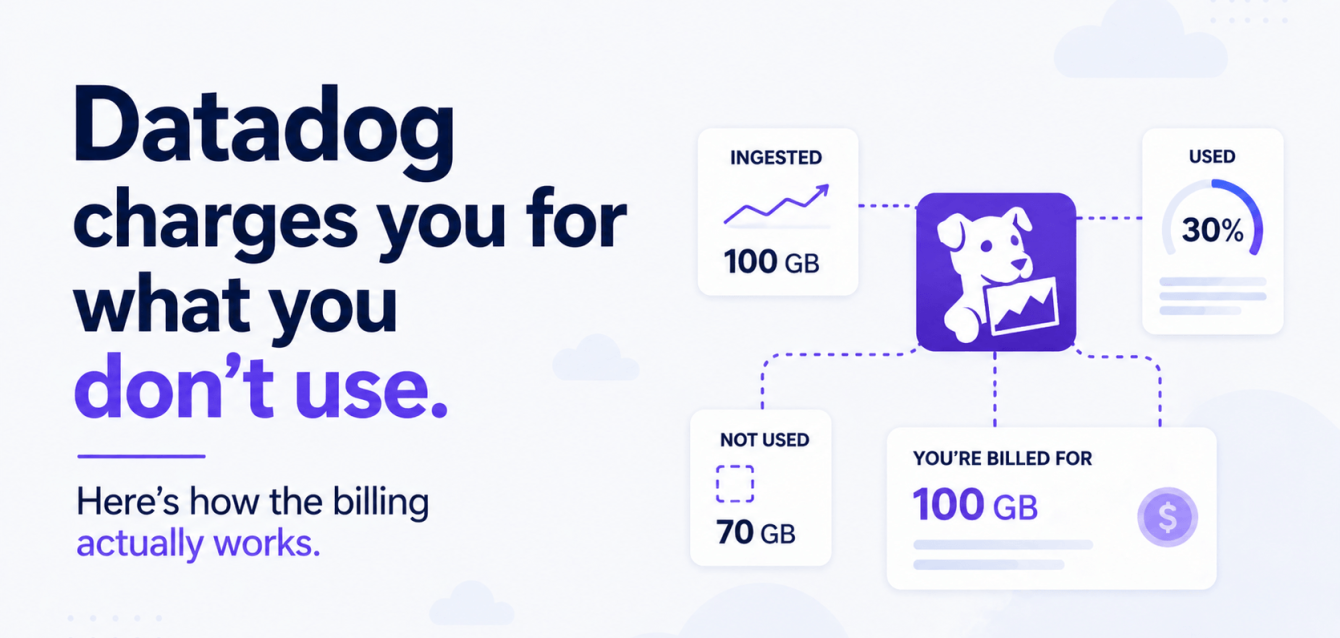
“Datadog bill shock” is a phrase that has its own Reddit threads now. It’s own memes. Its own line item on FinOps team roadmaps.
Most teams see invoices two to three times higher than their first estimate (Middleware: Datadog Pricing 2026). Not because they are doing something wrong. Because Datadog’s billing model is layered in a way that compounds aggressively as your infrastructure scales, and the way it counts what you use is not how most people expect it to work.
This post is a plain-language walkthrough of how Datadog billing actually works. Not what the pricing page says. What actually shows up on the invoice and why.
The high-watermark problem
Most Datadog products use what they call a “high watermark plan.” Here is what that means.
Datadog records your usage every hour for the entire month. At the end of the month, it takes the 99th percentile of those hourly readings. That number becomes your bill for the whole month.
They frame the 99th percentile as a protection: the top 1% of spikes get thrown out. And that is technically true. If you have a single hour where something goes haywire, it gets excluded.
But 1% of a month is about 7 hours. If your auto-scaling event lasted longer than 7 hours, which most real scaling events do, your peak usage becomes your bill. For the entire month. Not for the days you actually used those extra hosts.
A concrete example. Your application normally runs on 50 hosts at $31/host/month for APM. That is $1,550/month. You run a marketing campaign and scale to 200 hosts for 5 days (120 hours). Datadog throws out the top 7 hours but still sees 200 hosts at the 99th percentile. Your bill for that month is $6,200. Not $1,550 plus a little extra for the campaign days. $6,200.
This is the single most common source of bill shock. The team scaled up for a legitimate business reason, the auto-scaler did exactly what it was supposed to do, and the monitoring bill quadrupled for the month.
The Kubernetes host-counting trap
In Kubernetes environments, the Datadog Agent is supposed to run as a DaemonSet, meaning one agent per node. If you have 50 nodes, you should be billed for 50 hosts.
But if someone deploys the agent as a sidecar or accidentally configures it to run in every pod, each pod gets counted as a separate host. A 50-node cluster running 10 pods per node suddenly shows 500 billable hosts instead of 50. That is a 10x billing increase from a single configuration mistake (OpenObserve: Datadog pricing explained).
Even without that misconfiguration, teams running Kubernetes regularly report host counts 3-5x higher than what they estimated at contract signing:
- Auto-scaling adds nodes
- Spot instances come and go
- The agent sees each one
- The high-watermark captures the peak
The allotment system adds another layer. The Pro plan includes 5 containers per host. Enterprise includes 10. If you run more containers than your allotment (and on Kubernetes, you almost certainly do), each extra container costs $0.002 per hour, which works out to roughly $1.44 per container per month. On a cluster with 2,000 containers and 50 hosts, you get 500 containers included on Enterprise. The remaining 1,500 cost an extra $2,160/month.
How logs get double-charged
Datadog log management has two separate charges, and most people do not realize this until the first bill arrives.
Ingestion costs $0.10 per GB. This is the cost of sending your logs to Datadog, regardless of whether anyone ever looks at them.
Indexing costs approximately $1.70 per GB per month for 15-day retention. Indexed logs are the ones you can actually search and alert on. This is the expensive part.
The combined cost is about $1.80 per GB. But that is the starting point. Retention tiers multiply the indexing cost:
- 30-day retention: roughly 1.5x the base rate
- 60-day retention: 2.5x
- 90-day retention: 4x
To put that in real numbers: a moderately sized Kubernetes deployment with 50 services easily generates 100 GB of logs per day. At $1.80/GB for 15-day retention, that is $5,400/month just for logs. Extend retention to 30 days and it climbs to about $7,900/month. And this is before you touch infrastructure monitoring, APM, or custom metrics.
At 500 GB/day with 30-day retention, which is not unusual for a company with a few hundred services, the annual log bill alone crosses $1 million (Parseable: Datadog Log Management Pricing 2026).
The custom metrics cardinality trap
This is the one that catches experienced teams off guard.
Datadog charges for “custom metrics,” which sounds like it only applies to things you deliberately create. It does not. A custom metric is any metric not provided by a built-in Datadog integration. That includes:
- All metrics from your own applications
- Everything sent via OpenTelemetry
- Anything from third-party tools without a native Datadog integration
The Pro plan includes 100 custom metrics per host. Additional metrics cost $5 per 100 metrics per month. Sounds manageable. Except a “metric” in Datadog is not just the metric name. It is the unique combination of the metric name and all its tags.
Here is where the math gets painful. You have a metric called api.request.latency. It has three tags: endpoint (10 values), status_code (5 values), and customer_tier (3 values). That single metric name creates 10 x 5 x 3 = 150 unique time series. Each one is a separate custom metric.
In Kubernetes, labels create tags: pod name, namespace, deployment, node, zone. If your metric inherits all of those, the cardinality explodes. A team with 20 application metrics and moderately labeled Kubernetes workloads can easily generate 50,000+ custom metric time series without trying.
At $5 per 100, that is $2,500/month for custom metrics alone. And at scale, custom metrics can reach 52% of the total Datadog invoice (Sedai: Datadog Cost Pricing Guide).
Datadog offers a feature called “Metrics without Limits” to help manage this. The idea is you choose which tags get indexed (searchable) and which only get ingested (stored but not queryable). The problem: this introduces a second charge layer. Ingested metrics cost $0.10 per 100. Indexed metrics cost the standard overage rate. You are now paying twice for some metrics and once for others, and figuring out which tags to drop requires understanding your cardinality profile, which most teams have never mapped.
APM: the per-host and per-span double hit
APM pricing starts at $31/host/month on Pro or $40/host/month on Enterprise. That gets you distributed tracing.
But APM has its own overage mechanism. Your plan includes a certain number of “indexed spans” (the traces Datadog stores and lets you search). Beyond that, you pay per million indexed spans. If your application generates a lot of traces, and most Kubernetes microservice architectures do, this overage can be significant.
The thing that trips people up: APM host counts follow the same high-watermark model as infrastructure hosts, but they are billed separately. If you have 50 infrastructure hosts and 30 of them run APM-instrumented services, you pay for 50 infrastructure hosts plus 30 APM hosts. These are separate line items.
What a real bill actually looks like
Here is a ballpark for a mid-sized Kubernetes team: 50 engineers, 200 hosts, moderate microservices architecture.
| Line item | Monthly cost |
|---|---|
| Infrastructure monitoring (200 hosts x $23) | $4,600 |
| APM (120 hosts x $31) | $3,720 |
| Log ingestion (100 GB/day x $0.10 x 30) | $300 |
| Log indexing (100 GB/day x $1.70 x 30) | $5,100 |
| Custom metrics overage (30,000 metrics) | $1,500 |
| Container overage (1,500 extra containers) | $2,160 |
| Total | $17,380/month ($208,560/year) |
That is the steady-state number. Add a scaling event, a retention upgrade, or an APM overage and it climbs from there. And this estimate does not include:
- RUM (Real User Monitoring)
- Synthetics
- Database Monitoring
- CSPM (Cloud Security Posture Management)
- Any of the other products that each carry their own pricing
The OneUptime analysis from 2026 put the median spend for a 50-engineer team at around $220,000/year (OneUptime: What Companies Actually Pay for Datadog).
Why people stay anyway
After all of this, Datadog is still the most popular observability platform. That is not irrational.
The reasons are real:
- The setup experience is fast
- The agent is well-documented
- The dashboards look good out of the box
- The correlation between logs, metrics, and traces in one UI is genuinely better than most open-source equivalents without significant investment
If your team has 5 engineers and 20 hosts, Datadog is probably the right call. The cost is predictable at that scale, and the operational overhead of running your own stack is not worth it.
The math changes when you hit about 50 hosts or more than 50 GB/day of logs. That is where the pricing model starts compounding against you, and where the question of self-hosted open-source starts making financial sense.
What you can do about it
If you are already on Datadog and the bill is climbing, here are the things that make the biggest difference.
- Audit your host count. Make sure the agent is running as a DaemonSet, not a sidecar. Check that you are not double-counting hosts between infrastructure and APM.
- Map your custom metric cardinality. List every metric, count its unique tag combinations, and identify the ones creating the most time series. Drop tags you are not querying. This alone can cut custom metric costs by 40-60%.
- Implement log sampling. You do not need to index every log line. Sample verbose services at 10-20%. Route low-value logs to archive-only (ingestion without indexing) and save the indexing budget for logs you actually search.
- Review retention. Most teams set 30-day retention by default and never change it. If you are only querying the last 7 days in practice, dropping to 15-day retention cuts indexing cost nearly in half.
- Model your scaling peaks. If you know a campaign or seasonal spike is coming, calculate the high-watermark impact before it happens. A 3-day scaling event that pushes you from 200 to 400 hosts will cost you the 400-host rate for the entire month.
Where Obsium fits
We build and operate open-source observability stacks for Kubernetes teams. Grafana, Prometheus, Loki, Tempo, OpenTelemetry, deployed inside your infrastructure. No per-host fee, no per-GB indexing charge, no high-watermark billing.
If your Datadog bill keeps climbing, book a free 30-minute observability consultation. No sales deck, just an engineer-to-engineer chat about your stack.