

Somewhere in your Slack right now, there is a channel full of red alerts that nobody is reading.
This is not a guess. Splunk’s 2025 State of Observability report surveyed 1,855 IT engineers across 16 industries and found that 73% of organizations experienced outages caused by alerts that were ignored or suppressed (Splunk State of Observability 2025).
Not missed because the system failed to send them. Ignored because the humans on the other end had already stopped trusting the signal.
If you are running Kubernetes in production, the math is probably worse than you think. The average team receives over 2,000 alerts per week. About 3% of those require immediate human action. The other 97% are noise that trains your on-call engineers to stop paying attention.
That is how you get a real outage at 2 am that nobody responds to for 40 minutes. Not because the alerting system was broken. Because the alerting system had been crying wolf 280 times a day.
How alerting gets this bad
Nobody sets out to build a terrible alerting system. It happens gradually, and the pattern is almost always the same.
- The team starts with a handful of alerts when the cluster is small. CPU above 80%, memory above 90%, pod restarts above 3. Reasonable enough for 10 services.
- The cluster grows to 50 services. Each service gets the same alert template because someone copy-pasted the first one. Nobody adjusts the thresholds. Now you have 50 copies of “CPU above 80%” firing for services where 80% CPU is completely normal during batch processing.
- Someone adds alerts for etcd latency, node pressure, PVC usage, certificate expiry, and failed cron jobs. All good ideas in isolation. Together they produce a wall of noise.
- An incident happens. The post-mortem says “we should have caught this sooner.” So the team adds more alerts. Never removes old ones. Never re-evaluates thresholds.
A year later, 70-85% of pages are noise. One team reported having over 100 alerts firing for services that no longer existed (Dev Journal on Grafana Cloud K8s Operator). Dead services, still screaming into Slack. Nobody had turned them off.
The real cost
This is not just an annoyance. It has measurable business impact.
Komodor’s 2025 Enterprise Kubernetes Report found that enterprises lose an average of 34 workdays per year troubleshooting Kubernetes incidents, with 79% of production outages stemming from system changes (Komodor 2025 report). When your team can’t tell a real alert from noise, those numbers get worse.
The numbers from the same study:
- 61% of organizations estimate downtime costs at least $50,000 per hour
- 44% had an outage in the past year directly linked to a suppressed or ignored alert
- 78% had at least one incident where no alert fired at all, so engineers only found out after customers complained
The human cost is just as real:
- 54% of UK respondents said false alerts are demoralizing staff
- 15% said they deliberately ignore or suppress alerts
When your best SRE starts putting the pager on silent during dinner, you have a retention problem that no salary adjustment will fix.
Why “CPU above 80%” is the wrong alert
Most Kubernetes alerts are built on the wrong abstraction. They tell you about the machine. They do not tell you about the user.
“CPU above 80%” is a statement about infrastructure. It does not tell you whether your customers are experiencing anything different. Maybe 80% CPU is fine for that workload. Maybe 40% CPU is a problem for a different one because the queries are all timing out at the database level and the CPU is idle because nothing is getting processed.
The alerts that actually matter are the ones tied to what users experience.
- Are API response times above the threshold your users notice?
- Is the error rate climbing above normal for this time of day?
- Are requests queuing because the pods cannot keep up?
- Has latency at the 99th percentile blown past your SLO?
These are symptoms. CPU and memory are causes (sometimes). If you alert on symptoms, you catch the problems that matter and skip the ones that don’t. If you alert on causes, you catch everything, including the 97% of events that resolve on their own.
The fix: SLO-based alerting
The cleanest solution is to stop alerting on resource metrics and start alerting on error budgets.
An SLO (Service Level Objective) says “this service should return successful responses to 99.9% of requests within 200ms.” An error budget is the gap between that target and perfection: 0.1% of requests can fail before anyone should care.
SLO-based alerting watches how fast you are burning through that error budget. If you burn 5% of your monthly budget in an hour, that is worth paging someone. If you burn 0.01% over a normal afternoon, it is not.
This approach works for two reasons.
- It drastically reduces alert volume because you are only paging on things that affect user experience fast enough to matter.
- It gives you a shared language with product and business teams. “We burned 20% of our error budget this week” means something to a VP. “CPU hit 82% on node-7” does not.
Organizations that practice SLO-based alerting report a 60%+ reduction in alert noise and up to 85% improvement in mean time to repair.
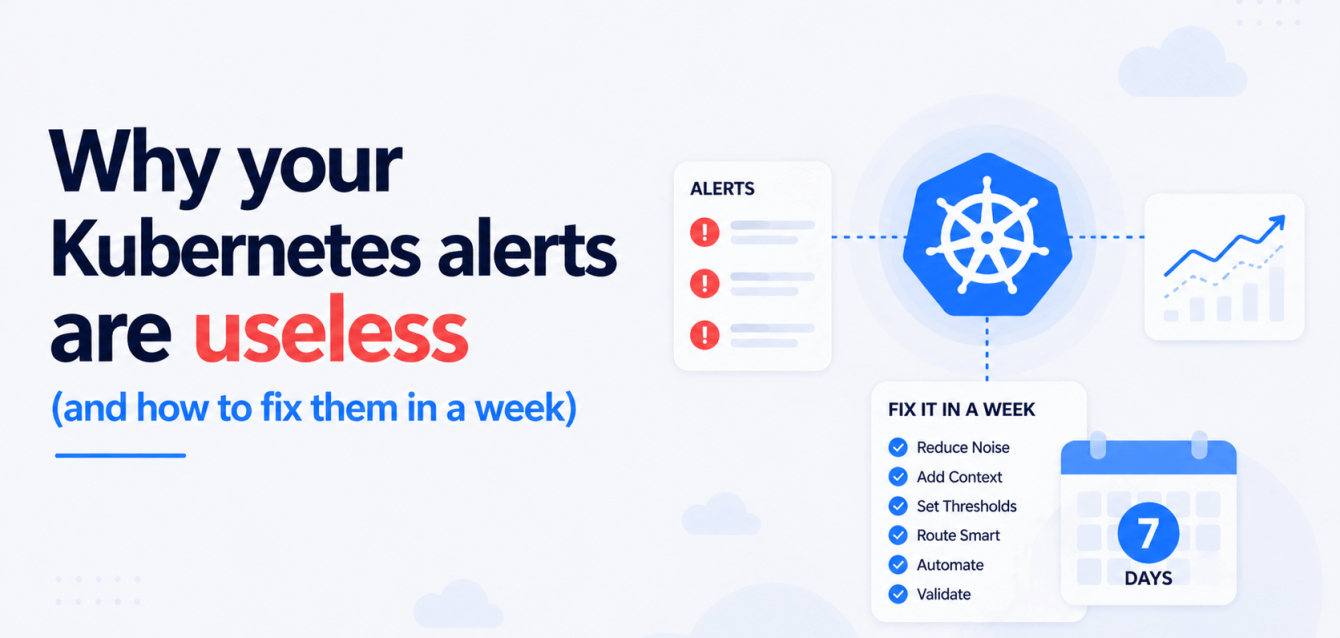
A 5-day plan to fix your alerts
Here is a practical schedule. This assumes you are running Prometheus and Grafana, which is the stack most Kubernetes teams end up on, but the logic applies to any setup.
Day 1: Audit what you have
Export your current alert rules. Count them. For each alert, answer three questions:
- When was the last time this alert fired and someone actually did something about it?
- Does this alert still correspond to a service that exists?
- Can you explain in one sentence what a human should do when this alert fires?
If the answer to any of those is “I don’t know,” tag it for removal. When we run this exercise with clients, between 30% and 50% of alerts fail all three questions.
Day 2: Define your SLOs
Pick your 5 most important services. For each one, define a single SLO. Keep it simple.
| Service | SLO | Error budget (30 days) |
|---|---|---|
| Checkout API | 99.9% successful responses under 500ms | 43 minutes of downtime |
| Search API | 99.5% successful responses under 300ms | 3.6 hours of downtime |
| Auth service | 99.99% successful responses under 100ms | 4.3 minutes of downtime |
| Payment webhook | 99.9% successful delivery within 30s | 43 minutes of failure |
| Dashboard API | 99% successful responses under 2s | 7.3 hours of downtime |
You do not need to get these perfect on day one. You need a starting point you can adjust after a month of data.
Day 3: Build error budget burn-rate alerts
Replace your symptom alerts for those 5 services with burn-rate alerts. In Prometheus, this looks like a recording rule that tracks your error ratio over multiple windows (5m, 30m, 1h, 6h) and fires when the burn rate exceeds a threshold.
A common setup:
- Page (wake somebody up): burn rate > 14x over 5 minutes AND > 7x over 1 hour. This means you will blow through your entire monthly error budget in about 2 days if it continues.
- Ticket (fix it tomorrow): burn rate > 3x over 6 hours. You are burning budget faster than expected, but it is not an emergency yet.
Two alert rules per service. Ten alerts total for your top 5 services. Compare that to the hundreds you probably have now.
Day 4: Kill the noise
Take your audit from Day 1. Every alert you tagged for removal, turn it off. Not “mute for a week.” Delete it. If something was genuinely needed, you will notice within a month and add it back with better thresholds.
For alerts you want to keep but that fire too often (node CPU, disk pressure, pod restarts), move them out of your paging channel. Put them in a low-priority dashboard or a weekly digest. They are useful as data. They are useless as pages.
Day 5: Add context to what remains
For every alert that survived, add two things.
First, a runbook link. The alert message should include a link to a document that says “here is what to check and here is what to do.” If you cannot write that document, the alert is too vague to be actionable.
Second, a parent-child relationship. If your database goes down, you do not need 15 separate alerts for every service that depends on it. Set up alert grouping in Alertmanager (or your equivalent) so that dependent failures get folded into a single notification.
After the first week
By day 5 you should have significantly fewer alerts, all of them tied to things your team can actually act on, with context attached.
The real work starts in month two:
- Review your SLOs against actual data. Some will be too loose (you never get paged and then have incidents nobody noticed). Some will be too tight (you get paged and the user impact is negligible). Adjust.
- Schedule a quarterly alert review. Go through every firing alert from the past 90 days. Did anyone take action on it? Did that action fix a real problem? If the answer is “no” more than half the time, the alert goes away.
The teams that do this consistently end up with 20-30 well-tuned alerts instead of 500 noisy ones. Their on-call engineers trust the pager again. Their MTTR drops because the alerts that do fire are real.
Where Obsium fits
We build and operate open-source observability stacks for Kubernetes teams. Grafana, Prometheus, Loki, Tempo, OpenTelemetry, deployed inside your infrastructure. Alert tuning is part of what we handle.
If your team has stopped trusting the pager, book a free 30-minute observability consultation. No sales deck, just an engineer-to-engineer chat about your stack.