

If you go through the top threads on r/kubernetes, r/devops, and r/sysadmin and tally up what people actually struggle with, networking comes out on top. Not second, not tied with something else. First place, by a wide margin.
If you have ever looked at a Kubernetes networking diagram and thought “I have no idea what any of this means,” you are in extremely large company. Threads titled “can someone explain Kubernetes networking like I’m five” routinely get hundreds of upvotes. Experienced engineers who have been running containers for years still get tripped up by the difference between a Service and an Ingress, or why their pod can talk to one thing but not another.
This post is the explanation I wish someone had given me the first time. No jargon where it can be avoided. Real analogies. And at the end, a heads-up about a change coming in 2026 that will affect most Kubernetes clusters.
Start here: every pod gets its own IP address
This is the one thing you need to understand before everything else makes sense.
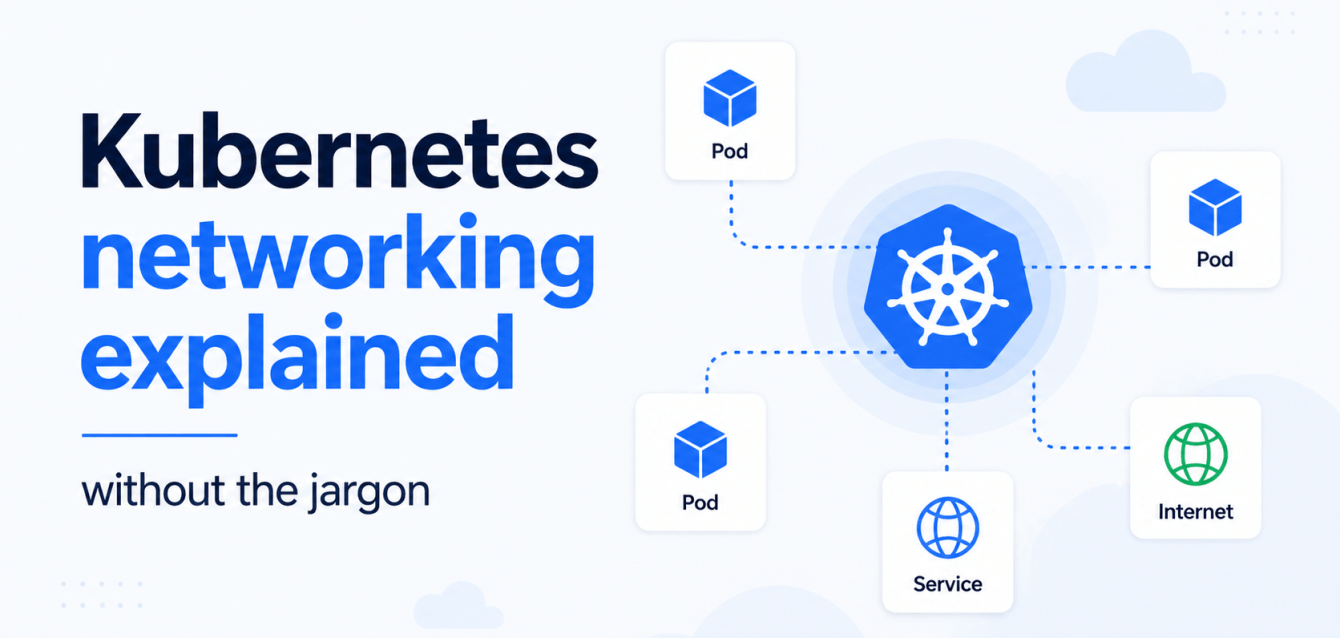
In Kubernetes, every pod gets its own IP address. Not every node. Not every service. Every individual pod. If you have 200 pods running across 10 nodes, you have 200 IP addresses.
This is different from how Docker works by default, where containers share the host’s network and you use port mappings to keep them from colliding. In Kubernetes, there is no port collision problem because every pod has its own address space.
The catch: pod IP addresses are temporary. When a pod dies and gets replaced (which happens constantly in Kubernetes), the replacement gets a new IP. If your application is trying to talk to a specific pod by IP address, it will break the moment that pod restarts.
This is the problem that Services solve.
Services: a stable address for unstable pods
A Service is a permanent address that points to a group of pods. Think of it as a phone number that gets forwarded to whichever employee is available. The employees (pods) come and go. The phone number (Service) stays the same.
When you create a Service, Kubernetes gives it a stable IP address (called a ClusterIP) and a DNS name. Your application talks to the Service, and Kubernetes figures out which pod to send the traffic to.
There are three types of Services, and this is where most of the confusion lives.
ClusterIP is the default. It gives your Service an IP address that is only reachable from inside the cluster. If your backend API needs to talk to your database, you use a ClusterIP Service. Nothing outside the cluster can reach it.
NodePort opens a specific port on every node in the cluster. Traffic to any node on that port gets forwarded to the Service. This is useful for quick testing but messy in production because you end up managing port numbers manually and exposing your nodes directly.
LoadBalancer asks your cloud provider to create an actual load balancer (an AWS ALB, a GCP load balancer, etc.) that routes traffic from the internet to your Service. This is the simplest way to expose something to the outside world. It is also the most expensive, because each LoadBalancer Service creates a separate cloud load balancer.
And that expense is exactly what creates the next problem.
Why you do not want 100 LoadBalancers
If you have 100 services that need to be reachable from the internet, and you use a LoadBalancer for each one, you end up with:
- 100 cloud load balancers
- 100 public IP addresses
- 100 separate billing items from your cloud provider
On AWS, an Application Load Balancer costs about $16-25/month before you even count data processing. Multiply that by 100 and you are paying $1,600-2,500/month just for load balancers.
This is the problem that Ingress solves.
Ingress: one front door for many services
An Ingress is a set of routing rules that sits in front of your Services. Instead of giving each Service its own load balancer, you get one load balancer (the Ingress Controller) that routes traffic to different Services based on the URL.
A simple example. You have three Services: a web app, an API, and a docs site. Without Ingress, you need three LoadBalancer Services. With Ingress, you get one load balancer and rules like:
- example.com goes to the web-app Service
- example.com/api goes to the api Service
- docs.example.com goes to the docs Service
One load balancer. One IP address. One bill. The Ingress Controller reads your routing rules and forwards traffic to the right place.
The most popular Ingress Controller has been ingress-nginx, which is basically an NGINX reverse proxy that Kubernetes manages for you. If you have used NGINX before, this is the same concept, just configured through Kubernetes resources instead of config files.
Here is the part that confuses people: an Ingress resource (the routing rules) and an Ingress Controller (the software that implements those rules) are two different things. Creating an Ingress resource does nothing if you have not installed an Ingress Controller. This trips people up constantly because Kubernetes does not give you an error. It just silently does nothing.
Network policies: the firewall you probably forgot
By default, every pod in a Kubernetes cluster can talk to every other pod. There are no restrictions. Your frontend can talk to your database directly. A compromised pod in one namespace can reach services in every other namespace.
This surprises a lot of people. If you come from a traditional network background where everything is firewalled by default, Kubernetes works the other way around: everything is open by default, and you have to explicitly close things down.
Network Policies are how you do that. They are rules that say “pods with label X can receive traffic from pods with label Y on port Z.” Everything else gets blocked.
A practical example. You have a database that should only be reached by your backend API. A Network Policy for that looks like: allow traffic to pods labeled app=database only from pods labeled app=backend-api on port 5432. Anything else trying to talk to the database gets dropped.
Two things to watch out for:
- Network Policies only work if your cluster’s network plugin (called a CNI) supports them. Calico and Cilium support them. The default kubenet on some managed Kubernetes setups does not.
- Network Policies are additive. You define what is allowed, and everything else for those pods is denied. But if you have zero Network Policies, everything is allowed.
DNS inside the cluster
Kubernetes runs its own internal DNS (usually CoreDNS). When you create a Service called “my-api” in a namespace called “production,” Kubernetes creates a DNS entry for it: my-api.production.svc.cluster.local.
Pods in the same namespace can reach it by just using “my-api.” Pods in a different namespace need to use “my-api.production” or the full name.
Most networking problems people debug for hours turn out to be DNS issues:
- CoreDNS is overloaded
- The service is in a different namespace than expected
- The DNS cache is stale
When something “can’t connect,” check DNS first. Run “nslookup my-service” from inside the pod. Ninety percent of the time, that is where the problem is.
The change coming in 2026: Gateway API replaces Ingress
Here is something you need to know if you are running ingress-nginx. The Kubernetes community announced in November 2025 that the ingress-nginx controller is being retired. Best-effort maintenance continued through March 2026, and after that: no further releases, no bug fixes, and no security patches (Kubernetes blog: Ingress NGINX Retirement).
The replacement is the Gateway API. To be clear: the Ingress API itself is not disappearing from Kubernetes. You can still create Ingress resources. What is going away is the most popular controller that implements those resources.
The Gateway API is a more flexible replacement that splits the old Ingress concept into separate pieces.
The Gateway API splits the old Ingress concept into three pieces:
- GatewayClass defines what kind of load balancer you are using (NGINX, Envoy, cloud-native, etc.)
- Gateway defines the actual load balancer: which ports, which protocols, which TLS certificates
- HTTPRoute defines the routing rules: which hostnames and paths go to which Services
The practical difference is that different teams can own different pieces. The infrastructure team manages the Gateway. The application teams manage their own HTTPRoutes. In the old Ingress model, everything was in one resource, so changing a route for one app meant editing a resource that affected all apps.
If you need to migrate, Kubernetes released the ingress2gateway tool (v1.0.0, March 2026) that converts your existing Ingress resources to Gateway API resources. It handles 30+ common ingress-nginx annotations automatically (Kubernetes blog: Ingress2Gateway 1.0).
A quick reference card
If you made it this far, here is the one-page summary.
| Concept | What it does | When you need it |
|---|---|---|
| Pod IP | Every pod gets its own address | Always (automatic) |
| ClusterIP Service | Stable internal address for a group of pods | When pods inside the cluster need to talk to each other |
| NodePort Service | Opens a port on every node | Quick testing, not great for production |
| LoadBalancer Service | Creates a cloud load balancer per Service | When you need one service exposed externally and cost is not a concern |
| Ingress / Gateway API | One load balancer with routing rules for many Services | When you have multiple services exposed externally |
| Network Policy | Firewall rules between pods | When you want to restrict which pods can talk to which (you do) |
| CoreDNS | Internal DNS for service discovery | Always (automatic, but check here first when things break) |
Where Obsium fits
We build and operate open-source observability stacks for Kubernetes teams. Grafana, Prometheus, Loki, Tempo, OpenTelemetry, deployed inside your infrastructure. Most networking problems land somewhere in your telemetry data, if you are collecting it.
If your team is spending too much time debugging networking issues blind, book a free 30-minute observability consultation. No sales deck, just an engineer-to-engineer chat about your stack.