

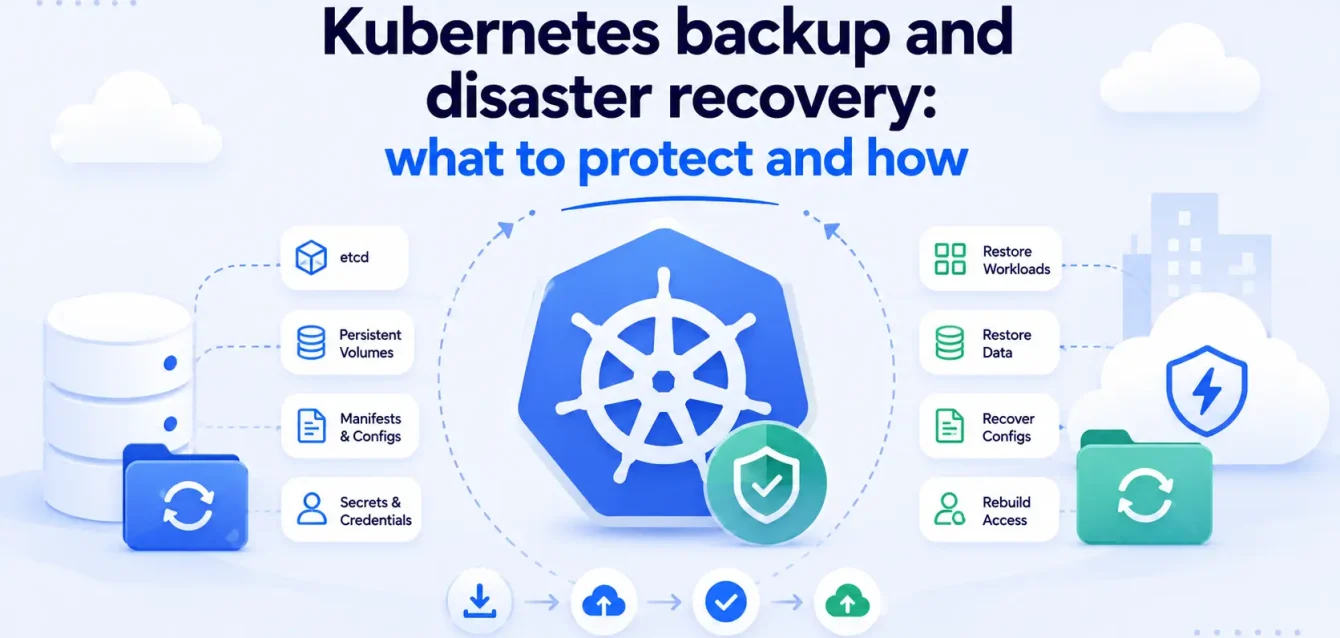
Most teams find out their Kubernetes backup strategy is broken during a recovery. They backed up etcd, assumed that covered the cluster, and then discovered that all the data in their persistent volumes was gone. etcd stores the cluster state. It does not store your application data.
This is the gap that catches people. Kubernetes does not back up anything by default. No snapshots, no replication, no recovery mechanism unless you build one. And the more stateful your workloads get (databases, message queues, file storage on persistent volumes), the more you have to lose.
58% of organizations now run stateful applications on Kubernetes (Tigera: 36 Kubernetes Statistics 2025). The Kubernetes backup software market hit $0.8 billion in 2025, growing at 27.9% per year, projected to reach $2.11 billion by 2029 (GlobeNewsWire: Kubernetes Backup Software Market 2025). The money is going somewhere because the problem is real.
This post covers what you need to protect in a Kubernetes cluster, which tools handle each layer, and how to set up disaster recovery that works when you actually need it.
What you need to back up in Kubernetes
A Kubernetes cluster has multiple layers of state. Backing up one layer and ignoring the rest gives you a partial recovery at best.
| Layer | What it contains | What happens if you lose it |
|---|---|---|
| etcd | Cluster state: deployments, services, configmaps, secrets, RBAC rules, namespaces | You lose the entire cluster configuration. Pods, services, and routing rules are gone. |
| Persistent volumes | Application data: databases, file uploads, message queues, logs | You lose all stateful data. The cluster comes back empty. |
| Application config | Helm charts, Kustomize overlays, environment-specific values | You can rebuild, but only if you remember how everything was configured. Manual reconfiguration takes hours. |
| Secrets and certificates | TLS certs, API keys, database credentials, service account tokens | Services cannot authenticate. Everything that depends on a secret breaks. |
| Custom Resource Definitions (CRDs) | Operator state, custom controllers, third-party integrations | Operators stop working. Any tool that extends Kubernetes (cert-manager, Istio, ArgoCD) loses its configuration. |
The common mistake: teams back up etcd and call it done. etcd stores the cluster state (what should be running), not the data inside the things that are running. If your PostgreSQL pod has a persistent volume with 500 GB of data, that data is not in etcd. It is on the storage backend (EBS, GCE Persistent Disk, Ceph, Longhorn). Lose that volume without a backup and the database is gone.
etcd backup: the foundation
etcd is the single source of truth for your cluster. Every Kubernetes object (pods, services, configmaps, secrets, RBAC policies) lives in etcd. Lose it and you lose the ability to recreate the cluster as it was.
How to back up etcd:
- Use
etcdctl snapshot saveto create point-in-time snapshots - Run snapshots every 6 hours at minimum. Hourly for production clusters with frequent changes.
- Store snapshots outside the cluster. An etcd backup stored on the same node as etcd is not a backup.
- Encrypt snapshots before storing them. etcd contains secrets in plain text.
- Verify every snapshot after creation with
etcdctl snapshot status. A corrupted snapshot is worse than no snapshot because it gives false confidence.
What the restore looks like:
- Stop the kube-apiserver. Never restore etcd while the API server is running. It constantly writes to etcd and will corrupt the restore.
- Restore the snapshot to a new data directory using
etcdctl snapshot restore - Point etcd at the new data directory
- Restart etcd, then restart the kube-apiserver
- For multi-node etcd clusters, restore all nodes simultaneously with matching cluster configurations
The entire process takes 10-30 minutes depending on cluster size. If you have never practiced it, double that estimate.
Persistent volume backup: the part most teams miss
This is where Kubernetes backup gets complicated. etcd backup tools do not cover persistent volumes. You need a separate tool for this.
The options:
| Tool | Type | What it backs up | Best for |
|---|---|---|---|
| Velero | Open source (VMware) | K8s resources + persistent volumes via CSI snapshots or Restic | Most teams. 20,000+ active users. The standard for Kubernetes backup. |
| Kasten K10 | Commercial (Veeam) | Full application-aware backup with policy engine | Enterprise teams with strict RTO requirements. Cuts restore time by ~40% vs Velero in benchmarks. |
| Longhorn | Open source (SUSE) | Storage layer with built-in backup and cross-cluster DR volumes | Teams that want backup integrated into the storage layer itself. |
| Portworx | Commercial (Pure Storage) | Storage + backup + DR with synchronous replication | Large-scale stateful workloads that need zero RPO. |
| CloudCasa | SaaS | Managed backup for K8s resources and persistent volumes | Teams that want backup without managing backup infrastructure. |
Velero is the default choice for most teams. It backs up Kubernetes resources (the YAML definitions) and persistent volumes (the actual data) in one workflow. You define backup schedules, retention policies, and restore targets. It works across all three major cloud providers and on bare metal.
For a typical three-tier application with five persistent volumes, Velero averages around 12 minutes to full restore (DevOpsBoys: Velero vs Kasten K10 2026). Kasten K10 gets that down further if you need sub-10-minute restores, but it comes with a license cost.
The thing people get wrong with persistent volume backup: they assume Infrastructure as Code (Terraform, Helm) covers them. It does not. IaC can recreate the cluster and the deployments, but it cannot restore the data inside a persistent volume. If your database had 500 GB of customer data on an EBS volume, Terraform will provision a new empty EBS volume. The data is gone.
Secrets and config: the forgotten layer
Secrets and certificates are stored in etcd, so an etcd backup technically covers them. But in practice, many teams manage secrets outside etcd through tools like HashiCorp Vault, AWS Secrets Manager, or sealed-secrets.
If your secrets come from an external source:
- Back up the external secret store independently
- Document which secrets come from where (etcd, Vault, cloud provider)
- Test that your restore process can reconnect to external secret providers
- Keep a record of which namespaces depend on which secrets
If your secrets live in etcd:
- They are stored in plain text by default. Enable encryption at rest.
- An etcd backup contains every secret in the cluster. Treat backup files with the same security as the secrets themselves.
TLS certificates from cert-manager are especially easy to lose. cert-manager stores certificate state as Kubernetes resources. If you lose the cluster and rebuild it, cert-manager will re-request certificates from Let’s Encrypt.
But Let’s Encrypt has rate limits (50 certificates per registered domain per week). A large cluster that loses all its certs can hit rate limits during recovery, leaving services without TLS for days.
Disaster recovery: RTO and RPO
Two numbers define your disaster recovery plan:
- RPO (Recovery Point Objective): How much data can you afford to lose? If your RPO is 1 hour, you need backups at least every hour.
- RTO (Recovery Time Objective): How long can you be down? If your RTO is 30 minutes, your restore process needs to complete in under 30 minutes.
Common targets by workload type:
| Workload | Typical RPO | Typical RTO | Backup strategy |
|---|---|---|---|
| Stateless web services | Hours | Minutes | Redeploy from Git. No data to lose. |
| Internal tools and dashboards | 24 hours | 4 hours | Daily Velero backup. Restore from latest. |
| Transactional databases | Minutes | Under 30 minutes | Continuous replication + hourly volume snapshots |
| Customer-facing APIs with state | 1 hour | Under 15 minutes | Hourly snapshots + multi-region failover |
| Regulated workloads (finance, health) | Near zero | Under 5 minutes | Synchronous replication across regions + automated failover |
Enterprise downtime costs upwards of $300,000 per hour on average. 20% of significant outages cost more than $1 million (CalmOps: Cloud Disaster Recovery 2026). Those numbers are what turn disaster recovery from “we should do this eventually” into an actual budget line.
Cloud based disaster recovery: what the providers offer
Each cloud provider has native backup and DR tools. Whether you use them or a third-party tool depends on your portability requirements and how locked in you want to be.
| Provider | Backup/DR service | What it covers | Kubernetes integration |
|---|---|---|---|
| AWS | EBS Snapshots + AWS Backup + Elastic Disaster Recovery | Volume snapshots, cross-region replication, automated failover | Velero with AWS plugin for EKS. EBS snapshots via CSI driver. |
| Google Cloud | Persistent Disk Snapshots + Backup for GKE | Volume snapshots, application-consistent backup for GKE workloads | Native GKE backup service covers resources + PVs. |
| Azure | Azure Backup + Azure Site Recovery | VM and disk-level backup, cross-region replication | AKS backup extension covers cluster resources + Azure Disk snapshots. |
Google’s Backup for GKE is the most Kubernetes-native of the three. It backs up both cluster resources and persistent volumes in one workflow without needing Velero. AWS and Azure require more assembly, either through Velero or their own backup extensions.
For multi-cloud or hybrid setups, Velero is the common choice because it works the same way everywhere. Provider-native tools lock you into one cloud for your backup and restore workflow.
How to set up Kubernetes backup that works
A tested order of operations:
- Back up etcd on a schedule. Hourly for production. Store snapshots in a different region or cloud account. Encrypt them.
- Install Velero (or your chosen backup tool) and configure persistent volume backup. Make sure it covers every namespace with stateful workloads. A backup that covers 90% of your namespaces is a backup that misses the one that matters.
- Set backup schedules that match your RPO. If your RPO is 1 hour, your backups run every hour. If your RPO is 15 minutes, you need continuous replication, not scheduled snapshots.
- Store backups outside the cluster and outside the region. A backup stored in the same region as your cluster does not survive a regional outage. Cross-region or cross-cloud storage is the minimum for real disaster recovery.
- Test your restore process quarterly. Spin up a fresh cluster, restore from backup, and verify that applications come up with their data intact. The restore process is the backup. If you have never tested it, you do not have a backup.
- Monitor backup jobs. A failed backup job at 3 AM that nobody notices means your last good backup is 24 hours old. Alert on backup failures the same way you alert on application failures.
That last point is where observability fits. Your monitoring stack (Prometheus, Grafana) should track backup job status, backup age, backup size trends, and restore test results. If your most recent successful backup is older than your RPO, that is an alert.
Common mistakes
The pattern is always the same: teams think they have a backup, then find out during a real incident that they covered one layer and missed another.
- Backing up etcd but not persistent volumes. The cluster comes back. All your data is gone.
- Storing backups in the same region as the cluster. A regional outage takes out both your cluster and your backup. That is not disaster recovery.
- Never testing restores. A backup you have never restored from is a guess, not a plan. Test quarterly at minimum.
- Forgetting CRDs and operator state. The cluster rebuilds, but cert-manager, Istio, and ArgoCD have no idea what they were doing before the failure.
- Ignoring backup monitoring. Backup jobs fail silently at 3 AM. Without alerts, you find out when you need the backup and it is not there.
- Assuming IaC covers you. Terraform recreates infrastructure. It does not restore the data that was on the old infrastructure.
Where Obsium fits
If your team is running stateful workloads on Kubernetes and you are not sure whether your backup monitoring covers the gaps, book a free 30-minute observability consultation. No sales deck, just an engineer-to-engineer chat about your stack.